Buy anything from 5,000+ international stores. One checkout price. No surprise fees. Join 2M+ shoppers on Desertcart.
Desertcart purchases this item on your behalf and handles shipping, customs, and support to Seychelles.
🔍 See the unseen, anywhere, anytime!
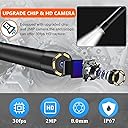
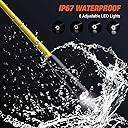
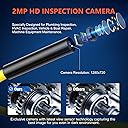
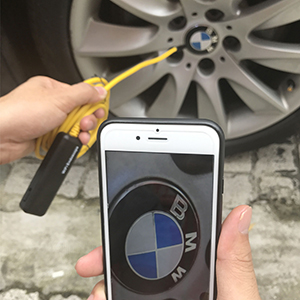
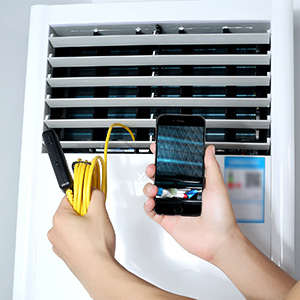
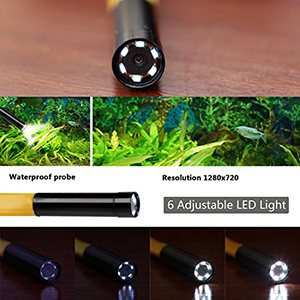
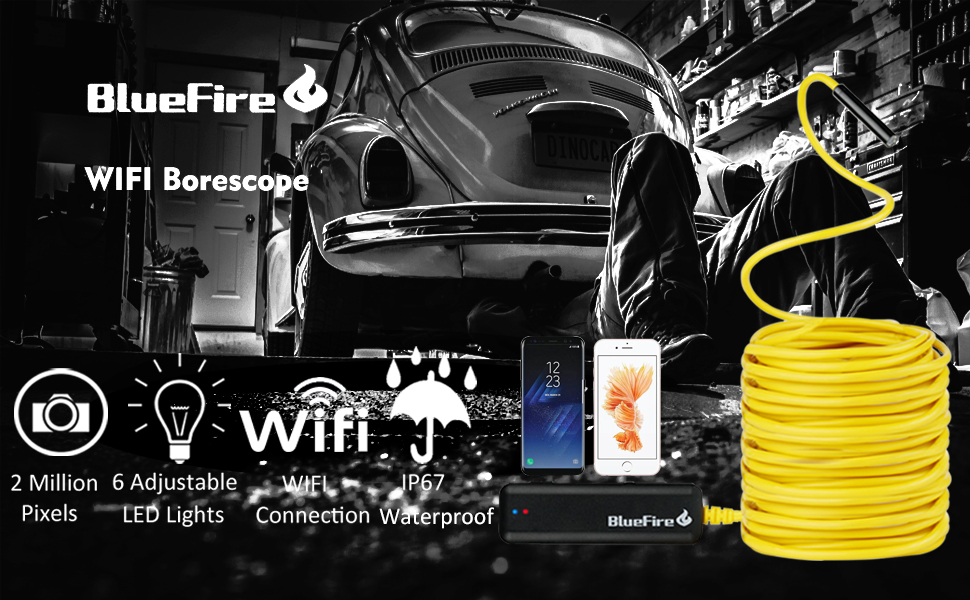
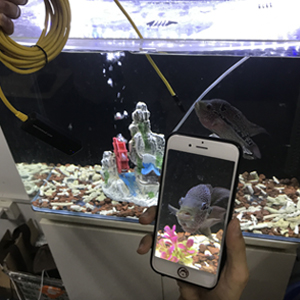
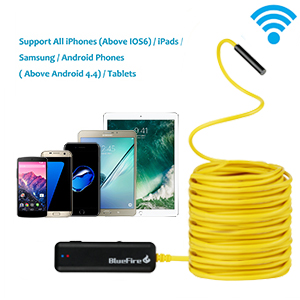
The BlueFire Semi-Rigid Flexible Wireless Endoscope is a 2MP HD inspection camera featuring a 33-foot semi-rigid cable and IP67 waterproof rating. It wirelessly connects to Android and iOS devices via WiFi, powered by a rechargeable lithium-ion battery, making it the ultimate tool for detailed, on-the-go inspections in challenging environments.


| Are Batteries Included | Yes |
| Asin | B073ZFC59R |
| Batteries | 1 Lithium Ion batteries required. (included) |
| Best Sellers Rank | #133,498 in Industrial & Scientific (See Top 100 in Industrial & Scientific) #199 in Endoscopes |
| Brand | BlueFire |
| Country Of Origin | USA |
| Customer Reviews | 3.9 3.9 out of 5 stars (1,778) 3.9 out of 5 stars |
| Date First Available | 19 July 2017 |
| Item Model Number | ZN81BF-AU-123 |
| Item Weight | 470 g |
| Lithium Battery Energy Content | 4.9 Watt Hours |
| Lithium Battery Packaging | Batteries contained in equipment |
| Lithium Battery Weight | 0.85 Grams |
| Model Number | ZN81BF-AU-123 |
| Net Quantity | 10.05 Meters |
| Number Of Lithium Ion Cells | 1 |
| Package Dimensions | 14.8 x 14.6 x 5.4 cm; 470 g |
User
Fácil de usar
Quede gratamente sorprendido por lo fácil de echar a andar... funcionó perfecto con mi iPhone XS
User
Hi quality and the endscope camera
Wasn't expecting miracles, however this product is high quality :) worked flawlessly sinks with Wi-Fi to your phone it has a lovely feature to “flip the screen” so I have to work bending the cable around to find the right angle, worked every time flawlessly I’ve used it 12 times now back in its case ready for next time, I can highly recommend this product don’t pay top dollar this is a nice little unit works beautifully, if you want to view something even 4 feet away you’ll see that no problem but it works best within 5 inches to about 2 feet with HD Nice clear shot footage can highly recommend this camera - Andrew P
User
Worked GREAT - FINALLY, after I figured out the instructions.
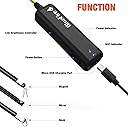
Revised from 2 stars to 5 starsI received a new unit from the manufacturer promptly along with an email urging me to try the new one. My original problem was primarily due to poor documentation and my misreading of it. The PRODUCT IS GREAT! The SOFTWARE IS GREAT. The documentation is ... not so great - confusing.The instructions are poorly written by a non-native speaker, so here I am helping out North Americans:1) Before you do anything, download the app with either the QR code (very handy) or at Google Play or the Apple App Store. DO NOT OPEN THE APP YET*****.2) So you are sure the device has enough power, charge the endoscope at the mini USB charger port on the opposite side as the camera. After 15 or 20 minutes, you certainly have enough battery to test the device.3) Turn the power on at the device. The slide switch is on one of the the long and narrow sides next to the charging port. The blue light indicates that the WIFI is communicating. The other light is red when the unit is on and green when the battery is charging. They are all off when the unit is off. The green LED comes on if the unit is off and charging on the mini USB charging port.4) To communicate with the device, go to your PHONE's WIFI center and find the Jetion_???? SSID. This is your first sign on which you can change later. the password is 12345678.5) Open the app you just installed ONLY AFTER YOU HAVE SIGNED IN TO THE Jetion_???? WIFI network.6) The endoscope light is controlled from the roller wheel on the same side as the ON/OFF switch. Roll it Toward the switch for brighter, away for dimmer.7) NOW OPEN THE APP - VOILÁ, you are looking through your endoscope.SOFTWARE CONTROL:If you press the gear Icon, you can CHANGE the name of the SSID and CHANGE the password if you wish. The top line changes the SSID - I changed mine to endoscope and also made the password endoscope since I was not worried about security. Use the red "X" in the upper left hand corner to go back to the endoscope screen.PHOTOS & VIDEO on iOS:Works REALLY well. When you give it access to your photos, it neatly puts them with your other photos and videos. Very convenient.Original Review:Received this unit and it worked as advertised for an iOS 10.3.3 iPhone 6+ ONCE. I shut it down and attempted to reconnect with the wifi and it would not connect. It was as if the password had changed itself. I tried over and over in the course of two days. RETURNED.***** This happened because I accidentally changed the password because I opened the app before I knew the gear changes the password, it is not the place to sign in. You sign in on to the device your phone's WIFI settings, not the app settings. The device automagically works when you are on its WIFI.
User
Bueno pero deberia tener mejor imagen
Es lo que ofrecen, pero segun la resolucion que ofrecen esperaba mejor imagen
User
Good item, not suitable for intended use
Delivered early. I followed instructions and installed the app on my phone..After installation there was an 'Open' button on the phone. I pressed it and arrived in the 'settings' screen for the BlueFire Endoscope and I was unable to carry out the next step in the instructions. I failed to notice that the instructions referred to 'Settings' on the phone, not on the device. I should not have pressed the open button. I corrected my mistake but didn't get a picture until I discovered I had to allow full screen mode in settings on the phone. The picture was excellent. I then attempted to use the device to view inside a drainage pipe, underground.. The lights were not sufficiently bright to give a useful image although I can imagine it being useful in other situations.. I was able to return the item.
Trustpilot
2 weeks ago
2 weeks ago