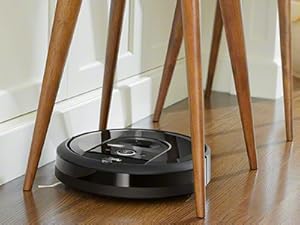
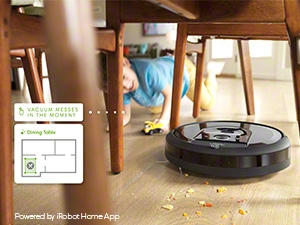
๐งน Clean smarter, not harder โ your homeโs new best friend!
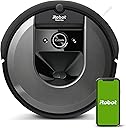
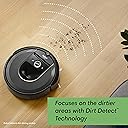
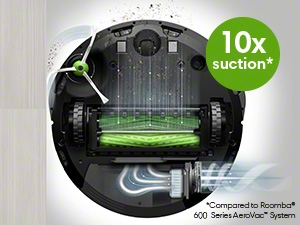
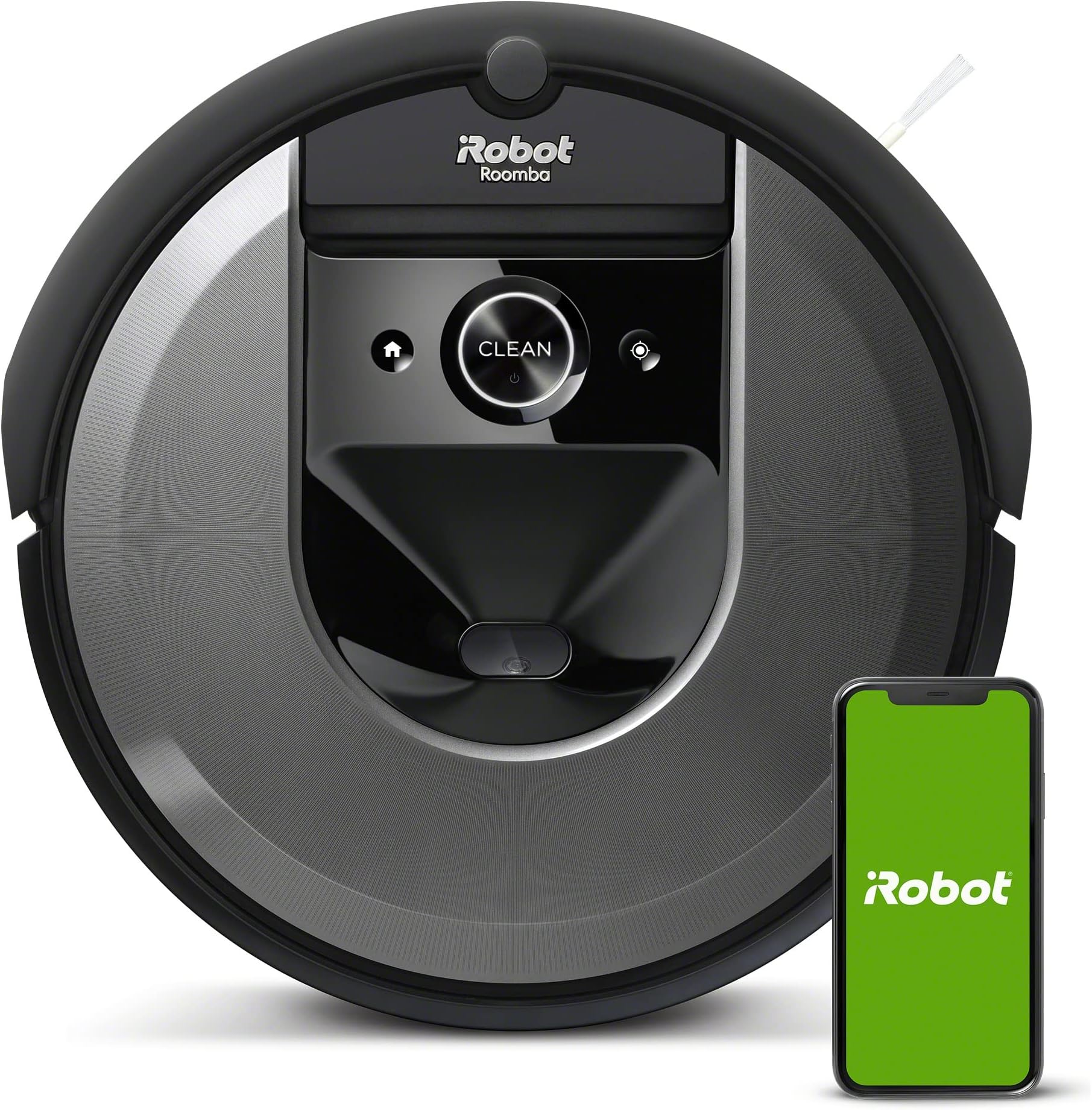
The iRobot Roomba i7 (7150) is a Wi-Fi connected robot vacuum featuring 10X suction power, advanced vSLAM smart mapping, and voice control compatibility with Alexa and Google Assistant. Designed for homes with pets, it uses dual rubber brushes to avoid hair tangles and a high-efficiency filter to trap allergens. With a 75-minute battery life and customizable cleaning zones, it offers personalized, hands-free cleaning that fits seamlessly into busy millennial lifestyles.


| ASIN | B07GNRGDKP |
| Battery Life | 75 minutes |
| Battery Type | Lithium Ion |
| Best Sellers Rank | #56,892 in Home & Kitchen ( See Top 100 in Home & Kitchen ) #48 in Robotic Vacuums |
| Brand | iRobot |
| Brand Name | iRobot |
| Capacity | 6 liters |
| Color | Charcoal |
| Compatible Devices | Amazon Echo, Google Home |
| Control Method | Voice |
| Controller Type | App Control, Button Control, Voice Control |
| Customer Reviews | 4.4 out of 5 stars 4,932 Reviews |
| Filter Type | Cartridge |
| Form Factor | Robotic |
| Global Trade Identification Number | 00885155015693, 00885155015723, 10885155015720 |
| Included Components | 1 Dual Mode Virtual Wallยฎ Barrier, 1 North American Line Cord, 1 Roombaยฎ i7 Robot Vacuum, Filter, Side Brush |
| Indoor Outdoor Usage | Indoor |
| Item Dimensions L x W x H | 13.34"L x 13.26"W x 3.63"H |
| Item Type Name | iRobot Roomba i7 Wi-Fi Connected Smart Mapping Robot Vacuum (7150), Works with Alexa, Ideal for Pet Hair, Carpets, Hard Floors |
| Item Weight | 3.38 kg |
| Manufacturer | iRobot |
| Manufacturer Part Number | i715020 |
| Manufacturer Warranty Description | 1 year limited. |
| Model Name | iRobot Roomba i7 Wi-Fi Connected Robot Vacuum (7150), Works with Alexa, Ideal for Pet Hair, Carpets, Hard Floors Model Name iRobot Roomba i7 Wi-Fi Connected Robot Vacuum (7150), Works with Alexa, Ideal for Pet Hair, Carpets, Hard Floors See more |
| Model Number | i715020 |
| Number of Items | 1 |
| Number of Power Levels | 3 |
| Other Special Features of the Product | Anti-Fall |
| Power Source | Battery Powered |
| Product Dimensions | 13.34"L x 13.26"W x 3.63"H |
| Recommended Uses For Product | Cleaning pet hair, regular cleaning tasks |
| Special Feature | Anti-Fall |
| Style Name | 30-day Dry |
| Surface Recommendation | Carpet, Hard floor, tile |
| UPC | 885155015693 885155015723 |
A**Y
THIS IS THE REVIEW YOU WANT TO READ
This product is life changing. We searched long and hard for a robot vacuum before choosing this one. Things to note: We have a golden retrieverโhe sheds, A LOT. This sucks up his hair with ease, and goes back over extra hairy/dirty spots. Our bin probably needs emptied 3 times per cleaning (thanks to our Golden). Not an issue for us. If that bothers you, get the automatic bin disposal system. READ YOUR MANUAL AND CLEAN YOUR ROBOT AND BIN FREQUENTLY, HOW YOUโRE SUPPOSED TO. If you do that, it will work wonders. The one time it left behind clumps of pet hair, like you see in other reviews, was because the rollers needed taken off and cleared. This takes less than a minute to do. Pretty simple, really. Just like anything else in the world, you have to maintain it and take care of it. You have to rinse the bin and let it dry after so many uses, and tap out the filter. Itโs not that hard. This also takes less than a minute to do. If you canโt do a small amount of maintenance, youโre the problem. Sucking power is great. It does make a noise, but itโs definitely not loud enough to bother us, at all. I actually feel silly even mentioning that it makes a noise, because itโs not loud or bothersome. Based on other reviews we were worried it was going to be really loud. Itโs not, at all. You do need WiFi to run this. If your WiFi sucks, this isnโt the vacuum for you. The battery life could be just a tad bit longer. When it does die, it takes itself back to the home base to charge and takes about 1.5 hours to recharge. Sometimes it canโt finish an entire level before it dies. If in need and in a hurry for a quick clean, I have it clean the rooms I specifically want done first, then have it do the less important rooms last. Otherwise, this really isnโt a huge issue either. There has been a couple times where it couldnโt put itself back on the home base on our upstairs level. This is because the location where the carpet meets the baseboard had a slight slope into the baseboard. This made the front edge of the home base come off the carpet slightly and the robot will not drive up to it if it is not level. Easy fixโmake the base level. Seriously people, this isnโt rocket science. Looking back, we have to laugh at some of the negative reviews people left about this vacuum. I question their trouble shooting ability. This iRobot will not cook or do your laundry for you, but it will sweep your floors and keep your house clean if you use it correctly. iRobot i7 is the greatest purchase of our adult life. Hands down. With a new baby, a 6 year old, and a dog.. it makes life so much easier!!!! So glad we got this make and model. Perfect for those of you with pets and lots of hair. You wonโt have issues with it if you clean and maintain it how youโre supposed to. Weโve had this product for 1 month at this point. I will update the review if anything goes south.
T**R
Vacuum worth the money, maybe not the mop
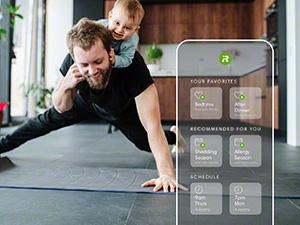
Vaccum: Mapped entire first floor after two runs, map surprisingly accurate. Having the map means you can designate rooms or areas to clean. I divided my large living room into three "rooms" so I can clean specific sections more often than others. Zones work great (i.e., an "avoid" zone around wires). I brought the vac to a different floor and it recognized that, and made a second map for the floor on its own. I have a large dog that sheds a LOT and I run this every morning in the room where he spends the most time, and most other rooms several times a week. Unlike my previous dumb robovac, which pingponged around the house aimlessly, cleaning the same areas over and over until it ran out of battery, and getting stuck in my barstools every time, this robovac goes straight to the area you select, cleans in straight lines, works the perimeter, then returns to base. Never gets stuck. You can tell it to clean several rooms in any order you want, or clean "all." I didn't get the smart base because I read that it got clogged with pet hair, the bags seemed expensive, and I figure I'd be emptying it almost as often, anyway, with all the hair. My pet hair load means I have to empty the dust bin after every room or two, but that's not exactly onerous. TBH, it's kind of satisfying to empty out the bin and see how much hair it picked up. If we didn't have pet hair, the dust bin would probably suffice for the whole house (2000 sf) or more. I have wood floors with a few short-pile rugs. Cleans the wood floors great and the carpets ok. Only complaint is that it's too tall to get under my particular kitchen cabinets so I don't use it in kitchen. The app is great. Alexa commands are inconvenient because it's a whole conversation ("Do you want to start the mop afterward?") and then it usually has some kind of communication issue and I end up grabbing the phone anyway. But the app is easy and you can make favorites so it's just a tap or two to get regular jobs going. This is a sanity saver for me because pet hair drives me mad. In some ways, it vacuums better than a big vac because it really gets under the furniture. However, if the mom-in-law is coming over, might want to pull out the big vac and get in the crevices that this can't get to.The battery life is good and it will vacuum most of the main floor (about 1400 sf) before giving out. Unfortunately, doesn't save enough juice to get back to base (poops out about 15 feet from base) so it doesn't re-charge and resume vacuuming as advertised. Not a problem for me since I tend to vacuum the house piecemeal anyway. I bought it on sale (altho not as cheap as it got before Christmas) and it's worth it. The robomop is a different story. I bought the two bundled. It's true that you can set the mop to start when the vac finishes. HOWEVER, the vac & mop do not share mapping. The mop has to do several runs of its own to make its own map. It will have different "rooms" unless you take a lot of care to ensure everything is exactly the same as the vaccum. And if you create a zone on one ((say, for a Christmas tree) you have to go to the other one and put it on there in exactly the same way. And here's the big problem: if you tell the vac to do Room 1 and the mop to start afterward, the mop doesn't recognize that the vac only did Room 1, and the mop cleans the entire house, not just Room 1. So the "mop after" feature is useless unless you vacuum the whole house first and you want the whole house mopped. Maybe there's a way to do this but I couldn't figure it out. Also, the iRobot floor cleaner, which they say is the only cleaner you can use, leaves streaks on hardwood floors. As other reviewers noted, water does better. So you are limited to water and like to use products that make my wood floors glow. Plus, this mop takes forever and doesn't get up dried on food or other hard stains. And for some reason, my mop doesn't recognize that I put the "wet mop pad" on it, and will only offer to "dry mop" , which is what, exactly? I haven't bothered to try to fix it. Plus, you have to put on the mopping pad and fill the reservoir with water every time. Easier, faster and better to just grab my Bona mop with its great hardwood floor cleaner and make a pass over my floors from time to time. To be fair, the robomop might work better for someone who works away from home and can schedule the vacuum and mop to run while they're gone, and then come home to clean floors. And when I have used it, it does make the floors appreciably cleaner than just vacuuming.
R**S
Cleans VERY thoroughly on both hard and soft surfaces but has its drawbacks.
Pros of the i7: โข Cleans VERY thoroughly on both hard and soft surfaces โข Will circle around chair and bed legs to thoroughly clean around them โข Will push partially closed doors open so it can vacuum under them โข Will boss (push) lightweight shoes around to clean under them. โข Will remove all the dust bunnies under the beds and furniture that the robot can fit under but you cant/wont. โข The built in HEPA filter leaves no dust smell in the air. โข Very intelligent โ does a good job of extricating itself from narrow spaces and tangled electrical cords. โข Will vacuum your house on a regular schedule if you are too forgetful/lazy to do it yourself โข Nice cell phone app allows you to label rooms on a map and set up cleaning tasks โข Customer support/care is good. โข iRobot may have more replaceable parts than other makes โข iRobot has a good reliability reputation Cons: โข Pretty noisy. Not too loud, but rather annoying. Emits loud whirring noise with random whining and bumping noises. Maybe this is a necessary consequence for strong suction and cleaning. โข Can be startling if run on a schedule when you are home. Can also be startling if it is running a task, runs low on battery power, recharges itself, and then restarts itself several hours later to finish the previous task. The latter can be avoided by breaking large tasks into several smaller ones. โข Cannot run at night in the dark, though that would wake you anyway even if the lights were on for it. โข Spends a lot of time bumping into things. Sometimes it will come up to a wall and gently tap it, but often it will run full speed into chair legs and furniture. The hard plastic bumper has some play in it, and I have not noticed any marks on the furniture yet (though I have only used it a few times). You might want to add a white rubber or felt strip to the bumper. iRobot sent me a white vinyl adhesive โbumper extenderโ strip free of charge. โข Takes a long time to clean (though it does do a very thorough job). Much longer than if you did it yourself. This is only a problem if you are at home, since it is noisy. My guess is that the i7 will clean faster than the less expensive versions since it is more intelligent and usually cleans in a serpentine manner rather than the haphazard โrebound off the wallโ methods the others use. You might want to invest in a lightweight cordless vacuum instead, and vacuum the area yourself in one quarter of the time. โข You need to empty the dust bin every hour or so. You also need to pull the small HEPA filter out and knock it sharply to free the dust from it. I found the small accordion like folds in it still retain a lot of dust so I use my hand held dust-buster to suck out the remaining dust. You can avoid emptying the bin and HEPA filter if you spend the extra $200 for the i7+ self- emptying accessory, which is another vacuum cleaner that automatically sucks the debris out of the i7. โข You need to keep its dozen or so sensors clean. This 30 second job probably only needs to be performed after every few hours of cleaning time. โข You need to put chairs on top of tables if the chair legs are too close together for the robot to pass through, or if all the cross bars in the chair are too low for the robot to get under (although it only needs access on at least one side of the chair to clean under it). โข You need to tie up electrical cords. The i7 does a nice job of not getting stuck on them, but it pulled my cell phone charger (fortunately I did not have my phone in it at the time) and my electric toothbrush charger off my dresser. โข Can be too aggressive and damage thick wool carpets. Read your carpet tag โ donโt use the robot if the tag says: โ do not use beater barโ. I had to set up a large โkeep outโ zone and now have to vacuum it by hand (along with the stairs). Run the robot on a small section first and then check the dust bin. If the bin is full then run the robot in โmapโ mode first, which maps out the entire floor without the roller brush running, then set up a โkeep outโ zone on the map. I called Customer Care and they sent me four โkeep outโ beacons for free (normally cost $40 each) โ I donโt know why they did not have me try the โmap onlyโ mode at the time. โข Can yank rag ends out of โrag rugsโ thus making holes in them and getting hopeless stuck trying to swallow the ends. I had to set up a โkeep outโ zone and now do this rug also by hand. โข Donโt let it get tangled up in string. Somehow it knocked a spool of fishing line out of a stand and took me 15 minutes to untangle it (my fault). The rollers and spinning brush are removable but the wheel bearings donโt seem to be. โข Is quite interesting to watch so you can end up wasting lots of time watching it, which you could have spent vacuuming by yourself. โข Deprives you of exercise unless you use that time to exercise doing something else. For anyone who has a cleaning service - do not consider permanently replacing the service with this (though maybe a temporary suspension during the Covid winter?). It obviously only vacuums floors, it will not: vacuum stairs, mop floors, dust furniture and sills, clean bathroom fixtures, clean countertops and stove top, vacuum cobwebs off walls, straighten rooms, do & fold laundry. So far the time I have spent researching, setting up, learning, and watching the Roomba vacuum for the last two weeks has been a lot longer than the time it would have taken me to vacuum the house by myself. Hopefully the Roomba will save me time in the long run as we learn to trust it.
J**N
VERY impressive premium robot vacuum/mop โฆ worth the spend!!!!
I absolutely love my iRobot Roomba Max 775! Previously owned old model that vacuumed only โฆ. Was skeptical if this was worth the cost but it is amazing!!!!! The setup was incredibly easy, and it was up and running in no time. Itโs unbelievable how it maps the entire space, programming was simple on app, setting schedule with options for specific areas allows you to target high traffic but not waste battery life or supplies. It does such an amazing job vacuuming and moppingโmy floors are literally sparkling! Hard wood floors were beautiful and no water / moisture left behind just clean floors!!!! Great on tile - hardwood- carpet!!! This is a game changer with kids and pets โฆ saves me from hours of work!!!!
M**E
This is a well engineered product
I read all of the information online about the various Roomba vacuums and decided on their i7 model even though it is pricey. The instruction booklet that came with the i7 was adequate for understanding the care of the vacuum along with the online information from iRobot. I had some difficulty connecting my Roomba i7 to my wireless network but was able to get it connected after 2 or 3 tries. The best information I found for setting up my Roomba i7 was in the customer comments about the product on Amazon. I was able to map the main floor of my home in 5 1/2 hours while in training mode, not cleaning mode. I prepared each room by picking up items on the floor and moving some chairs and animal toys ahead of the training run. It took 3 different training runs to make a map of my home. It is fascinating to watch the Roomba work and figure out how to clean each room. The Roomba i7 now cleans on schedule which is easy to set up on the iRobot app. The vacuum is quiet and cleans all of my main floor in just under 2 hours. I have pets with lots of pet hair and the Roomba does an excellent job of vacuuming the dirt and hair off of my tile, hardwood, and carpeted floors. I am still trying to figure out the appropriate cleaning of the Roomba itself due to the amount of pet hair. The cleaning of the Roomba itself is simple and quick, taking less than five minutes to perform. I am extremely satisfied with the Room i7 even though it is expensive. It is worth the money. My home is much cleaner on a regular basis with minimal hassle.
A**Y
Roomba 775 impressive performance
The setup was the easiest and fastest I have seen. Itโs great to see the room layout in 3D. The ability for the robot to store the liquid for mopping in it makes the total cleaning time minimal. I didnโt even know it was running itโs was so quiet even on high suction. The best performance from a roomba I have seen! It even looks really nice in the room since everything is hidden in the base.
D**H
Jetson's here we come!
I went back and forth about which version to buy for weeks, After some research I opted for the i7 because of the customizable features. I'm so glad I did this thing is amazing and it settles my OCD nature of wanting to vacuum at home. Here's the good: Packaging is amazing you get an extra agitater brush, filters, and it also in 1 virtual wall. The virtual wall keeps the roomba out of areas you dont want it to go. After training your roomba it gets use to your home and where things are. If you are running your roomba and it seems like an aimless wonder, place it in training mode... I would suggest a couple of sessions with lights on,off, and natural sunlight. You will notice that your roomba will become more precise in its cleaning pattern. Once the training is completed you can setup your rooms and room barriers this will allow you to set schedules if you want a different room cleaned at a specific time of day, or day of the week. Alexa integration can use a bit more work, however I have learned that with each new feature it still is a learning curve for the Alexa app and the end user. I have to use specific verbiage such as " Alexa, tell roomba to clean" she will respond " do want roomba to clean all rooms" Suction power is great, I'm glad my roomba can get to spots I can't get to with my upright vacuum like under the couch,table,bed and dresser. It picked up a lot of dirt that my upright didn't get. "Where did all this dirt come from" was my initial reaction. The roomba does well with the transition between hardwood,tile floors to carpeting. It will sometimes pause before going from carpet to hard surface as the edge detection may have something to.do with this. The not so horrible. Roomba doesn't do well with clumps of hair especially long hair. I found small balls of hair tufts around the areas it vacuumed, the was also some hair that got pretty tangled in the side wall brush that I had to get out. With any vacuum you have to get rid of the clutter around the house this will eliminate the roomba getting stuck or missing areas in the home. In conclusion this was a great buy. I am happy with the app features that shows me how long the roomba cleaned and the areas it clean and where it detected hi dirt traffic. I named my Roomba Wall-E and it has been a great addition to.my ever evolving smart home!
J**S
If this thing was a tiny bit smarter, it would be much better!
My biggest issue with the Roomba is that it usually dies from the battery going dead before it makes it back to the charging station. You would think it would learn how far it could get and start for home, but I've had it since August, cleaning 3 times a week plus spot jobs, and it doesn't seem to have gotten any better. I know it knows it is running on fumes because I've caught it a few times in the App saying it was returning home to charge, and had it not make it there. Instead it heads back in the right general direction but wanders off before getting there. If it had gone straight back (or even indirectly back), it would have had plenty of power to reach the charger, but it just doesn't dock, most of the time! I've seen it drive right past the dock, turn around, go into the next room, vacuum for while, and then let out a plaintive bleep and die. All the while the App on my phone saying it's returning to the dock to recharge. Often, when it does make it back, it will resume vacuuming before it is fully charged, and then die. If it had just waited on the charger for another 10 minutes, it would have finished the job! I think this is purely a matter of bad programming. It seems to know how much charge is left in the battery; the little battery icon in the App seems to be fairly accurate. I think the battery is okay. It is new and gives about an hour and a half of run time on a full charge. My house is as lot cleaner after 4 months of running 3 times a week. It does seem to work fairly well, except for its insanely over-optimistic notion of how much more work it can do on the remaining charge in its battery. My biggest peeve is the number of times I have to rescue it and carry it back to its base station because it ran out of battery. (The App keeps track and since Nov 4, it has run 30 times and died with a low battery 10 times and gotten stuck 6 times, so it had preventable problems more than half the time.) Update: 12/23/21. It refuses to vacuum my living room. If I set up a special job, it almost always claims it s path was blocked. But it is perfectly happy to vacuum other rooms that require going through the living room to get there! I have it programmed to vacuum the front rooms in the house twice a week, which includes the living room. Looking at the maps afterward, it shows it vacuuming all the other rooms, but only around the edge of the living room. I think there is some "memory" in it where it thinks it shouldn't be there, or thinks the living room has magically transported itself to another universe or otherwise is totally F'ed up. There appears to be no way to diagnose or reset it. I could erase it's map (basically do a factory reset), but that is a huge pain, especially since I currently have it set to avoid the Christmas tree (which is NOT in the living room, and if the keep-out zone around the tree is causing this problem, then that in itself is a serious error in its programming.) I've tried rebooting it, but that didn't help at all. Roomba's support is useless. Basically, they just read the minimally informative web page at you. It would be quicker and more effective to use a manual vacuum cleaner. Update 1/9/22: it is still refusing to vacuum my living room for no apparent reason. When told to explicitly vacuum the living room, it just skirts the edge and declares itself done in a couple of minutes without actually doing anything. When it does its regularly scheduled set of rooms including the living room, it does the sun porch (adjacent to the living room, where the base station is), traverses the living room to the front entry, then skirts the living room to vacuum the dining room, then returns through the living room to park in the sun porch. I've tried remapping my apartment to no avail. Next step is a complete factory reset, but I don't want to do that until my Christmas tree is down, because the tree causes it problems. and I'll lose my "keep out" zones. --------- July 2, 2024 - I came back here to downgrade the rating, but it is already 1 star. For the last year, it has been getting worse and worse. It constantly requires attention, always get stuck on obstacles it use to negotiate with ease, like very low thresholds and the edges of carpets and the tile area in front of my fireplace, and often gets lost trying to dock to recharge or because (on rare occasions) it has actually completed a job. Often it gets lost within inches of the docking station. The software problems are worse than ever. For instance, it will announce that the charge is low and it is returning to the docking station, but then will wander off into another room, not on the path to the docking station, and the battery will run off because it forgot to recharge. I've actually seen it announce it was returning to the docking station, then hear it in another room, check the status and see it is vacuuming again with very low charge and not having gone anywhere near the docking station. This is clearly a software bug. Sometimes it get stuck on a perfectly level surface and says it is on an uneven surface, to move it and press clean. I DON'T move it, just press clean and it resumes. Clearly, it was NOT stuck. I've cleaned it many times, replaced the brushes and filters, replaced the pivot wheel, tested the main driving wheels as per the instructions, and today, discovered and performed the docking test. It worked perfectly and then got stuck 10 minutes later. On the advice of a friend, I replaced the battery last week. It seems to last longer on a charge but doesn't perform any better otherwise. I've done many reboots and checked for software updates. None available. Yesterday afternoon, I tried to delete and create a new map. After a couple of hours exploring one room, it ran out of battery and said to move it to the dock. I did so, but by then it was getting dark and it never resumed the mapping run as it said it would. This morning, it was fully charged, and the map it produced yesterday looked bogus so I told it to start a new mapping run. It never got out of the room with the docking station, and, over an hour into it, it is stuck again on the 1/16" high lip at the edge of the fireplace hearth. I think it is trying to vacuum up the tiles, which it thinks are dirt, and despite the fact that it is not supposed to do cleaning while on a mapping run. The fireplace (and the thresholds) never used to be a problem. Getting totally lost never used to be a problem. I've replaced all the replaceable parts. The problems all have the stench of undebugged software. I suspect they might have replaced a rule-based algorithm with some sort of generative AI, or some other bone-headed move. If I can't get the mapping run (in my small, single-floor apartment with few obstacles) to work and can't discover any way to reload the original software from 4 years ago (which basically worked), I am going to trash the useless piece of junk. Is it possible to rate something ZERO stars? ---------------- I was just about to boost the rating to maybe 3 or 4 stars, when it struck again! i tried everything to make it work properly, including buying a new battery. It didn't claim the battery was at EOL, but friends who have multiple Roombas told me the problems I was having could be due to a dying battery. So I replaced it. Since i didn't know if it would help, I bought a "compatible" battery https://www.amazon.com/dp/B09KXYNBDQ?psc=1&ref=ppx_yo2ov_dt_b_product_details for about half the price of an iRobot-branded replacement. The battery fit perfectly, has identical specs, charged up fine but didn't solve any of the problems I was having. Tried deleting and creating a new "smart" (i.e. idiotic) map. It kept getting stuck and never finished a mapping run. It could clean okay without a map, but kept getting stuck and could only rarely find its charging station. It would often vacuum at random for an hour or two, announce it we returning to the station for recharging, but never get there. I think this was due to the lack of a map. The vacuuming and battery life with the new battery seemed fine. But without a map, I couldn't schedule it or tell it what rooms to clean. Finally, I tried the last remaining replacement - the tires! The tires are cheap but a little tricky to replace, but I did so. The new tires have a much thicker tread than the originals and some reviewers said this was a problem but they seemed to work fine. The first thing I tried was a new mapping run. It worked perfectly! I then realized I had left a couple of doors shut, so it couldn't map two of the rooms. So I told it to vacuum the rooms on the map. (It had to go back and recharge a couple of times, which worked fine.) Then I opened the two doors and told it to map again. It found and mapped the new rooms and then I told it to vacuum them. Last week, I manually told it to vacuum, half the house on Monday and again Thursday, and the other half on Tuesday and Friday. (There were lots of "return to the base and recharge the battery" events in the course of these two weeks.) Over the weekend, I set up the schedule again. It was supposed to do 1/2 the house on Monday and Thursday and the other half on Friday. Monday evening, I noticed it had not done the scheduled Monday job, but didn't have time to look at it. Yesterday, it also didn't do its scheduled job. The App said it wasn't charged, so I wriggled it on the charger base to make sure it lit up. (Maybe I need to clean the contacts, though I did that pretty recently.) Today I had some time to look at it. The App still said it needed charging, so I made sure it was on the charger base again. The App said it couldn't contact the Roomba, so I restarted the App. (Sometimes this helps. Crappy software.) When I did so, it still said it needed charging, so I went an reseated it again and pressed the "Clean" button. This time is says "Please install an iRobot brand battery and now refuses to charge or do anything else! Back to zero stars for this incredibly annoying, incredibly time-consuming "labor saving device".
Trustpilot
2 days ago
5 days ago