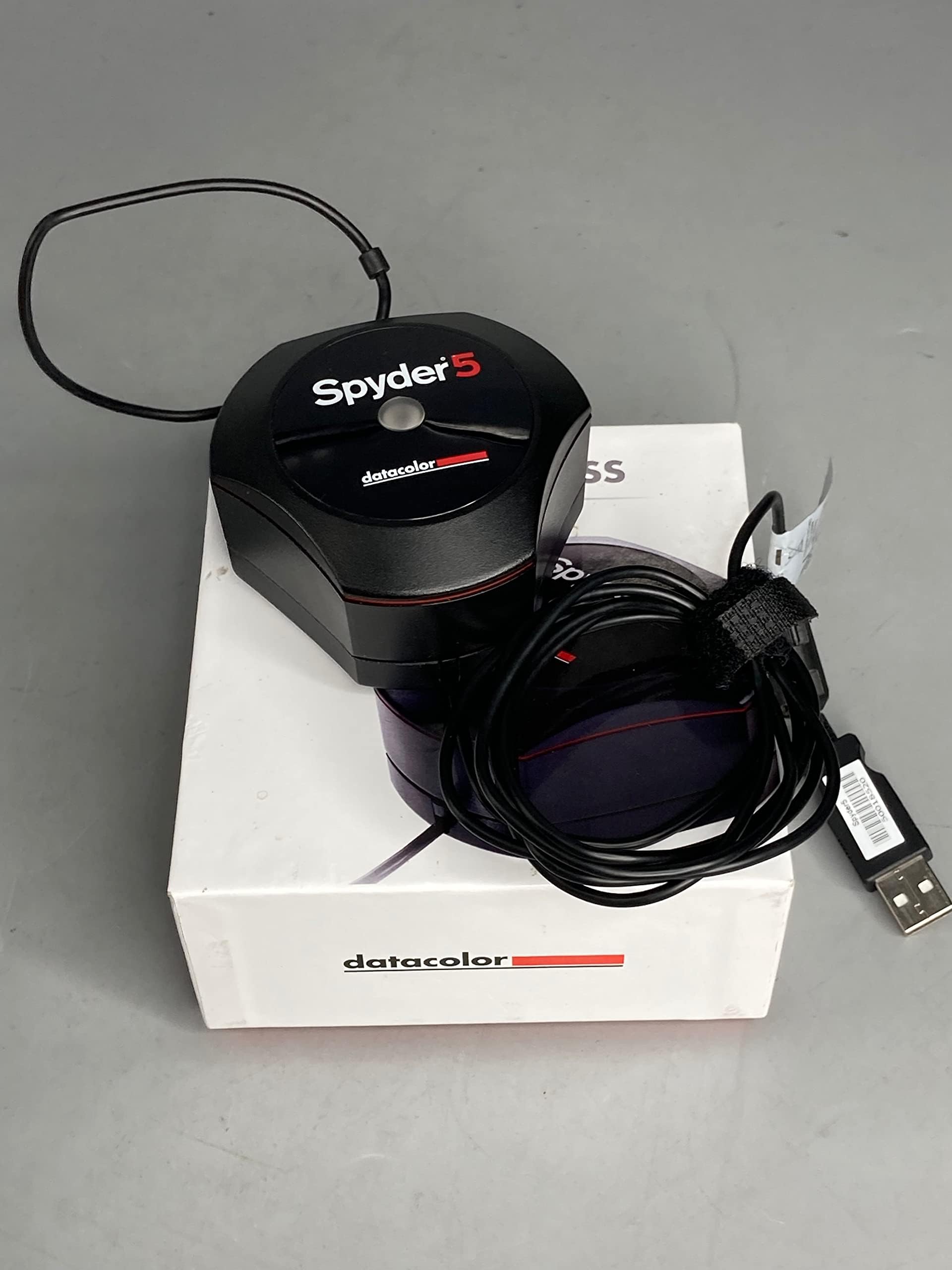




Datacolor Spyder5Express S5X100 Display Calibration System, Black
Product ID: 95177207
🎨Exceptional color accuracy
📦Compact & portable design
🖥️Calibrates all monitors
Buy anything from 5,000+ international stores. One checkout price. No surprise fees. Join 2M+ shoppers on Desertcart.
Desertcart purchases this item on your behalf and handles shipping, customs, and support to Seychelles.
🎯 Perfect your pixels with precision!
The Datacolor Spyder5Express S5X100 Display Calibration System is a cutting-edge tool designed for photographers and creatives who demand color accuracy. This compact device calibrates all laptop and desktop monitors in just four simple steps, ensuring that your images look exactly as you intended. With its patented 7-detector optical engine, it guarantees exceptional color fidelity, making it easier than ever to match your screen to your prints.


A**K
Five Stars
Excellent one. Would have been more happy if I would have got Warranty for 1-2 years.
D**.
Software basico e apparecchio eccellente
Ho acquistato lo Spyder 5 Express per calibrare il mio monitor 4k Samsung LU28E590DS. Il prodotto arriva in una confezione assolutamente adatta ed ergonomica, un cubo, al cui interno si trova lo Spyder con il suo cavo usb, una serie di manuali e fogli di garanzia. L'installazione è assolutamente tranquilla, consiglio di scaricare dal sito Datacolor direttamente i driver aggiornati, che comprendono anche il programma di calibrazione. La procedura di calibrazione è molto semplice, guidata passo passo, e la differenza si vede al termine sin da subito, anche grazie ad un sistema che mostra il prima e il dopo la calibrazione. Per completezza però consiglio l'uso di DisplayCal, programma freeware e open che gestisce la calibrazione molto meglio. Ha bisogno di un attimo di studio delle procedure, e la calibrazione stessa dura molto di più, comprendendo diversi passaggi, che vanno dal ritocco di parametri del monitor quali luminosità, temperatura, contrasto etc, all'analisi dei colori e quindi la vera e propria calibrazione. Io ci ho messo un'ora e mezza (mentre il programma Datacolor poco meno di cinque minuti), però lo consiglio per avere un'affidabilità maggiore del profilo di calibrazione creato. L'uso di questo programma permette di effettuare una calibrazione più accurata pur avendo un colorimetro entry-level, quindi lo consiglio a chi, come me, è appassionato amatore di fotografia.
C**C
Buenisimo (Usado en Cintiq, Monitor FHD y Television 4k)
Es la mejor opcion si te dedicas a la ilustracion y concept art, y no quieres tener detalles con los clientes porque ven los colores completamente distintos. Es bastante barato y facilisimo de usar, en mi caso lo use para calibrar una Wacom Cintiq 22" HD, un monitor Acer 24" FHD y una television (LG 43" 4k) que uso como monitor de referencias/general stuff.
M**!
Simple and Effective.
I bought the Spyder 5 Express. There isn't any difference in the sensor and if you decide later you want more options you can upgrade to the other software, although in all the years I have used Spyders I have never once used the other settings so decided to save money buying the express. Setup consists of tapping in a web address on your browser and following the instructions. It's really well done actually and there are even guide videos although you won't need them. The web page tells you what to expect then downloads the software which then resides on your PC. You are given a code that effectively ties the software to your specific calibration unit. That allows you to install the software on other PC's and calibrate all your screens. Should you get a new unit though you have to repeat the process to get a new key. The software will not work with ANY unit, only the one you bought. Sooner or later it will ask you to place the sensor on the screen. I needed to lean the screen back to get it to stay put, which is unfortunate. I guess you could use a ruler or something to lean against the sensor to hold it in place. The counter-balance weight isn't really a weight any more. It used to be heavy. Now it's really light. I ran off to get the weight for my old Spyder 2 which is an actual weight. It doesn't really matter though since you have to lean the monitor back anyway. Which brings me to a fatal flaw! If you have the monitor attached to the wall you may not be able to lean it back in which case it's a problem. I resorted to a piece of bamboo to press it against one monitor. There is a standard photo thread on one side of the Spyder. I guess that means you could screw in a mono-pod type arrangement to lean it against the monitor. The Express is very simplistic in that it asks hardly nothing and just wanders off and does everything automatically. You don't have to touch the monitor controls which means that all of the calibration is through a monitor profile on your operating system. In fact you don't need the Spyder application once the profile is established. One kind of bug I found in the operation is if you have multiple monitors and one or more are Display Port. You ideally want to minimise ambient light so you turn off any monitors except the one you are calibrating. Except, if its Display Port, Windows realises you turned it off and re-configures your desktop, which causes Spyder to have a fit. I just had a small soft towel handy to throw over the Display Port monitor rather than switching it off. The downside to the simple calibration is that it doesn't adjust the monitor controls so if you take the monitor on to another PC it is totally un-calibrated. My old Spyder 2 actually told you to adjust the monitor controls to get the best picture before it created a profile so if you took the monitor to another PC it was at least partially calibrated. The good news is of course there is nothing to stop you calibrating the monitor on the other PC. Something that I had never noticed before, was just how long it can take a LED monitor to warm up. It really can take up to 30 minutes, and I was initially very confused the day after I calibrated the monitors that they didn't match at all when I first powered them on. Sure enough about 30 minutes later they were a perfect match again. When Datacolor tells you to leave them on for 30 mins before calibration, really, do just that, you may be amazed how much of a difference there is. Oh, one complaint, the cable is about five feet long. Too short Datacolor! It wouldn't reach my PC!! So yes, get a USB extension cable ready, just in case. Datacolor should work on, though, is presentation. Overall you come away feeling you spent a lot of money on not a lot of goodies. I really think they should pad the software out with optional information. Something to just make you feel you got value for money. Another point is that there is no information about how it setup windows to use the profiles. For some video cards I found it literally did nothing because it didn't configure Windows correctly for that video card. I had to manually set the profile before it worked. More info please Datacolor! Anyway, all in all, even in it's cheapest configuration it seems expensive, but it is worth the money. Especially if you have several monitors, this really is essential to get them matching each other.
W**L
Adjusted monitor colors accurately
The Spyder5Express worked as expected. The software to run the device was easy to find and install. Once the software was installed the device calibrated the screen in a few minutes and create a profile file for the screen. I have 3 monitors and was able to calibrate all 3. After calibrating the screens moving the same image to all three monitors it looked very similar. Prior to calibration the image looked completely different on each monitor. I now know when I do photo editing on an image I am seeing what it will actually look like when printed using a proper printing profile. For the price it is a great tool!
J**L
Bien meilleure que la Spyder 3 et parfaite avec DisplayCAL
D'abord, précisions une chose importante: la sonde (matérielle) proposée par Datacolor sous les appellations Elite, Express et Pro est exactement identique. C'est une "Spyder 5". Point. En clair, ces trois produits utilisent le même appareil, il n'y a que le logiciel qui change. Et ça tombe plutôt bien, car le principale problème de la gamme Spyder est justement lié au logiciel proposé par le fabricant. Car si celui-ci est rapide et relativement facile à utiliser, il est également d'une précision et d'une utilité plus que discutables. Personnellement, j'utilise cette Spyder 5 avec le logiciel gratuit DisplayCAL (facile à trouver et il est en français), qui est considéré aujourd'hui comme l'un des meilleurs pour l'étalonnage des moniteurs. Son utilisation n'est pas totalement intuitive, mais vous trouverez beaucoup d'explications sur le Net qui vous permettront de vous en sortir. Un étalonnage avec DisplayCAL prend en principe entre une et trois heures (oui, c'est assez long), mais le résultat est généralement irréprochable. Attention: pour employer la Spyder 5 avec DisplayCAL, il vous faudra télécharger un pilote "Argyll" afin qu'elle soit reconnue par le logiciel. Pas de panique, le fichier d'installation le fait en principe automatiquement. Jusqu'à aujourd'hui, j'utilisais une sonde Spyder 3 pour calibrer mes trois moniteurs (2 PC, 1 Mac), et j'ai toujours été assez satisfait du résultat obtenu... même s'il fallait parfois recommencer plusieurs fois l'étalonnage pour avoir quelque chose de correct. Avec la Spyder 5 - plus sensible et qui intègre un capteur de luminosité ambiante - les résultats sont nettement plus homogènes, quelle que soit la plateforme. Ce n'est peut-être pas une sonde colorimétrique professionnelle haut de gamme, mais elle a de quoi satisfaire les photographes exigeants et les artisans de la vidéo (dont je fais partie). Matériel tout à fait recommandé... associé à DisplayCAL.
Trustpilot
2 days ago
1 month ago