Some deliveries may take a little longer than usual due to regional shipping conditions.

DOWNLOAD THE APP


Customer Services
Copyright © 2025 Desertcart Holdings Limited
DOWNLOAD THE APP
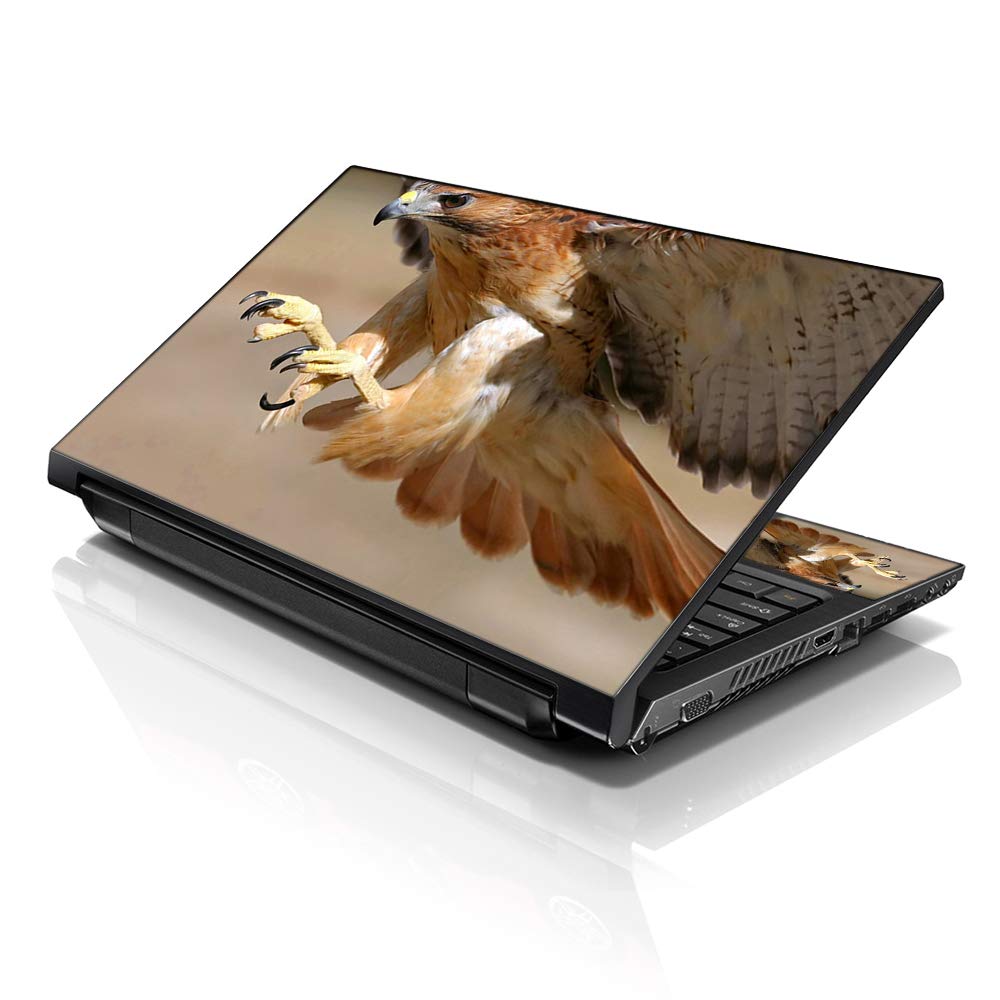
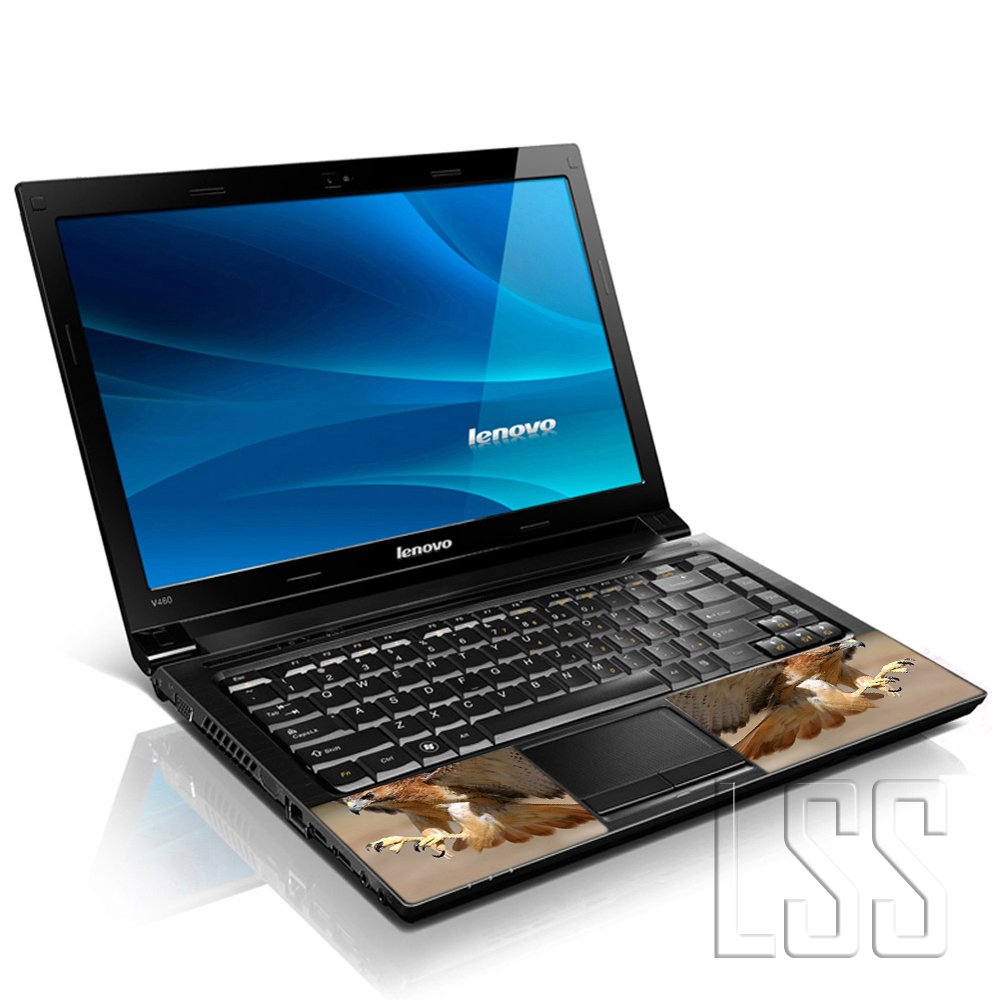


🦅 Elevate Your Laptop Game with Style!
The LSS 15.6 Inches Laptop Skin Sticker is a premium vinyl cover designed to protect laptops from scratches and water damage while adding a unique aesthetic touch. Compatible with various laptop brands and sizes, it features a vibrant golden eagle pattern and comes with two reusable wrist pads. Easy to apply and remove, this eco-friendly product ensures your device stays stylish and protected.
S**E
BE WARNED: THERE IS NO STICKER FOR KEYBOARD AREA
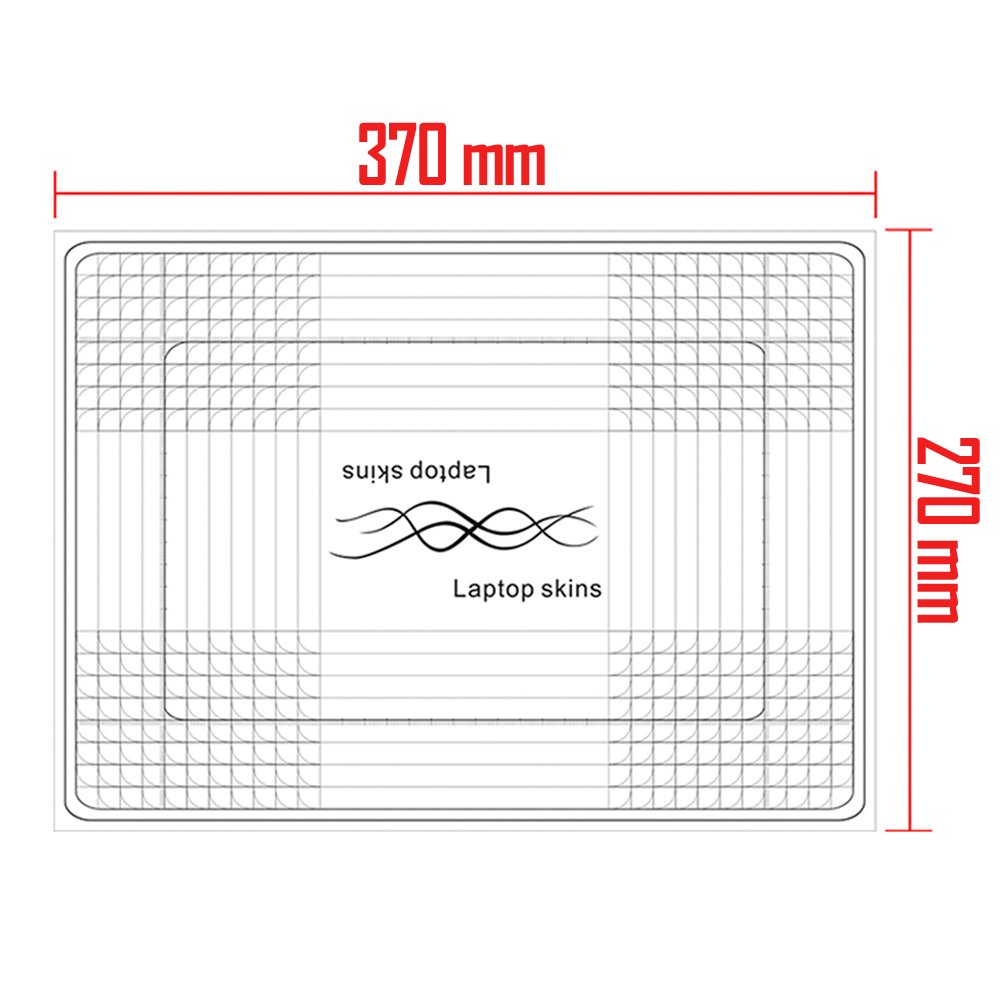
Ok, so the sticker is cute, yes. It's also very easy to install (if you do it the right way... I didn't do it the right way at first, and I'll get to that). It has a graph on the back to use to help you get everything straight, which was great for me because I can't draw or cut a straight line if my life depended on it. I was disappointed to see that the sticker comes as one big piece. I was under the impression that there would be the one big piece for the front and one piece for the keyboard area, but there wasn't, it's just a blown up picture of what you order (I order the purple lotus flower with black background). I guess you're supposed to use the leftover pieces of the sticker to use on your keyboard area? Well, for the picture I picked out, it's nothing but black leftover pieces, with a squiggly line here or there. The picture in the header shows a miniature picture of the same picture on the front, to use as the keyboard sticker, but this doesn't come with a miniature picture, it's just one big picture (not even one big picture and a small one off to the side. It's literally one big blown up picture), so be aware that you will not receive a second picture. Now for the installation part... there is a right way and a wrong way to do this ( I did it the wrong way the first time and it bugged me so bad I had to peel it off and do it the right way). So if you're a perfectionist like I am, you do not want a bunch of bubbles under the sticker, and if you just slap it on there and go, you will have a lot of bubbles underneath the sticker that are visible when any kind of light hits the sticker. When you put the sticker on, it's best to start from one side (top or bottom, left or right, it doesn't matter, just start from one side) and use a credit card, or anything that's flat and hard (side of a small box, side of remote control, or side of your cell... like I used) and hold press the one end down evenly, and use the credit card or whatever you're using, and to push the rest of the sticker down, pressing firmly (but not so hard you'll break the computer) and press down the sticker, piece by piece with the object you're using. Once u get the whole sticker down, start from the middle and use your flat object to firmly press again from center outward until you've got the whole sticker down and there are no mini bubbles, and then take your object and seal the edges really well, and voila, you have a bubble free good seal, and you shouldn't have to worry about any peeling. I however, have a little curl already going on one corner of my sticker, because I had to peel it off and put it back on because I didn't do it the right way the first time. I have had many of these stickers for my laptops, and each one has lasted me well over a year ( so I should've known better than to just slap it on there. I think the no keyboard sticker had my brain elsewhere, so I didn't pay as close attention as I usually do). I have a sticker from Mighty Skins on it's way (which is what I usually use because there's no cutting involved, it comes perfectly cut to the computer you're using, and has the keyboard sticker as well, and it covers the whole area, which gives a nice sharp look once it's all done), this sticker was cheaper and would arrive sooner, so I wanted to give it a try, but it wasn't even close to the look of what I'm used to, so I personally will not purchase for a laptop again. I would purchase for other things, but not my electronics. I like things to fit like a glove and look nice (not a big fan of the "you can tell I cut this and tried to fit it to my computer" look.
G**8
Does not adhere well
Good graphics but started pealing at the corners imeadiatly.
F**S
Easy to cut and reapply with a nice added texture
I needed a laptop 'skin' for my new easily smudged laptop.Pros:-the dark print I got is not pixelated like some of the competition-backing comes with a grid on it for easy to measure cuts-easy to cut (used an xacto knife for precision)-easy to take off and reapply when you get the angle wrong/get bubbles/etc.-has a textured overlay to the image (kind of like 'alligator leather')-comes with extra 'wrist-rest' skin (x2; same image as the bigger skin, just shrunk down) to put near the touchpadCons:-came packed in flimsy amazon plastic mailer, which led to dents and creases in transit; depending on the angle I look at, I can still see the dents post-smoothing out/post-application-both the laptop skin and the 'wrist-rest' skins have rounded corners, which means inevitably the corners you trim down won't match the pre-rounded corners--would have been better if there wasn't pre-rounding of corners.Overall the skin does what I wanted it to, which is to reduce the appearance of smudges on the laptop shell.
S**O
Snakeskin Skin
I got the snakeskin skin for my Dell Inspiron 15. This is my third time getting a laptop skin so I consider myself a laptop skin pro now. The first skin I had looked great. But the edges would always peel up. (Some negative reviews about this.. I've accepted it's just a fact of life when it comes to laptop skins & I'm willing to work with it because I love a customized laptop. It's always with me so I like it to have a little flair.) The second skin I got was also great. But I never cut my laptop skins before because I was always scared I'd mess it up or make it look choppy. And that's why the edges would always peel up for me because i'd have to stick the stickers down around the curve of my screen and the sticker was just not about that curve life. So fast forward to now, received my laptop skin & just as before it fit the width perfectly.. But was a little high. So I decided this time I'm gonna cut the skin to size. I used a piece of masking tape and taped one end down where I planned to stick it & then found where I needed to cut. I cut my laptop skin while it was taped down so it would be the perfect size. I also cut with care and it came out GREAT. I had a choppy incident, but I hadn't cut all the way through so I stuck down a piece of the sticker still hanging on & perfectly disguised it if that makes sense. It looks the best & if I need to change this one or get tired of the style, I'll definitely be cutting to size in the future. I'll update with a picture later today & in a few weeks I'll update again and let people know if the peeling issue is due to the sticker not being cut to size or if it still peels at the edges even being on a flat surface. One more pro tip.. in the past I used to attempt to stick the skin on and then lay it crooked it have to unstick it and re-stick it down multiple times. I feel like that really probably weakens the adhesive so this time around I lined up the bottom corners and made sure the bottom corners were a perfect fit before I laid down the rest of the sticker carefully.
M**N
Great Item
Great way of brightening up a laptop, mine was plain so got this to make it look better, it certainly stands out and looks great, also you get two smaller versions for below the keypad though I have only used one of them. It is easy to put on and easy to wipe clean with damp cloth so handy for keeping clean. Delivery is a bit slow but other than that it is not a problem but it is worth the wait.
A**R
Three Stars
Difficult to stick the edges properly
E**A
Fit nicely though was a battle to get it to
Cute little sticker. Fit nicely though was a battle to get it to.
A**R
Five Stars
As advertised
M**E
Five Stars
Very pretty design and fits my laptop well. Good material and easily cleaned.
Trustpilot
1 month ago
2 months ago