🚀 Elevate your everyday grind with power, speed, and style in one sleek package!
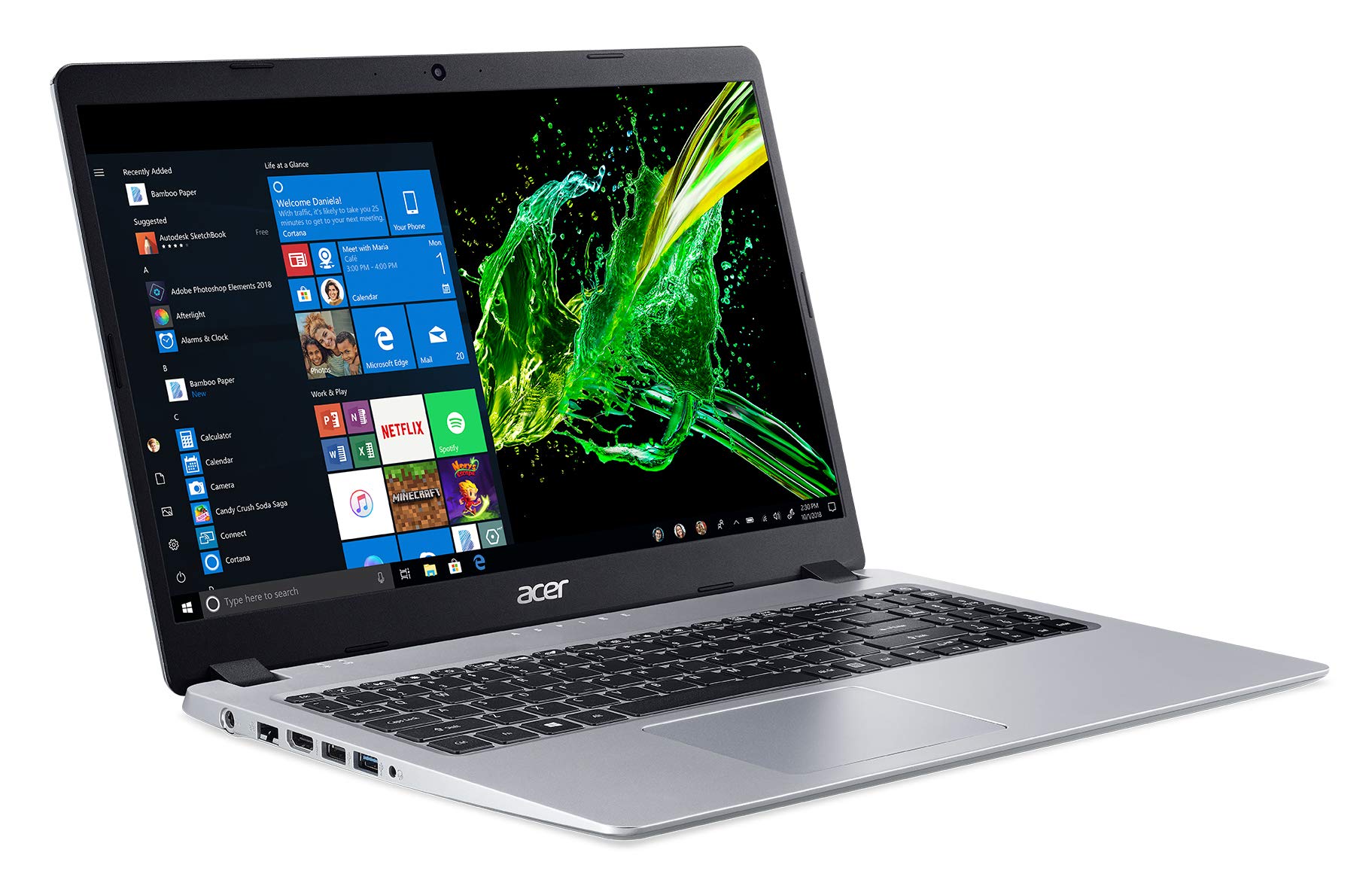
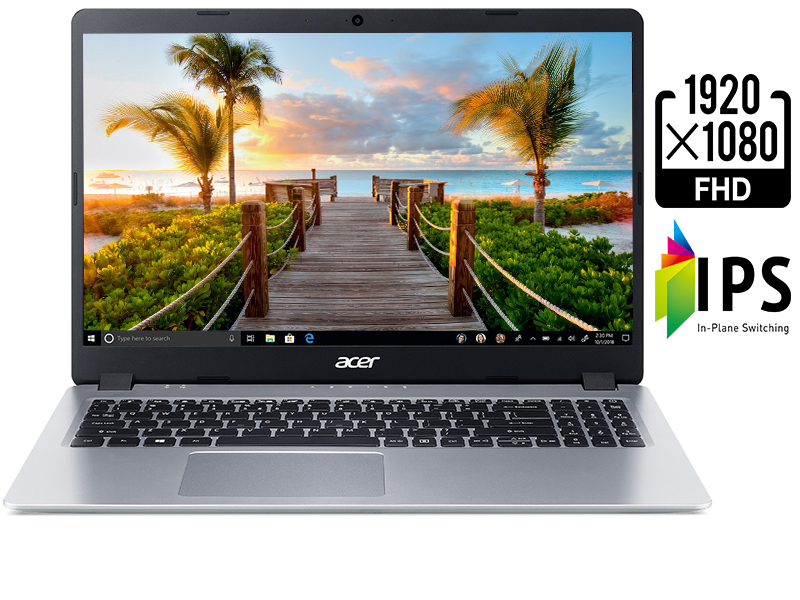
The Acer Aspire 5 Slim Laptop features a 15.6-inch Full HD IPS display, AMD Ryzen 3 3200U processor with Vega 3 graphics, 4GB DDR4 RAM, and a 128GB PCIe NVMe SSD. It offers a backlit keyboard, multiple connectivity options including USB 3.1 and HDMI, and up to 7.5 hours of battery life, making it an ideal lightweight and affordable choice for professionals seeking reliable performance for everyday tasks and light multimedia use.


| ASIN | B07RF1XD36 |
| Average Battery Life (in hours) | 7.5 Hours |
| Batteries | 1 Lithium Metal batteries required. (included) |
| Best Sellers Rank | #28,002 in Computers & Accessories ( See Top 100 in Computers & Accessories ) #4,162 in Traditional Laptop Computers |
| Brand | acer |
| Card Description | Integrated |
| Chipset Brand | AMD |
| Color | Silver |
| Computer Memory Type | DDR4 SDRAM |
| Customer Reviews | 4.5 4.5 out of 5 stars (35,929) |
| Date First Available | May 24, 2019 |
| Flash Memory Size | 128 |
| Graphics Card Ram Size | 4 GB |
| Graphics Coprocessor | AMD Radeon Vega 3 |
| Hard Drive | 128 GB SSD |
| Hard Drive Interface | Solid State |
| Hard Drive Rotational Speed | 0.1 |
| Hardware Platform | PC |
| Item Dimensions LxWxH | 14.31 x 9.74 x 0.71 inches |
| Item Weight | 3.97 pounds |
| Item model number | A515-43-R19L |
| Max Screen Resolution | 1920x1080 |
| Memory Speed | 3.5 GHz |
| Number of Processors | 2 |
| Number of USB 2.0 Ports | 2 |
| Number of USB 3.0 Ports | 1 |
| Operating System | Windows 10 S |
| Power Source | Battery Powered |
| Processor | 3.52 GHz ryzen_3_3200u |
| Processor Brand | AMD |
| Product Dimensions | 14.31 x 9.74 x 0.71 inches |
| RAM | 4 GB DDR4 |
| Screen Resolution | 1920 x 1080 pixels |
| Series | A515-43-R19L |
| Standing screen display size | 15.6 Inches |
| Voltage | 240 Volts |
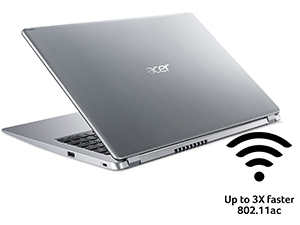
| Wireless Type | 801.11ac |
N**N
Easily 5 stars for the range of laptops it's supposed to be in. * Update, still 5 stars. *
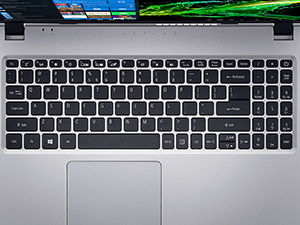
This is considered a budget computer, but for us computer geeks, this is the base for several "premium" models. I can't really write a review of the computer out of the box because before I ever turned it on, I installed a 2nd RAM card, then when I booted it, I signed into my account which changed it from Windows 10 S mode to Windows 10 Pro since I have several Windows 10 Pro product keys associated with my account. With that being said, this computer outperforms what it is meant to do. Is this going to be the strongest computer you can buy? No, not at all. However, this computer has edited large videos for me in minutes, I can use my music notation software on it with no lag or freezing (Sibelius), and it does actually process games at the higher resolutions. I've tested games as demanding as Forza Horizon 4 and it, surprisingly, performs with no issues. It does run hotter, of course, but not exactly "hot". Heavier usage draws down the battery, but that can be said for literally any electronic device. I purchased this to replace my well-aged HP G60 whatever model that was that I purchased 12 years ago and just kept updating. Up until around July 2020, it was still up to specs to work from home, something I actually bought that computer for 12 years ago. Finally, an update to most of the work at home platforms finally rendered that old beast useless. Ironically, I used the stimulus check from back then (2008) to purchase that computer. With that laptop in mind, I premium laptop to me is one that I can upgrade and repair easily. The HP G60 line did that quite well. Now here in 2020, I purchased one of these for someone else at first. During setup, I noticed the slot to add another SSD, I added the second RAM chip for that one as well since I already knew about that, but I also noticed how easy it was to work on it. We booted it up, put a Windows 10 Pro key on it as well, and from the start, I was impressed with the performance. I was so impressed that I bought myself one. This thing is super lightweight. The keyboard does have slight smaller keys which takes all of about 20 seconds to get used to. This is because it fit a full number pad on the right of the main keyboard, something that is a must for me with a laptop. One thing I absolutely don't find at this price range is the backlit keyboard. Spoiler alert: with the backlight turned on for the keyboard, your battery time can be reduced by as much as 50%. You really don't need it if you're used to typing on pretty much any keyboard, but it's nice when you do need it at night in the middle of a shift. The button to turn it on and off is located pretty much at the center of the top row (F keys). Just to the left of that is the button to turn off the track pad. Very nice placement on both of those. The graphics seems to use a combination of resources that gives you 5 GB reserved just for graphics processing. Not bad at all. This must be what pushes it to be able to do a lot more than expected for this price. It's nice going into the Microsoft Store to check the system requirements on games (Halo series, Forza Horizon, etc) and not see any red indicating the computer doesn't meet the requirements. For working from home, this is excellent for those resources that might require a proprietary desktop that you have to load and run via USB. It also has a built in ethernet port, which is usually required for those particular work from home platforms, but it also performs flawlessly on the 5 GHz wifi networks for the rest. As a digital nomad, I also have to upload and edit and create videos. This thing surprisingly gets through Adobe and other applications with ease and renders videos quite fast. This was supposed to be a quick purchase for me to replace my aged out HP and then I'd get another good laptop later on, but I'm probably just going to buy a couple more of these. *Update* I've noticed two things that improved performance. First, I downloaded the full AMD Radeon Software (it comes with the "lite" version) and that opened up a lot of performance tweaks on both the cpu and gpu. Also, I'm noticing the battery time listed must be an overall average. When I'm just browsing, watching a few Youtube videos in the browser, and doing stuff like writing product reviews, with the brightness turned down to the lowest setting and with the backlit keyboard off, I seem to get between 9 and 10 hours of battery life from a full charge. Not sure if that's normal for this device, but it's what I keep noticing. Make sure you also turn off bluetooth and location and all that other stuff you're likely not using because those can draw the battery down quickly. When I have the brightness up, keyboard lights on, playing games with the Xbox controller connected via bluetooth, working (headset in, running work platform software), the battery time can be as low as 5 hours from a full charge. I don't allow any sleep or hibernate functions. Those tend to kill a hard drive. There's nothing I'm ever doing that can't just be saved so I can properly shut the computer down. Sleep and hibernate modes can also do some strange things to batteries, usually causing software glitches that can wreck even the best batteries. They can also cause data fragmentation... all in all, I just don't use those functions on any computer, and for all I know, it could contribute to the better luck I have with laptop batteries and having never had hard drive failure.
Z**S
Perfect computer for light workloads.
I bought this laptop as a replacement for my old Toshiba laptop from 2012. The Toshiba one was starting to show its age by failing to pass POST and thus failing to boot. I had used it almost every single day since 2012 after all, as it was my college laptop and even helped me launch my career as an engineer, so it has served me well. But the OS failures were getting troublesome. They were happening increasingly often, so I decided before all my data was lost (which wasn't really that much, since I keep all my actually important data on a home file server), I decided to shop around for a nice, reliable, not-too-cheap laptop I could use to replace it, and this is the one I chose to buy. For the non-Linux enthusiasts, feel free to skip this paragraph, but a kernel panic is basically the Windows blue screen of death equivalent on Linux. My old Toshiba was having kernel panics all the time starting with Kernel 5, so I thought maybe it was my old hardware which has having trouble with the brand new kernel. I tried an LTS version of Kernel 4.19, thinking it was going to solve my kernel panic issue, but nope. I still had kernel panics all the time, and it was starting to get worrying how often it was happening (multiple times a day near the time I got this new Acer laptop). So I feel like I got the new Acer laptop just in time before the Toshiba hardware became unbootable. Now, I'm an electrical engineer, but I'm a lazy engineer. I didn't feel like dissecting the Toshiba to try and pinpoint what the problem might have been. I use Arch btw (best meme 2k19) So back to regular English. I'm thoroughly impressed with the hardware that AMD has developed with their Ryzen lineup and their Vega graphics. Sadly, with all the cryptocurrency mining happening nowadays, it's actually hard to find any AMD graphics card for use with actual graphics workloads like gaming. But that's beside the point. This Acer laptop, with its Ryzen 3 processor and built-in Vega Picasso graphics is almost overkill for what I use it for. I haven't tested any games on it, but I imagine it would run Minecraft well enough. Maybe not 60fps, but still enough to play. I use this laptop mainly for just web browsing, and occasional coding when I'm feeling ambitious with some sort of personal software project I want to work on. In the time that I used Windows 10 S Mode... it was just plain dumb. Not being able to install software from non-Microsoft sources? Really, Microsoft? What are you doing? You can easily opt out of the S Mode crap, but it warns you that you'll never be able to go back to S Mode in the future if you ever change your mind. Like that'll scare me into keeping S Mode! I'll show you how much I care about S Mode. I only spent about a half hour tinkering with it before I just blasted the whole NVMe M.2 drive clean and installed good old Arch Linux on it with a fully encrypted filesystem, so ain't nobody getting into my data. And I can say, this NVMe M.2 drive is freaking lightning quick. Compared to the old HDD on my Toshiba, this new laptop boots in like 15 seconds, if even that. My main PC with Godly specs (Intel i9-9900K + RTX2080Super + 1TB Samsung NVMe M.2) boots in around 10 seconds, so this little laptop is definitely keeping up with the speed. Overall, this Acer laptop is a fantastic computer; probably the best laptop I've ever owned at this price point. It's perfect for basic usage, and I recommend it to be used for light workloads like checking email, browsing social media, editing office documents, coding, and other basic tasks of the sort. The Ryzen + Vega chip will definitely last several years, and I'm happy to finally support a quality AMD product. Ultimately, it's up to you as the customer to decide if this is the right computer for your needs. Evaluate why you need this computer and determine whether or not the price of this laptop would best suit your needs. I needed something I could rely on with streaming, decoding, and rendering video data from YouTube, Twitch, and/or Netflix which is actually a bigger task than people give it credit for. If you don't intend to watch many videos or do anything more resource-intensive than that, then this laptop might be a touch too powerful for your needs. With all that in mind, it's safe for me to say that this Acer laptop is perfect for the moderately light workloads I intend to use it for.
A**S
I bought this entry level laptop for my son to be able to play some basic games. This is the amd version with vega graphic, stock 4 gb ram no upgrades. First off, this laptop is really well built, the design and the look gives it a big boost. Beautifully made, definitely not something you would expect for a 400 dollar laptop. Spec wise, this model suits any general user perfectly, performance, noise, storage are all pretty basic but good for office computing. Documents, youtube, all with breeze. Video gaming, my son play minecraft and roblox on it, both allowed in windows 10 S mode. Depending on the roblox server and games, it does lag from graphic here and there, for minecraft, no problem. Battery is built in non-removable, so you will have to play plugged in with battery. I can't say for long term effect of battery life, you could open it up to take it out, but not sure if that will void warranty, and for the same reason, I did not upgrade the ram (shared between cpu and gpu, possibly enhance game performance). Couple tips and tricks for video gaming, lower your graphic settings, by means of in game, or your desktop native resolution. I know it's default at 1080p, drop it down to 720p will reduce gpu stress and lower heat as well at the same time enhance performance. If it is being used for kids, they can't tell the difference. All in all, I give it a 90/100 for the price that it comes in at.
S**H
I was debating on which laptop to get after my 11 year old Acer Travelmate finally stopped working. I loved that laptop, so I decided to stay with Acer products. The Ryzen CPU was what caught my attention. This laptop is fast, responsive and will take anything you throw at it. The backlit keys are a nice feature. If you're on the fence about buying this laptop, just get it, you will not be disappointed.
K**I
Lo compré ya que buscaba un ordenador para la carrera que fuera ligero y de potencia media, y que preferiblemente tuviera un buen diseño. He de decir que, en lo que llevo de prueba, esta cumpliendo muy bien. El tamaño está muy bien, ni demasiado grande ni tampoco pequeño, y es muy liviano y fino. Llegó en perfecto estado, con dos bolsitas con el cargador, una pequeña con tornillos extra y las guías y garantía. Es muy ligero y silencioso, la pantalla se ve bien (tiene efecto mate, lo que viene perfecto para mi), el teclado es QWERTY inglés y silencioso. Viene con Windows 10 Home S, pero es relativamente fácil cambiarlo a Windows 10 Home si así se quiere. Se carga bastante rápido y la batería tarda mucho en gastarse. En general, una buena compra, con buena calidad-precio.
I**S
I would like to thank Amazon for expediting the delivery of the laptop. Amazon is wonderful and delivered this laptop to me during this pandemic. I am so grateful. The Acer Aspire 5 Slim Laptop 15.6 is the top ranking budget gaming laptop on Amazon now. It is ranked sixth on the chart. The reason for the high rank is the affordability. It is only USD $350 and comes with an eye pleasing IPS Display that is 15.6 inch. I get around 3 hours out of the battery as I make it power an external laptop cooling fan which is awesome. The laptop can be upgraded without voiding the warranty. I ported over a SSD drive and added ram. It is fairly light weight and easy to carry around. The boot up speed is fast. It is manufactured in the province of Taiwan by Acer. The only downside is the CPU. It is fast but is not upgradable. But this is a wishlist. Great buy. I love Amazon Prime for your great service. God bless Amazon 😊
B**5
I was very much looking forward to receiving this laptop as I had read many reviews and the price was really good. Well I was certainly not disappointed. This is a great looking laptop that performs very well. In this price range it is probably the best one around at the moment. The 1920x1080 resolution is excellent, add to this a solid state drive built in and a backlit keyboard and full 15.6” display and I am a happy woman. The 4gb of memory will need to be upgraded as that is no longer sufficient to run Windows 10 but that is a minor issue. I absolutely recommend this laptop if your looking for a good looking, value for money laptop that performs really well.
Trustpilot
2 weeks ago
1 week ago