We remain fully operational. Our teams are working around the clock to ensure your deliveries continue safely.

DOWNLOAD THE APP


Customer Services
Copyright © 2025 Desertcart Holdings Limited
DOWNLOAD THE APP
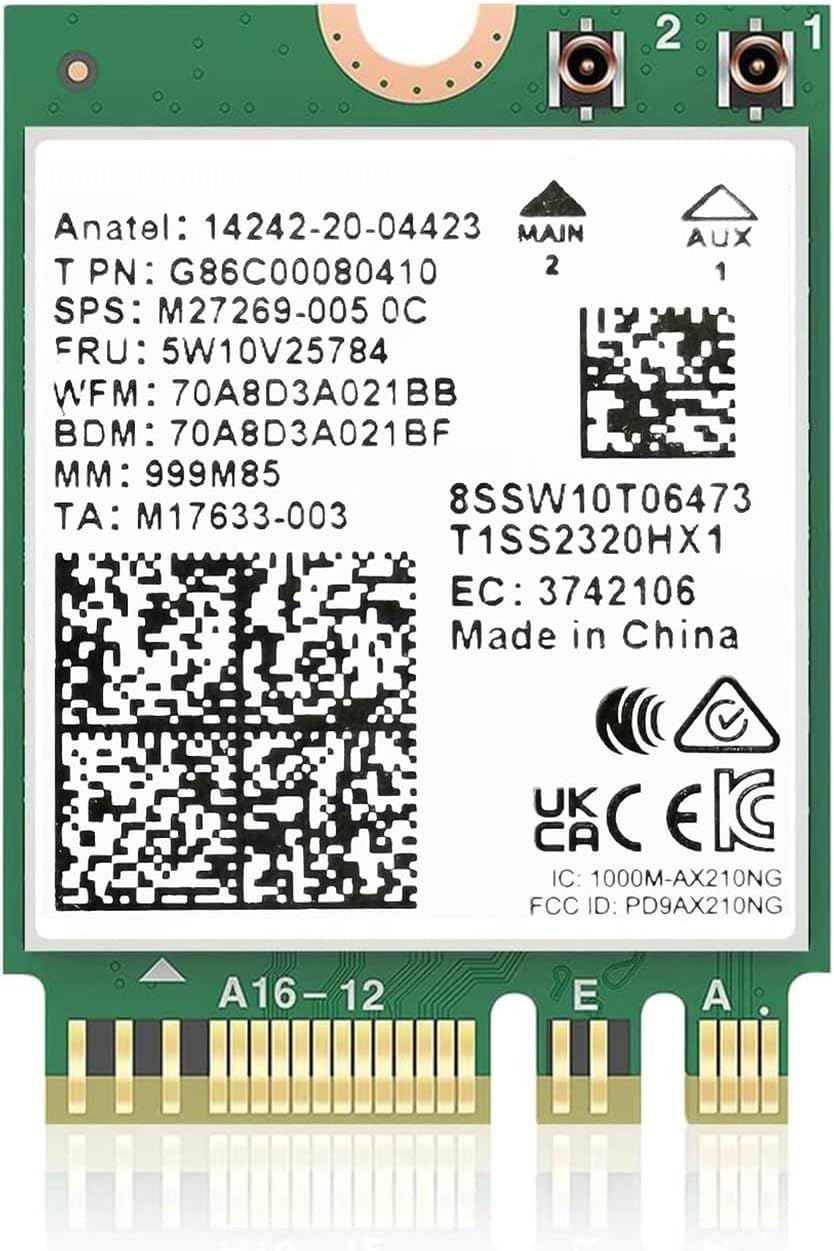
🚀 Upgrade Your Connection, Upgrade Your Life!
The AX210NGW WiFi 6E Card is a high-performance M.2 wireless module delivering tri-band WiFi speeds up to 5400Mbps and Bluetooth 5.3 support. Designed for modern laptops running Windows 10/11, it leverages Intel’s AX210 chipset with MU-MIMO, OFDMA, and Target Wake Time technologies to maximize speed, reduce latency, and extend battery life. Ideal for professionals seeking ultra-fast, reliable connectivity in dense network environments.


| ASIN | B07SH6GV5S |
| Best Sellers Rank | #80 in Internal Computer Networking Cards |
| Customer Reviews | 4.6 4.6 out of 5 stars (2,697) |
| Date First Available | May 27, 2019 |
| Item Weight | 0.16 ounces |
| Item model number | PCE-AX210 |
| Manufacturer | UFON |
J**E
Affordable Upgrade That's Absolutely Worth It!
My house that I moved into is older and has a lack of cabling/coax jacks, so I setup a nice Wi-Fi 6 mesh network. Issue was that my laptop is a 2015 Dell Inspiron 14-5458. If 802.11ax mode (Wi-Fi 6) is enabled on the network, my laptop could not detect it due to the outdated WLAN/Wi-Fi 5 card. My mom's 2019 Dell Inspiron 13-7375 laptop had a defective card that would randomly be unable to detect any network. I decided to purchase a couple of these cards after verifying they would fit our device models, and needless to say, they work great! I searched for, downloaded, and installed Windows 10 Intel AX210 Bluetooth and Wi-Fi drivers prior to installing the cards. I looked up some diseembly videos and pictures to get an idea of where to install them. Once the laptops were taken apart, I made sure to disconnect the batteries and located the cards. I unclipped the antennae, pulled the cards out of their slots, and popped the new ones in. The toughest part was clipping the antennae back onto the replacement cards because the parts are very small. After around 30 minutes of strenuous effort, sweat, and frustration, I finally got them perfectly lined up to snap into the cards! Thankfully, the process was a bit quicker on my mom's laptop after tirelessly struggling on mine. After the new cards were installed and the laptops put together, I tested them out. My old laptop detected the network without issue and download speeds over Wi-Fi 6 were significantly faster than with the old card! With the new hardware, my mom's laptop consistently detected the network after reboot and when waking from sleep. All in all, this purchase was definitely worth it and for roughly $40, these newer WLAN/Wi-Fi 6 (802.11ax) cards can breathe life into the wireless connectivity and bandwidth speeds for your older laptops!
R**N
Software Installation is Fussy on my HP 17-BWX000 Laptop
Once installed completely, the WiFi and Bluetooth functions work terrifically. Windows File Explorer transfer speeds across my gigabit LAN on large files increased from about 30 MB/s to 101 MB/s...more than a 3x increase in speed and seems to be maxxing out my gigE LAN. The new card is talking to a Netgear Nighthawk WiFi 6 Mesh Range Extender EAX80 (AX6000) that is connected via ethernet cable to my LAN. Hardware installation was straightforward: A standard M.2 port, one screw, and 2 tiny little connectors for the WiFi and Bluetooth antenna wires. Software installation was a pain because I didn't do a couple critical things beforehand and so ended up with all of the previously paired BT devices getting "locked" (but unusable) by the previous driver and unable to delete them. Here's what I recommend for the installation process: 1. Remove/delete ALL existing paired bluetooth devices. 2. Turn OFF bluetooth and WiFi. 3. Uninstall the BT and WiFi drivers (AND check the box to delete the drivers.) 4. Turn the computer off and do the card swap. 5. Turn on the computer, wait for Windows to install the new drivers, and then re-pair your BT devices. For me, Windows 10 recognized the hardware and installed the BT and WiFi drivers, but I still went to Intel's website and installed the most current Intel drivers for both components.
C**Z
it works as described no issues
it works perfect no issues
B**S
Easy install, fast speeds! Great upgrade
Ben says: Nothing like a quick YouTube tutorial to make you feel like a tech genius. I installed this Wi-Fi 6 card in my laptop about a year ago, and it’s been flawless ever since. No drops, no weird disconnects — just solid, fast, reliable internet. The install was straightforward, especially after watching a quick tutorial online, and it immediately improved my connection speeds. If your laptop came with one of those underwhelming stock Wi-Fi cards, this is an easy and affordable way to breathe new life into it.
F**N
Real nice upgrade, but had to remove it.
Do yourself a favor and download both the wifi and bluetooth drivers from Intel FIRST before you change the wifi card out. Then you'll have the drivers ready to install after putting the computer back together. FYI I have a Windows 10 with Core I7 - 7Gen!!, and the wifi card is working great. Update: After experiencing some random BSOD and tracing it back to the date I installed the wifi card, I uninstalled it and no longer get BSOD errors. Perhaps there were complications with the electrical components.
F**A
Esta tarjeta de red ha superado mis expectativas en varios aspectos. En primer lugar, ha mejorado considerablemente la calidad de la señal, lo que ha permitido una conexión estable incluso a una distancia de unos 20 metros, incluso con mi propio módem. Aunque aún no he tenido la oportunidad de probarla con un módem WiFi 6E, hasta el momento no ha surgido ningún problema de compatibilidad. Tenía algunas inquietudes acerca de su funcionamiento con una sola antena, pero me alegra decir que estas preocupaciones se disiparon. La tarjeta se conectó sin dificultades utilizando la única antena en el conector "1 (AUX)" IPEX MHF4, y el rendimiento fue impecable. Además, debo mencionar que la entrega fue sorprendentemente rápida, llegando incluso un día antes de lo esperado. Esta tarjeta de red no solo es eficaz en términos de funcionamiento, sino que también cumple con todas las características esenciales. Estoy particularmente satisfecho por la inclusión de Bluetooth 5.3 (LMP 12), ya que era una preocupación clave para mí. En general, puedo afirmar con confianza que esta tarjeta de red ha sido una excelente adición a mi configuración y ha mejorado significativamente mi experiencia en línea.
H**J
Brand new WiFi 6 for my Dell laptop high recommend and easy to install.
さ**き
DELLのG3にはポン付けで問題なく動作できました! 値段も手頃で満足です。
S**0
無線LAN用のM.2端子があったため取り付けしました。 取り付け用のネジとワッシャーが付属しています。 アンテナケーブルは別途購入する必要があります。 取り付け後はすぐにWi-Fiに接続でき、電波状態も良好です。
P**Z
Es lo que dice que es, trae un qr que te lleva directo a los drivers y viene empaquado muy bien (caja de plástico y empaque antiestático), el producto funciona como debería y además trae un mounting bracket y tornillo extra por si acaso, es mi primera vez comprando tarjetas de internet así que supongo que eso no es la norma.
Trustpilot
1 week ago
1 month ago