
🔐 Keep your screen private, your eyes fresh, and your work unstoppable.
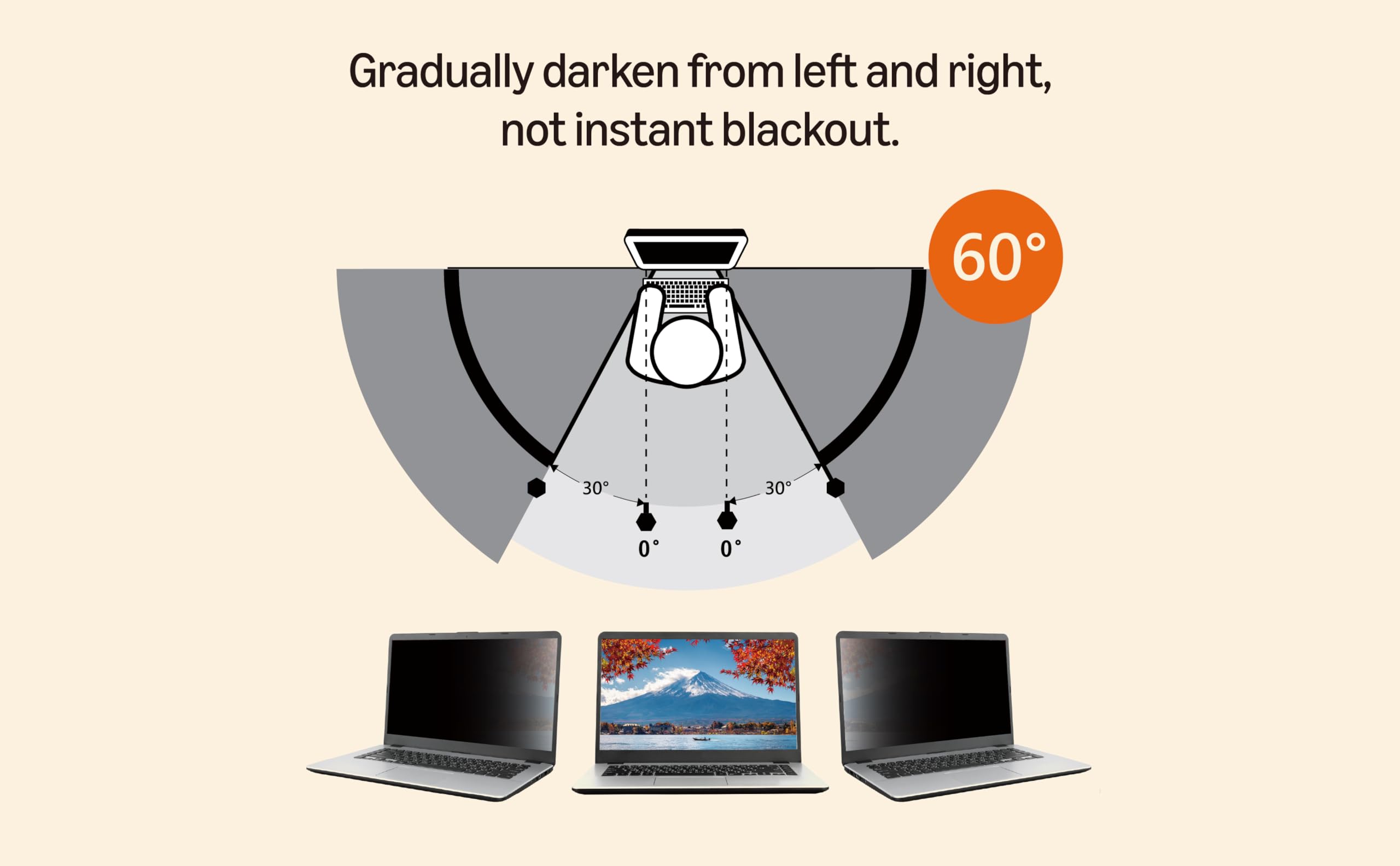
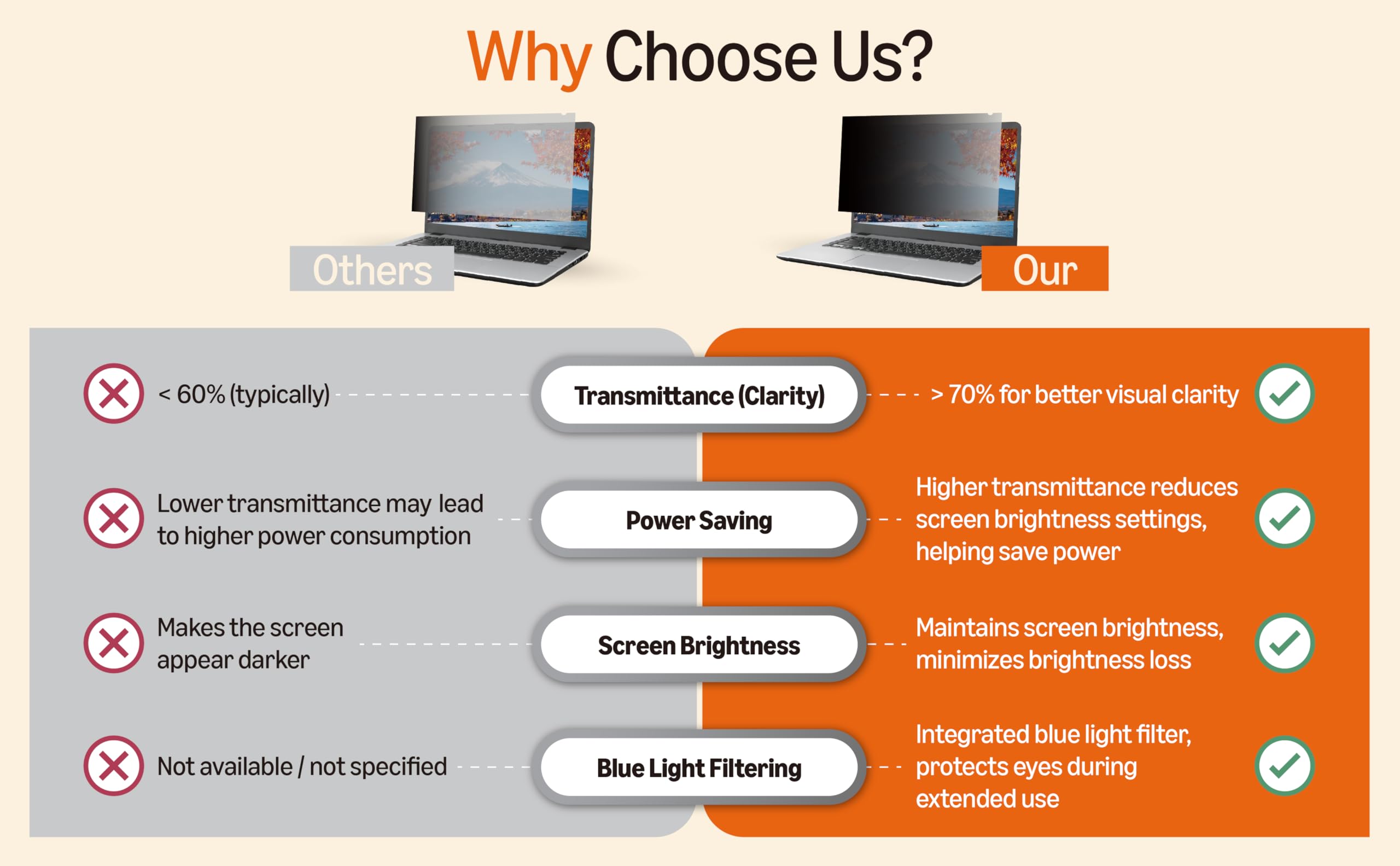
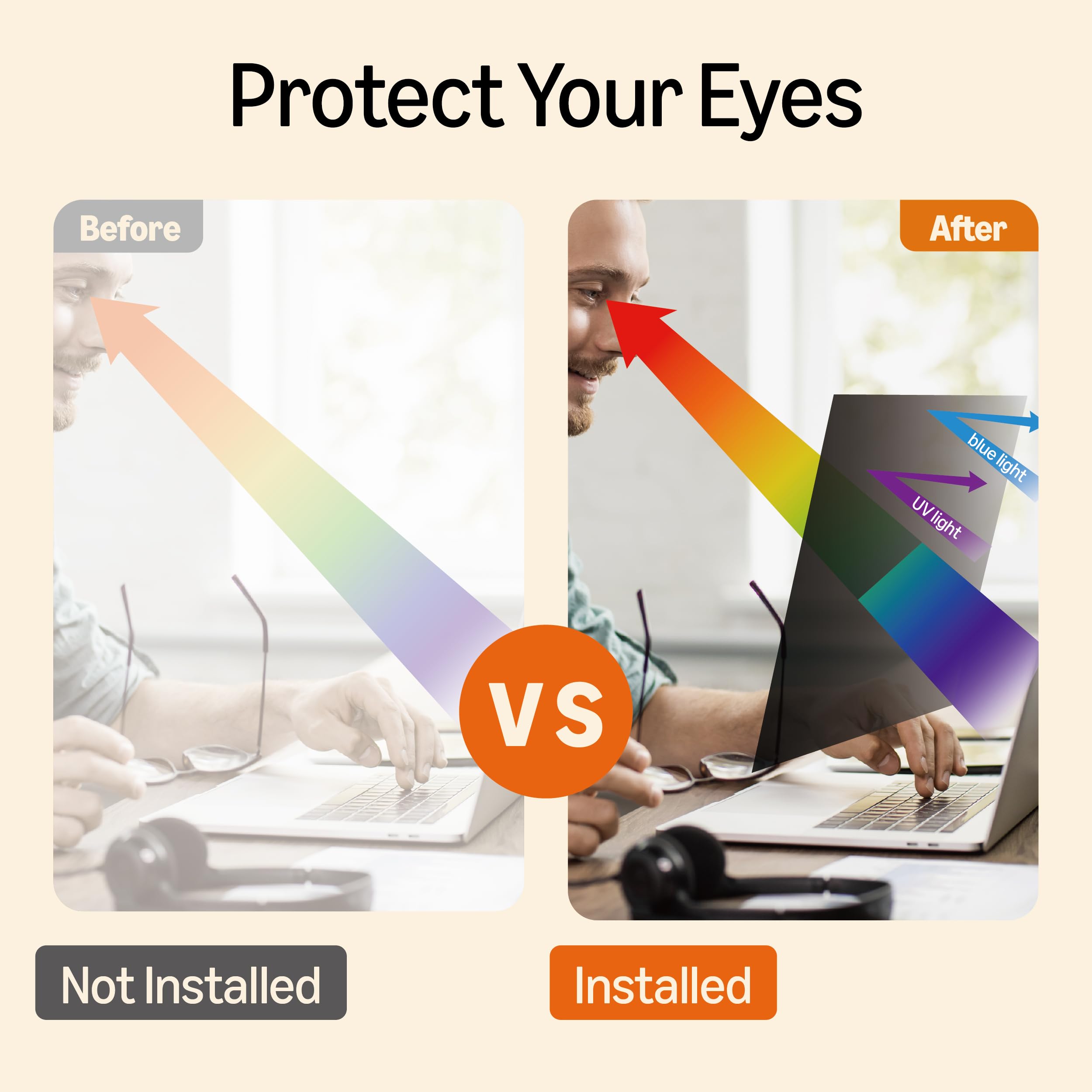
The Amazon Basics 14-inch widescreen privacy filter offers a 60-degree restricted viewing angle to protect sensitive information, blocks 99% of UV rays, filters 40% of blue light, and enhances screen brightness by up to 25%. With reversible glossy and matte finishes and versatile attachment options, it’s designed for professionals who demand privacy, eye comfort, and crystal-clear visuals on the go.


| Best Sellers Rank | #4,231 in Our Brands ( See Top 100 in Our Brands ) #41 in Monitor Anti-Glare & Privacy Filters |
| Customer Reviews | 3.8 out of 5 stars 1,975 Reviews |
F**Y
This was the best hack ever!
So I purchased the smallest size privacy screen (14 inches), because of my need and the cost-effective price. I wanted to use it as a privacy screen for the Kindle Fire HD 8 I bought on Prime Day. I purchased a glass screen protector to protect the touch screen on the tablet. I couldn't find any glass privacy screen protectors made for Kindle Fire 8, and while the plastic film ones may work fine, I didn't want to remove the glass one which protects my touch screen just to add a film one for privacy. I wasn't sure I could put the film one over the glass one. I also purchased a Fintie tablet cover for my tablet, into which the tablet slides and is held in place with a hook and loop tab. (https://www.amazon.com/Fintie-All-New-Amazon-Generation-Release/dp/B089VKPP38/ref=sr_1_1?crid=VTLOSS8FOH73&keywords=fintie%2Bcase%2Bfor%2Bkindle%2Bfire%2Bhd%2B8&qid=1691428330&sprefix=fintie%2Bcase%2Bfor%2BKindle%2Bfire%2Caps%2C141&sr=8-1&th=1) I thought that the privacy screen might slide in on top of the tablet and keep my screen private, even if I had to remove it to use the touch screen. I purchased this privacy screen for that purpose, created a template of my tablet, and cut it to the correct proportions to meet my needs. Voila! The privacy screen does exactly what I needed it to do. Bonus! The touch screen features are not at all affected and work through both the glass screen protector as well as this privacy screen. What I really like about this situation is that if I choose to not use the privacy screen, I can take it out and slide it behind the tablet in the case for safe keeping. This screen protector has one side gloss and the other side matte, so I can choose which way I prefer (matte side out). It does darken the screen a little because of the smoke color, but honestly at this point, I hardly notice it at all. In addition, this privacy screen is thicker than what I would have received had I ordered the privacy film. Because of this, I feel that it provides one more layer of protection, and that it will resist scratches as well as be far more durable. I couldn't be happier with my decision to hack this privacy screen for my Kindle Fire HD 8!
T**G
Great for privacy, especially for temporary use
This is a great way to provide privacy with the ability to still have some ability to see out without others being able to stay in
C**L
Works well for privacy
Works well for privacy for my needs. The only thing I noticed is that the sticker that helps guide the privacy screen in place leaves a slight “mark.” It’s not super noticeable but when I’m at the right angle, I can see it if I look at that spot. Also, it takes time to get the privacy screen exactly centered. My lighting is such that it can be noticeable if it wasn’t perfectly centered. Also, there’s a small shallow half-moon cutout at the top that often catches my eye because the monitor’s display isn’t shaded by the privacy screen but this worked well for me and was much less expensive than the others I looked at & I’d imagine the more expensive ones might also have these things. Even if they didn’t, the price difference would make me buy these again.
D**F
Doesn't stick
Does not stick to the screen.
T**N
Great Privacy and Clarity
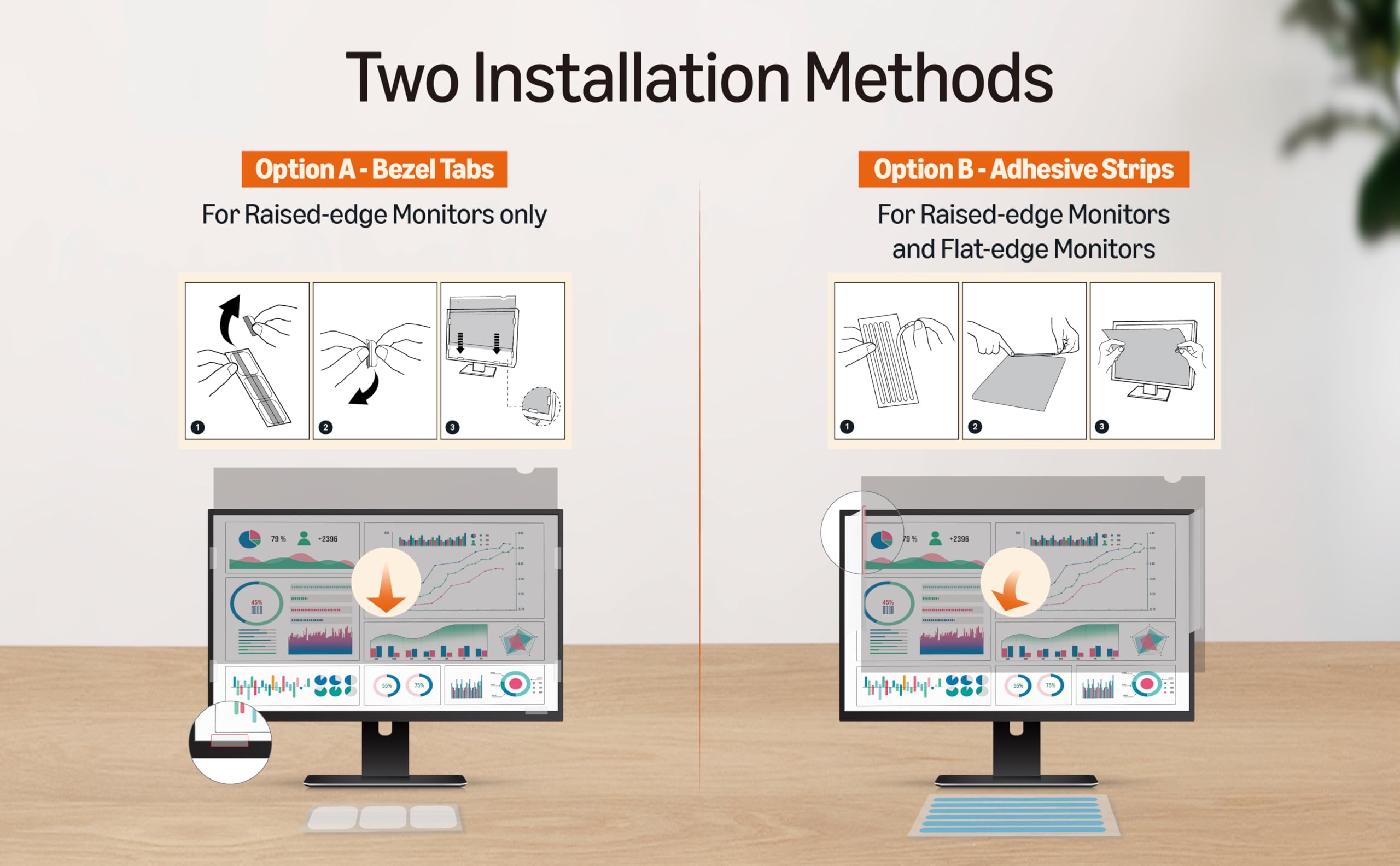
Works Exactly As Promised – Great Privacy and Clarity I bought this 14-inch privacy filter for my laptop and I’m really impressed. Installation was quick and easy — it came with both adhesive tabs and a slide-on option, which was great. Once applied, it instantly reduced the side viewing angles. Anyone sitting next to me just sees a dark screen, while I can still view everything clearly straight on. There’s no glare, and the brightness drop is minimal — much better than other filters I’ve tried in the past. What I also love is that it doubles as a screen protector, keeping smudges and scratches away. Great for travel, working in cafes, or open office environments. If you're looking for privacy without sacrificing screen quality, this is a solid choice. Highly recommended!
J**S
too good?
It seems to be doing it's job...mostly. The screen protector is too darkening the screen that it makes it hard to even see. While I type this, I can barely see the sides of my 27" wide screen. It is giving a headache the way it plays with the colors on the computer. I may try taking it of dark mode with the screen protector on to see if that will help any. Aside from that, it appears work. It is not 100% blackout by any means, but it does darken it enough that it is near impossible to see what program is operating on the screen until you get close to it.
D**D
Make sure you know your monitor's actual dimensions
Pros: Works relatively well. Installation was not a problem at all. Make sure you know the correct "display area" from your monitor manufacturer. 24 inch is 24 inch except when it really isn't. :) Cons: The display region in my particular monitor did not take into account the frameless design. These fit perfectly in my previous Dell monitors that had a frame design (24"), However, with my newer "frameless" 24 inchDells, it was difficult to correctly mount these screens without the frame to guide you. I probably should have opted for a full 24" screen. Commentary: The screens fit as designed, however the variations in the design of displays with different manufacturers can lead to some variations. In Frameless designs, you may want to opt for 1 slight size up to account for the lack of frame guidance to ensure you are covering the display area (for example, with a 23.8 "frameless" display area, I probably should have gone with 24). In my case, the monitors advertized as 24" with a 23.8" display area were difficult to precisely align...the only frame was the bottom edge. When I set the screens on this edge and adhered to the display, there was a slight line that was not covered at the top. I had room to accomodate a slightly bigger filter (frameless designs can still have a black non illuminated edge that is not counted in display area). I had tried these first in my old framed monitors (24" with 23.8 "display area" and they had fit perfectly).
M**O
Not great
If you just want blue light filter and such it's fine, but when looking from the sides it's much darker but you can still see the screen (ex. you might not be able to read the words but you could tell what website someone was on)
Trustpilot
3 days ago
3 weeks ago