
DOWNLOAD THE APP


Customer Services
Copyright © 2025 Desertcart Holdings Limited
DOWNLOAD THE APP

📈 Elevate your brand with every print — because first impressions matter!
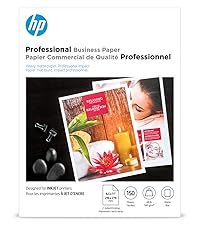
HP Professional Business Paper offers 8.5x11 inch, 52 lb glossy sheets designed for laser printers, delivering printshop-quality, vibrant double-sided prints. Sourced sustainably and optimized to prevent smudging, this 150-sheet pack ensures your business materials stand out with professional polish and eco-conscious credibility.




| ASIN | B07WW2CHB7 |
| Best Sellers Rank | #10,566 in Office Products ( See Top 100 in Office Products ) #7 in Laser Printer Paper |
| Brand | HP |
| Brightness Rating | 85 |
| Color | White |
| Customer Reviews | 4.4 4.4 out of 5 stars (624) |
| Date First Available | May 1, 2019 |
| Item Weight | 4.37 pounds |
| Item model number | 4WN10A |
| Manufacturer | HP |
| Manufacturer Part Number | Printer paper |
| Number of Items | 1 |
| Paper Finish | Glossy |
| Paper Weight | 4 |
| Sheet Size | 8.5 x 11 |
| Size | 8.5 x 11 inch |
H**R
If you need it buy it
Been using HP printers and paper for decades. I have found there quality always been better than other manufacturers. So if needed, buy it
C**B
Read this if you're having printing issues like smudging!
I'm reading reviews where people are mentioning that when they print on this paper it is coming out smudgy and as though it were not printing properly onto the paper. I had that same problem until... 1. Select a PDF you wish to print. 2. As normal, select the print option. 3. Do not print, access the printer settings. 4. Find where you can change the paper type. 5. Change paper to 200lb heavy gloss (or similar, making sure to select 200lb paper). 5a. If you are looking to print double side, be careful which 200lb option you select. A couple of these options require manual double-sided printing. Select the one that is not manual. 6. Proceed to print. 7. Enjoy perfectly printed pdfs. You will know you've done it correctly when the printing speed is slower than what would be normal, printing on regular copy paper. The reason for the smudges is mainly due to the fact that the printer is attempting to print on a less heavy paper and therefore goes through the printing process at a higher speed creating the smudges and the problems people complain about. Hope this helps!
K**K
Print was good but not easy for paper type selection 😔
Worked well with my HP LaserJet Pro. Only issue was to try and find what PAPER TYPE I should have used in the Print Review. HP should have all their papers programmed in the system for easy selection or have something on their website but I couldn't find it. I selected the glossy 200G setting and it worked out fine.
P**R
GREAT!
PERFECT. THANKS.
K**N
Amazing quality for Laser printer printing!
Great paper, packaging came very VERY messed up.
R**B
Works well with my laser printer
I was hoping for heavier/photo quality stock for use with my laser printer. This paper did just that. I am not terribly familiar with paper weights, thickness, etc..., but this is a bit lighter or thinner than I was hoping. Despite that, it works well with my Canon imageclass laser printer, and is thicker and glossier than what I had on hand.
A**N
HP Laser Paper
Paper did not work with my laser printer. Was copying a photo and the print came out smudgy. One could not recognize what the image was on the paper. Tried several times and gave up. One cannot just print or copy from a HP Laser printer with this paper. Unfortunately I waited longer than 30 days so I could not return the paper for credit.
J**A
Bright white and non-jamming paper for your laser printer.
This HP brand Glossy paper was perfect for printing our Christmas invitations that we designed for our annual party. The heavier paper was the perfect weight and the glossy finish provided a photographic quality finish.
J**.
Performs as expected. Used with an HP1600 mostly for 2 sided greeting cards.
C**N
This is 52 pound paper and good for my intended purpose.
S**N
This paper is perfect for writing certificates for Jewellery.
J**N
Tried to print photos with my laser printer, but the glossy surface produced a ridiculously poor image quality. Regular paper produced better results than this, which I thought was specifically for laser printers. Also the heat from my laser printer caused this paper to curve awkwardly.
E**.
First off, the package of paper arrived damaged in the corner, so there's a dent/crease in one corner of all the pages. Luckily, I'll be cropping the paper, so it still works for me. The paper has a decent weight to it, but it's not glossy. I'd be stretching it by calling it semi-gloss. There's also a bluish hue to the paper - it's not a clean or bright white. Small and fine text seems to print well as do graphic CMYK logos/elements, but don't even attempt to print a photographic image. The blacks print as a blob. There is no definition in the shadows and the highlights get blown out. Photos are really flat and washed out, but the best part is if you attempt to print more than one page at a time, as most people would, the top sheet completely obliterates the bottom sheet's photo. I guess the printer has a problem with fusing the toners on multiple pages? If you're not printing anything with a photo, I'd say this paper is OK, but I won't be buying this again.
Trustpilot
2 weeks ago
1 month ago