Some deliveries may take a little longer than usual due to regional shipping conditions.

DOWNLOAD THE APP


Customer Services
Copyright © 2025 Desertcart Holdings Limited
DOWNLOAD THE APP


🔥 Power your play, cool your rig, own the future.
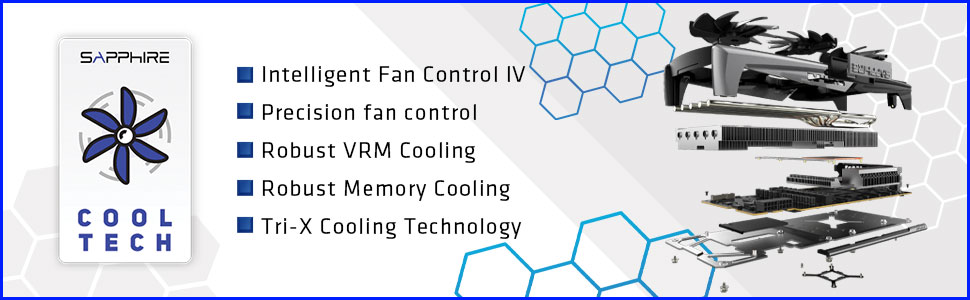
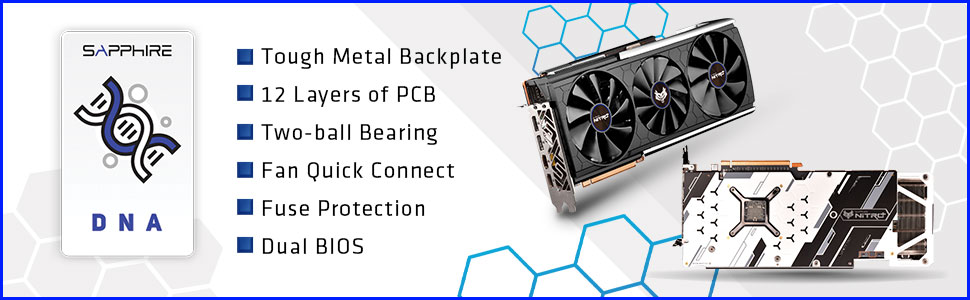
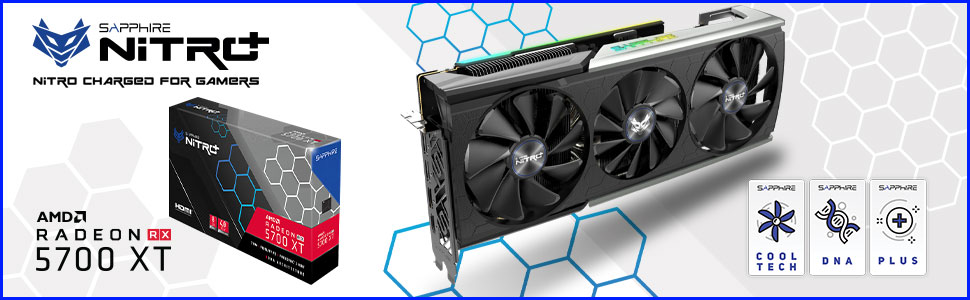
The Sapphire Nitro+ RX 5700 XT is a high-performance AMD Radeon graphics card featuring an impressive 2010 MHz boost clock, 8GB of fast GDDR6 memory, and PCIe 4.0 support. Its award-winning Tri-X cooling system ensures optimal thermal management with minimal noise, while customizable RGB lighting adds a refined aesthetic touch. Designed for serious gamers and professionals craving 4K excellence, this card delivers robust stability and future-ready speed, making it a standout choice in the competitive GPU market.



| ASIN | B07XMNGVVD |
| Brand | Sapphire |
| Card Description | RADEON RX 5700 |
| Chipset Brand | AMD |
| Customer Reviews | 4.6 4.6 out of 5 stars (931) |
| Date First Available | December 18, 2020 |
| Graphics Card Ram Size | 8 GB |
| Graphics Coprocessor | AMD Radeon RX 5700 XT |
| Is Discontinued By Manufacturer | No |
| Item Dimensions LxWxH | 17 x 9.5 x 3.5 inches |
| Item Weight | 3.65 pounds |
| Item model number | 11293-03-40G |
| Manufacturer | Sapphire |
| Max Screen Resolution | 5120x2880@60Hz |
| Memory Speed | 14 GHz |
| Product Dimensions | 17 x 9.5 x 3.5 inches |
| Series | 11293-03-40G |
I**I
This card is amazing... but it might not seem that way right out of the gate
First off, this review is written without taking into consideration the state of AMD's drivers (though if you are reading this, at the time of this writing 20.1.2 is the latest and greatest and it is very stable; I recommend either 19.12.1 or 20.1.2 at this time for this card; whatever you do DO NOT run 19.12.2 even if it is the "recommended" version). I will talk about drivers at the end, but you can't really blame Sapphire for bad drivers as they aren't the ones writing them. As such, I do not feel it fair to knock of stars for AMD's shaky drivers. Second, some of the negatives I am going to talk about are not necessarily the fault of the card, but rather the X570 chipset and motherboard manufacturer's BIOS bugs for other chipsets. Let me start with the basics. The card is massive. It may not fit in your case. Make sure you check clearances before buying this card. And, depending on the way the PCIe slots are set up in your case, this card can be very hard to install. With an X570 Aorus Master and a Phanteks P400A it takes a great deal of patience to install and remove this card as there just isn't enough clearance over the audio cover coupled with the fact the card has to fit through a thin slot to be screwed down (as opposed to say Fractal's Meshify C, which would be a breeze to install if the card fits, which depending on fans/radiotors might not in that case). The RGB is surprisingly tatsteful. I'm not big into the overdone RGB common to many "Gamer" oriented products, but since you can't really avoid it if you want to be competitive in that space, I do appreciate the Sapphire did it well (and it's super easy to turn off/tweak in TriXX or slave to your RGB headers on your motherboard). If you haven't already, you should check out Gamer's Nexus review of this card as they touch on all the great technical features and design considerations of this card. For those who are less interested, I'll give a short summary. The card performs amazingly well with extremely good thermals for a 5700XT (these cards run hot) with reasonable fan noise. Additionally, it has three operating modes (performance, quiet, and TriXX). One more positive note before I delve into the negatives I've experienced with this card. Sapphire support is fantastically responsive. I went back and forth with them multiple times a day for weeks early on as I debugged the various problems I had with the card. Now onto the negatives/advisories (notice I still give a 5 star rating; the card is amazing now that it works well and I have workarounds for the last few caveats which I will mention as I go; I also admit there was a time where I was thinking about selling it and buying an EVGA 2070S FTW3, but that was on the 19.12.2 drivers). When I first built my new rig (X570 Aorus Master, R7 3800X), I had countless issues trying to get the machine to display the boot splash and BIOS screens when connected to my monitor (MAG271CQR from MSI; 1440P@144Hz VA) via Display Port. This was true for both Gigabyte's Aorus Master and MSI's MEG ACE. The ASUS Crosshair VIII Hero Wi-Fi did not have this problem. This is because (according to Sapphire) Navi doesn't always play nicely with CSM (legacy boot). Disabling CSM in the BIOS fixes this issue. Unfortunately CSM enabled is the default for most motherboards (the C8H defaults to UEFI only boot/CSM disabled), so I have a workaround when clearing my CMOS or upgrading my BIOS: I use HDMI for the initial BIOS configuration. Another setting for those who need CSM enabled is to set PCIe/VGA to UEFI only when CSM is enabled. According to various forums, this card (like all RX 5700 cards) can have issues with certain chipsets that do not support PCIe 4.0 (such as AMD's X470 and B450 boards). When installing this card, if you have a PCIe 3.0 motherboard, you should change your PCIe mode from "AUTO" to 3rd gen; this will make sure your card runs nice and stable. For some reason, on certain boards the firmware can't auto-negotiate the generation correctly and the card becomes unstable. The card is extremely power hungry. Make sure you run individual feeds from your PSU to each of the 8-pin PCIe power connectors on this card. If you run only a single cable and use the daisy chain connectors you are going to have a bad time. Additionally, Sapphire recommends 600W as a bare minimum with 650W being preferred. Unless you have a high end PSU (such as Corsair, EVGA, SeaSonic, etc...) that is 80+ Gold or better, 650W is not going to cut it. Cheap PSUs struggle to ramp up to the power demands of this card. Sapphire lists the pull at 285W; I've pulled 300W with stock settings according to TriXX. I recommend getting a good quality PSU with at least 750W of power. Personally, I can attest to the fact the SeaSonic Focus GX-750 is more than capable of handling this card along with the rest of my build. I also stongly recommend disabling FastBoot in Windows. FastBoot caused countless stability issues when in use for me as well as rendering TriXX unusable. Now for the software/driver side of things. Sapphire's TriXX software is solid; it shows all the important metrics you want to see as well as allowing you to switch operating modes when you set the VBIOS selector to software/TriXX mode. It also let's you run a fan test, which is very helpful. This counts in the card's favor, as Sapphire makes this software for their product and is a feature. AMD's drivers are another story. Adrenaline 2019 was decent near the end (with 19.12.1 being the best of 2019). Adrenaline 2020 was an unmitigated disaster. Everything you have read about how bad AMD's drivers are (19.12.2) are either true or an understatement. I went from a 98% stable system to a completely unusable system. It was at this time I thought about selling my wonderful Nitro+ and getting a 2070 Super. To AMD's credit, they pushed out a patched driver (19.12.3) a few days later that at least allowed me to use my system, but it was far from perfect. I had pretty decent luck with 20.1.1. 20.1.2 has been the most stable Radeon experience I've had since I bought this card a little over 3 months ago. It is worth noting that I have FreeSync and Enhanced Sync disabled. The only Radeon feature I actually have enabled is Radeon Image Sharpening (RIS) at 80%. I found FreeSync and Enhanced Sync did not play well with my monitor (so I'm not sure if its an AMD issue or an MSI issue, as others have had success with this card and FreeSync with other monitors). Overall, my experience with this card was not positive at first (it didn't help I had motherboard issues and went through multiple motherboards), but I have grown to absolutely adore this card and its performance. As AMD's driver support continues to mature for the Navi platform, the card is only going to get better. I'm also someone who doesn't mind jumping on a new driver as soon as it comes out to see what works, what breaks, and what has been improved. In closing, while Sapphire and PowerColor are "the" Radeon cards to buy if you are going to go Radeon, Sapphire has created quite the gem with the Nitro+ RX 5700XT and was my choice over the Red Devil RX 5700XT. Driver issues notwithstanding (as neither Sapphire nor PowerColor can control this), I have zero regrets in that choice. Now on 20.1.2, I'm glad I didn't sell my 5700XT for a 2070S. UPDATE 2020-03-27: The AMD 20.2.2 drivers resolved nearly every problem I had with the card. 20.3.1 is just as solid. UPDATE 2020-07-24: This card continues to impress me; while I will still probably move it to another build when Big Navi is available, I feel less and less like this is something I need to do quickly as this card is aging extremely well (and getting better). I'm currently running the 20.7.2 drivers, Windows 10 2004 build, with the latest and greatest BIOS on my X570 MEG Unify at the time of this update.
J**N
Used as E-Gpu in Chroma X for 2017 iMac (rx580)
This came 4 days earlier then anticipated so shipping was great. The glowing lights are AMAZING. They are tasteful and subtle with beautiful rich coloring. It works like a dream slices through Ultra and 1080 with no issues (can go higher with ease but not for my use case). Also want to note I noticed flickering on some games (known issue) BUT noticed it may be more tied to my display as the flickering isn't found when streaming.... I'm part of a niche group. It would be cheaper to build a bulky PC but I don't want bulky. It will not be cheaper to build a tiny gaming PC yet (NUC!!). I also game wirelessly using steam link on TV throughout the house. I use my iMac for gaming via bootcamp (not ideal for everyone but I love it). I bought a case for this card (chroma core x) to use it externally. Mostly to extend iMac's life and gain better efficiency. The case covers the beautiful card glow. Using thunderbolt 3 does bottleneck the card BUT not while streaming ultra at 1080 for me. I still get 60+ frames minimum (Final Fantasy 15 not so much). An external monitor is a must due to thunderbolt limitations. Note you do need to remove bootcamp AMD drivers (DDU) and simply put in modified ones for the card to be used. This will cause issues with internal monitor (can fix or not use internal display). Each mac setup yields different results you need to tailor to. You then have to select apps via display settings menu (graphics option-> Powerful Setting for each app added). This card outperforms the AMD580 in windows with streaming or EXTERNAL monitor. It's just smoother with virtually no loading stutter that I've simply didn't notice or grown accustomed to. Using internal monitor didn't yield much better results. Using it on Mac side is literally plug and play but didn't give me the performance windows did. I only tested Tombraider. Computer stays cooler and card has a pleasant purr when fans are on full blast. AMD will be making Playstation and Xbox cards with ray tracing (current lineup doesn't have.) Once the newer AMD cards drop this year and drivers are ready I'll be swapping this one out! This card has made me a believer in AMD with strong and affordable technology. So far I love her and feel it was a great deal compared to competition!
T**S
This motherboard is GREAT - except for a few bugs - and RGB is meh
This motherboard is awesome when it comes to specs and performance - I won't lie. Not only is it sleek looking, it feels nice and heavy - no flimsy feeling at all! It has ample ports and support - like, insane - PLUS PCIE4!!!! It performs well and has nice heat sink on the m2 drives. (4 of them, FYI!!!)... UPDATE: After owning it for a few days, somehow the infinity mirror RGB stopped working so I returned it to Amazon for a new one. I could never get RGB working from Mystic Light EXCEPT for the infinity mirror before it stopped working. My new board came... and all works as expected. I have LEFT THE BIOS AT FACTORY FIRMWARE! It's not the original, but it's an earlier one. Don't update unless you need to - I expect they introduced a bug or something. Anyways, RGB control is still wonky - it doesn't recognize my graphics card which is a, some would argue, flagship AMD card (5700 XT from Sapphire).....and it only partially recognizes my ram (FOR RGB)...I have NEO Trident 3600 - however, it does OC the ram nice and easy. If I set the RGB on my infinity mirror, it sets it weird on my AIO cooler - but I can't control my cooler independently... so weird. Annoying, oh well. Sometimes the RGB settings stick, sometimes not. It might recognize my Ram better and GPU if I go into those software and tell it to - so, I may need to update again! LOL........ For the price, this is a rock solid motherboard. you'll be happy. Just remember newbies ( I See this ALL OVER).... don't try to put the ARGB into the RGB and vice versa...(even with adapters, etc... - doesn't work!) Edit again. Seems it was a bug somewhere. RGB now works all over. Lovely system.
V**R
I was weary of buying 5700 series card because of a lot of complaints on the internet about driver issues and because I never really run any games on ultra settings (mostly because most games Ultra looks horrible with all the "awesome effects"), but I figured it's time to upgrade from RX 570 (though that card is much better than people say it is). The card runs just great. Fans do not even kick in until the card reaches 60C, which is great because there isn't a game that I play that ever pushes this card hard enough to even get that high. Except for that atrocity of a port called RDR2. The software from Sapphire to customize the lighting on the card is awesome and very light weight though it is missing a couple of features I'd like. Anyways. Get this thing. It cost me more than half my monthly income but I am still happy.
P**A
Sehr kühl und leise und hohe watt Aufnahme
E**L
De parte del vendedor no tengo nada que reprochar, llego bien, muy bien empaquetada, ya que pedi el embalaje Amazon para darle extra protection. Ahora la tarjeta funciona excelente, el unico problema que tuve fue al instalarla que no queria funcionar, pero era por mi BIOS, algo facil de solucionar. Temperaturas no superan los 80°C estando yo a 30°C ambientales, y con ventiladores stock de mi Gabinete Tengo: Corsair Spec-06 R5 3600x RX 5700 XT Por specs uno pensaria que las temps iban a mantenerse arriba de 70 siempre, pero sorprendentemente no, la GPU tiene una muy buena ventilacion con sus 3 masivos ventiladores, con un block de dos disipadores. Los juegos que he probado (solo lo arme para juegos en realidad): Horizon Zero Dawn Preset: High, QHD (2K), 60 FPS estables, por que lo estableci asi. GTA V Preset: Ultra, QHD (2K), 60 FPS estables, por que lo estableci asi. Valorant Preset: Ultra, QHD (2K), 60 FPS estables, por que lo estableci asi. Halo TMCC Preset: Ultra, FHD (1080p) , 60 FPS estables, por que lo estableci asi. Shadow of Mordor Ultra, QHD (2K) , 60 FPS estables, por que lo estableci asi. No me quejo para nada de los juegos aun me falta por probarlos pero desde que la compre y he tenido tiempo para jugar, muy buena experiencia. **Recuerden pueden pedir por el chat de soporte de AMD sus juegos gratis, solo si compran la version shipped por Amazon Mexico y vendida por Amazon Mexico. (Solo demoran un +- mes en dartelos, eso si tienen stock)
S**4
I had problems initially installing this card as it would not send a signal to my monitor. Before you install this card, make sure to set your power mode to max performance in your windows settings. After, go into your bios -> Miscellaneous Settings -> set your PCIe configuration to Gen.3 or Gen.4 (Gen.3 seems more stable, also by average only 1-2 fps difference in games in Pcie 3.0/4.0 x16 mode). This thing uses 2x8pin connectors. I put mine into VGA1/VGA2. Also very important, this thing gets very hot, so before you stress this out. Make sure to go to Radeon software, set your custom fan speeds to 30*C 30%, 50*C 35% 65*C 40% 80*C 50% 89*C 70% Idle should be 32*C to 40*C. 100% GPU load temps when gaming should be averaging around: GPU temps 62*C, hotspot 76*C. (dropped by 10-15*C after fan tuning!). Even lower temps if it's an older title that doesn't require much GPU utilization. Overall, everything is stable for me, 0 crashes thus far. Hope this helps. Enjoy.
S**O
Para comenzar, el tiempo de entrega fue excelente, desde que se compró llegó 3 días antes de lo que aparecía desde un inicio, después la fecha de entrega cambio y llegó exactamente el día que dijeron que llegaría. El empaque, la verdad que para ser un producto de la gama alta de Radeon si deja un poco que desear. La instalación en mi caso tengo un gabinete mid tower, tuve que cambiar de ubicación los ventiladores del radiador para que entrada es una tarjeta muy grande. El primer día de uso, ya que remplace otra tarjeta Radeon ya estaban instalados los drivers, no tuve que cambiar mas que la configuración de voltaje, velocidades de la vram, meter un poco más de velocidad al reloj y poner libre el voltaje para que de lo que requiera la tarjeta, después de eso si una sesión de juego de 6 horas, el juego (call of duty modern warfare) nunca bajo de 130 fps con graficas en ultra, no hubo pantallas negras o azules, la temperatura nunca subió de 60 grados lo cual me sorprendió muchísimo. En conclusión vale el precio el rgb se ve hermoso y hace juego con el resto del rgb que tengas. Te garantizo no te arrepentirás
Trustpilot
3 weeks ago
1 day ago