
DOWNLOAD THE APP


Customer Services
Copyright © 2025 Desertcart Holdings Limited
DOWNLOAD THE APP
⌨️ Elevate your typing game with customizable precision and sleek minimalism.
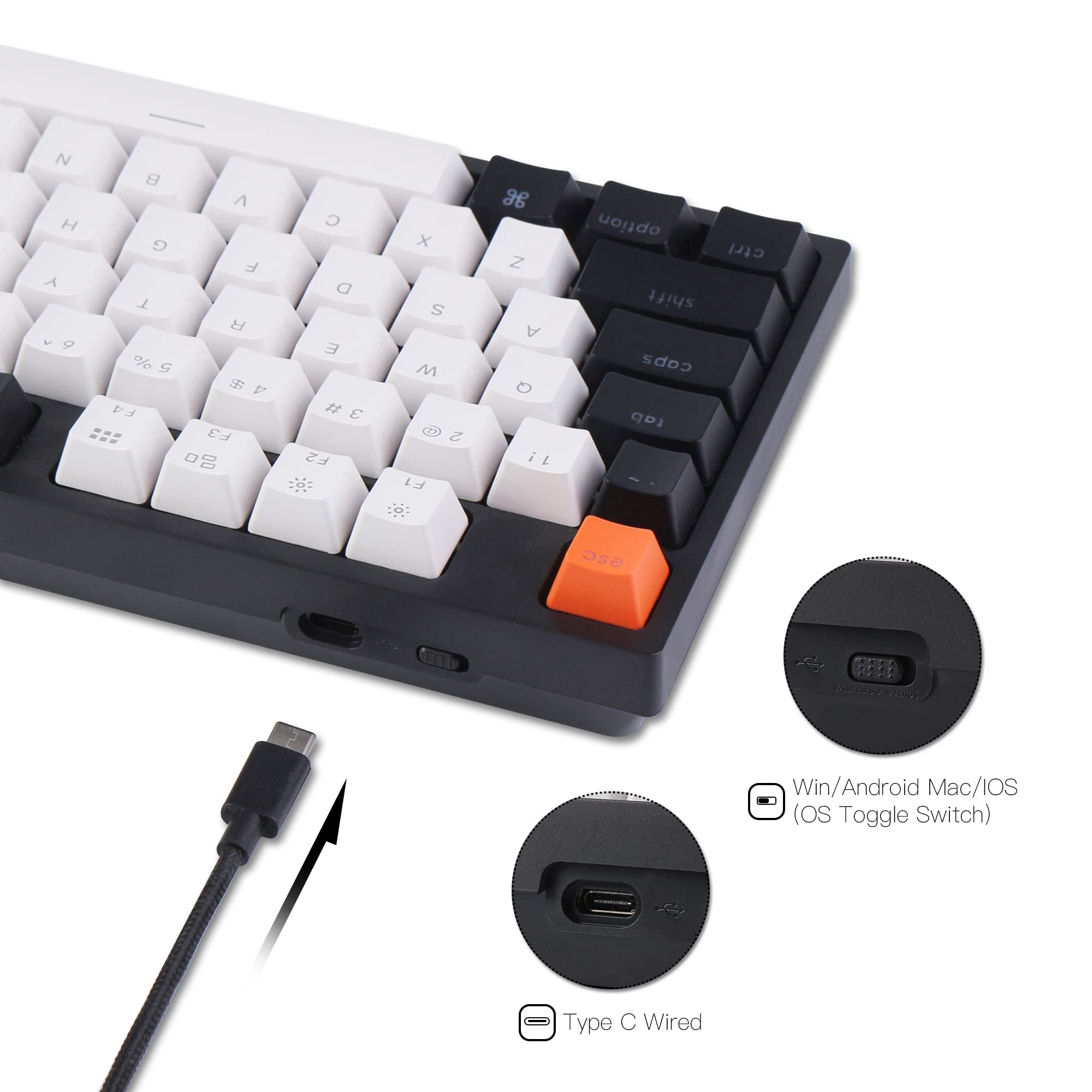
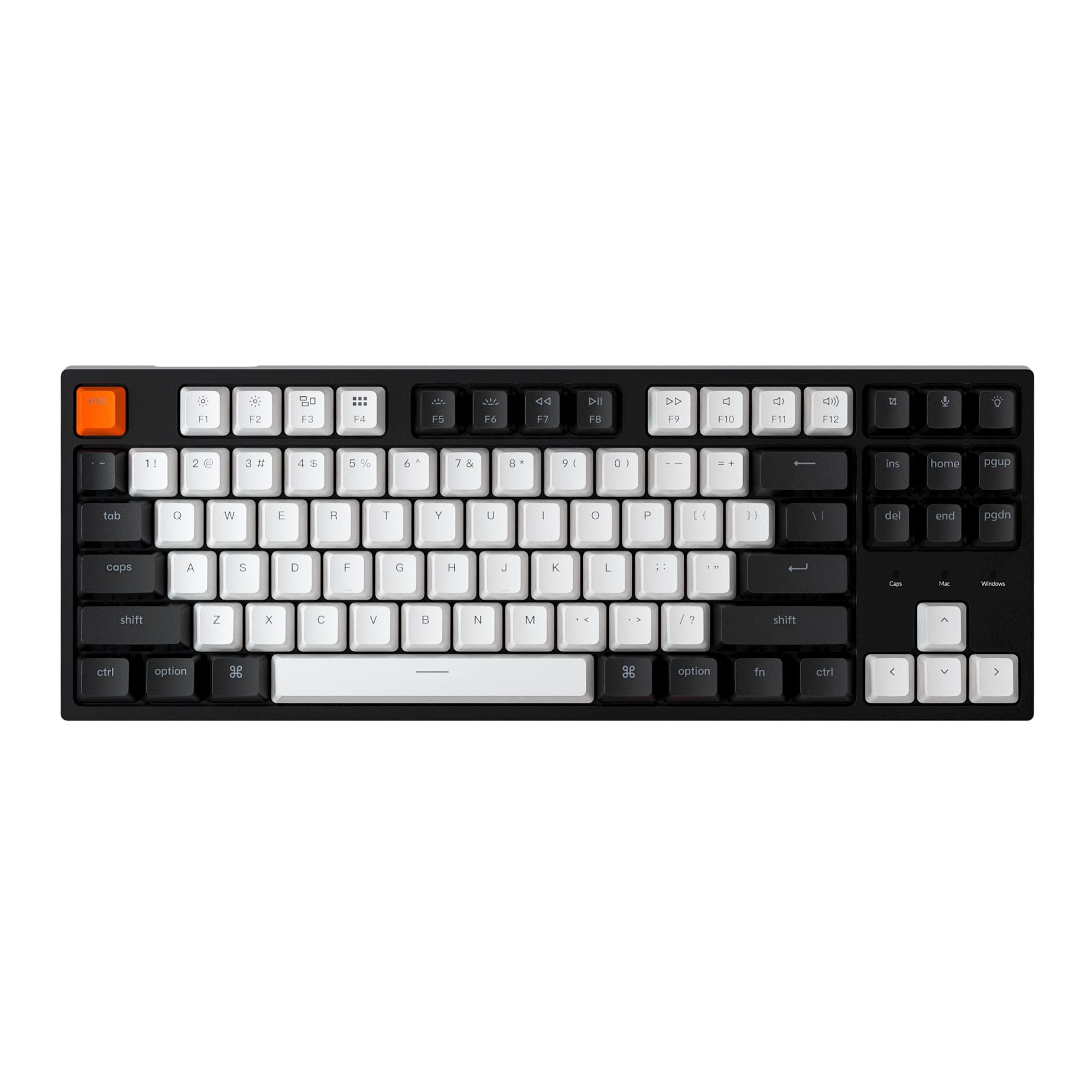
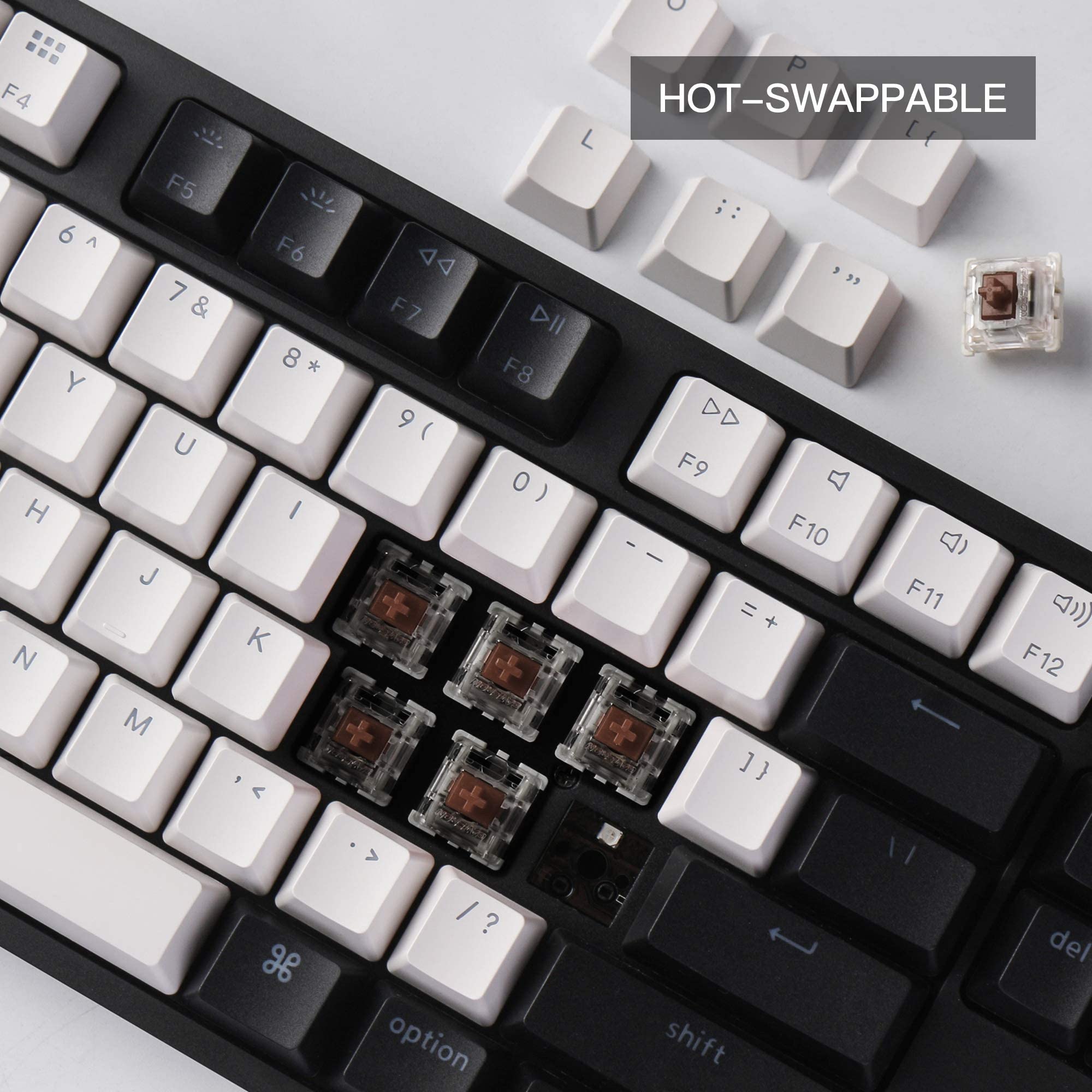
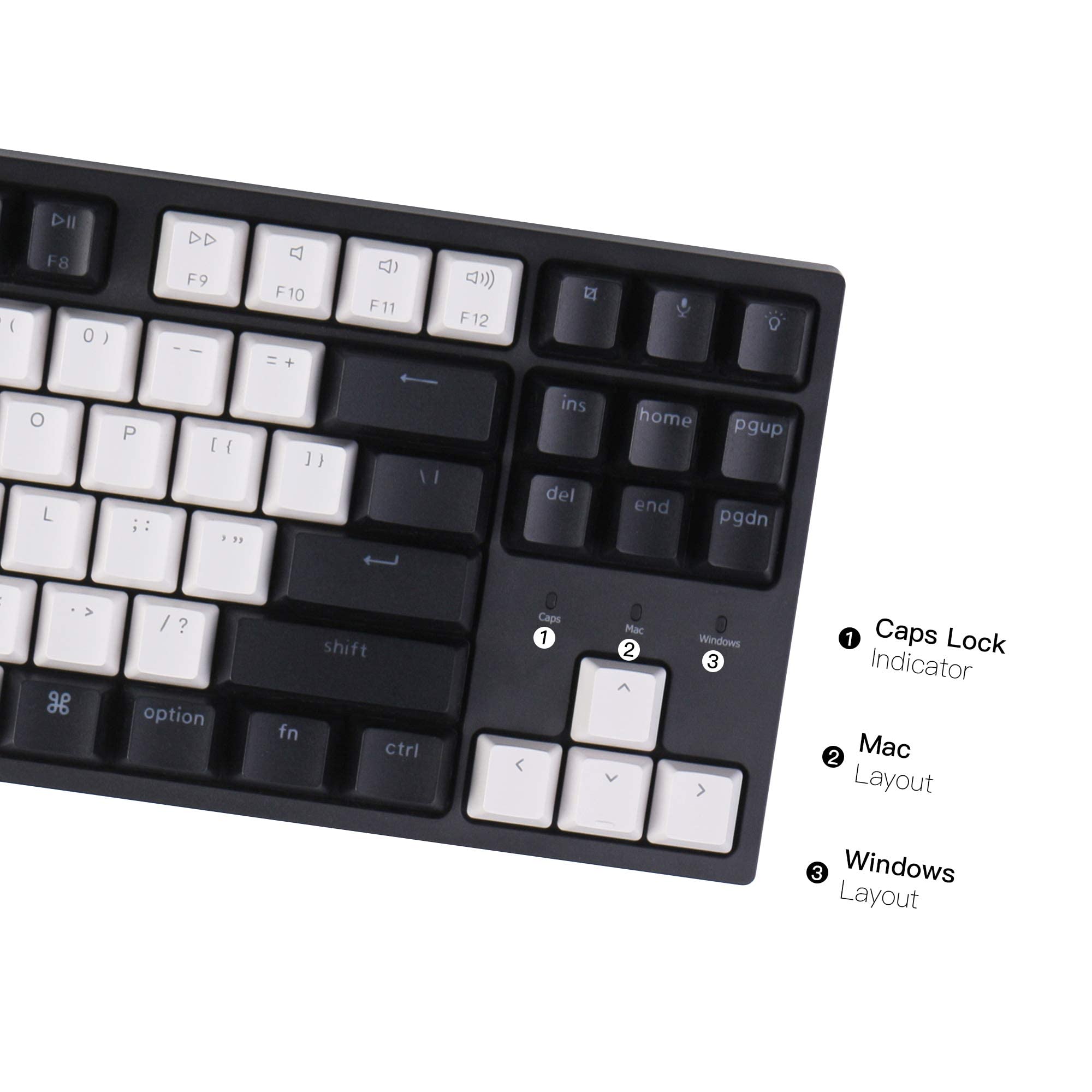
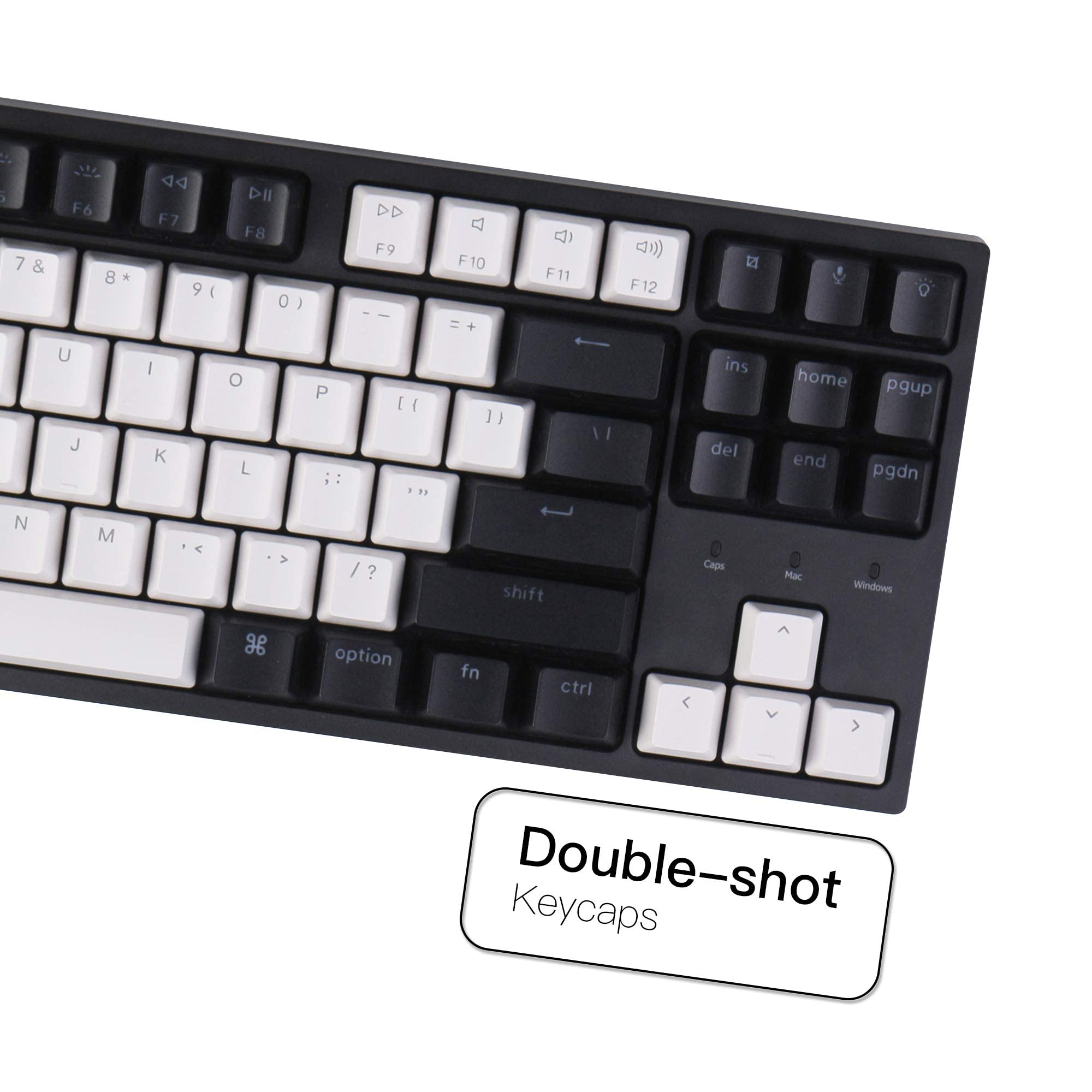
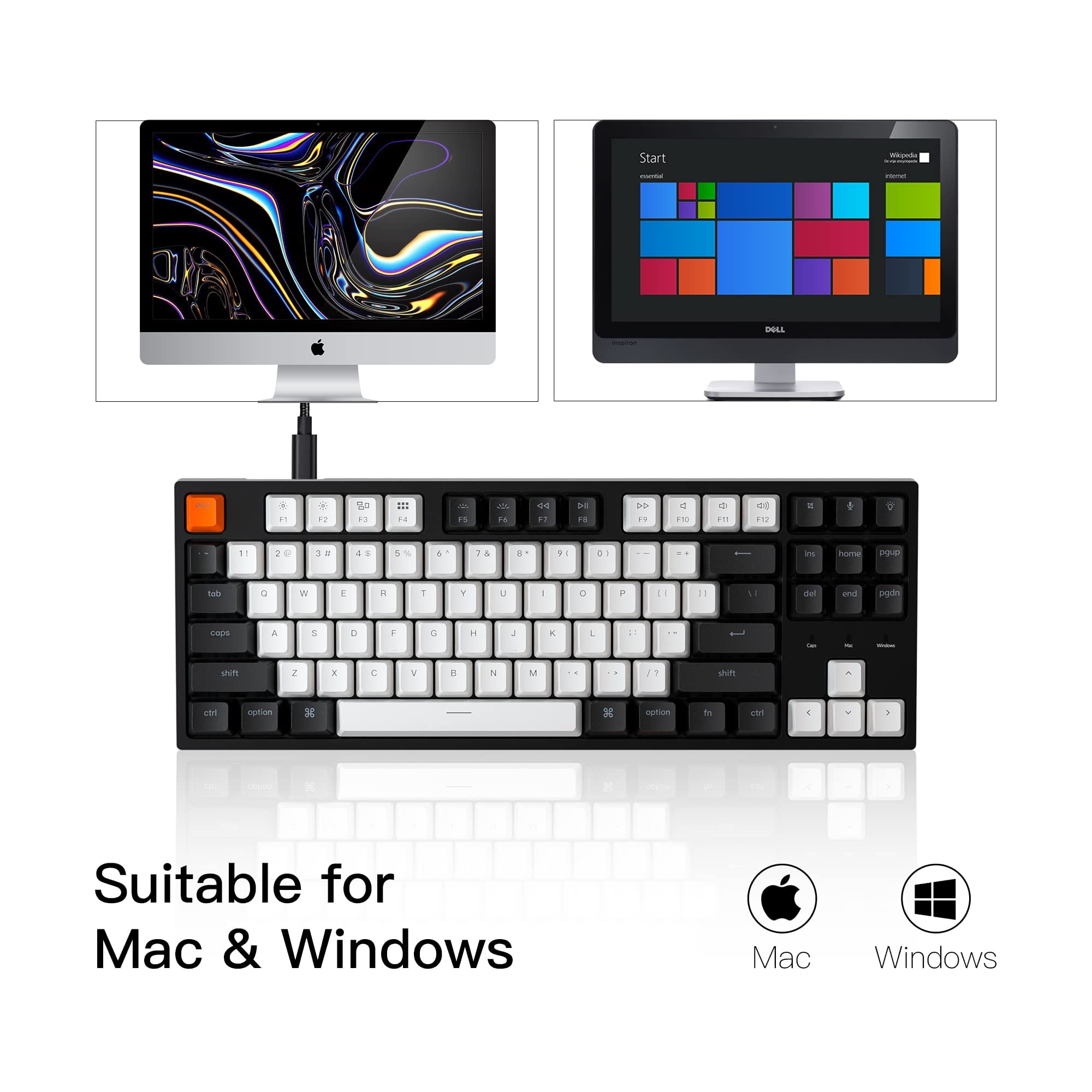
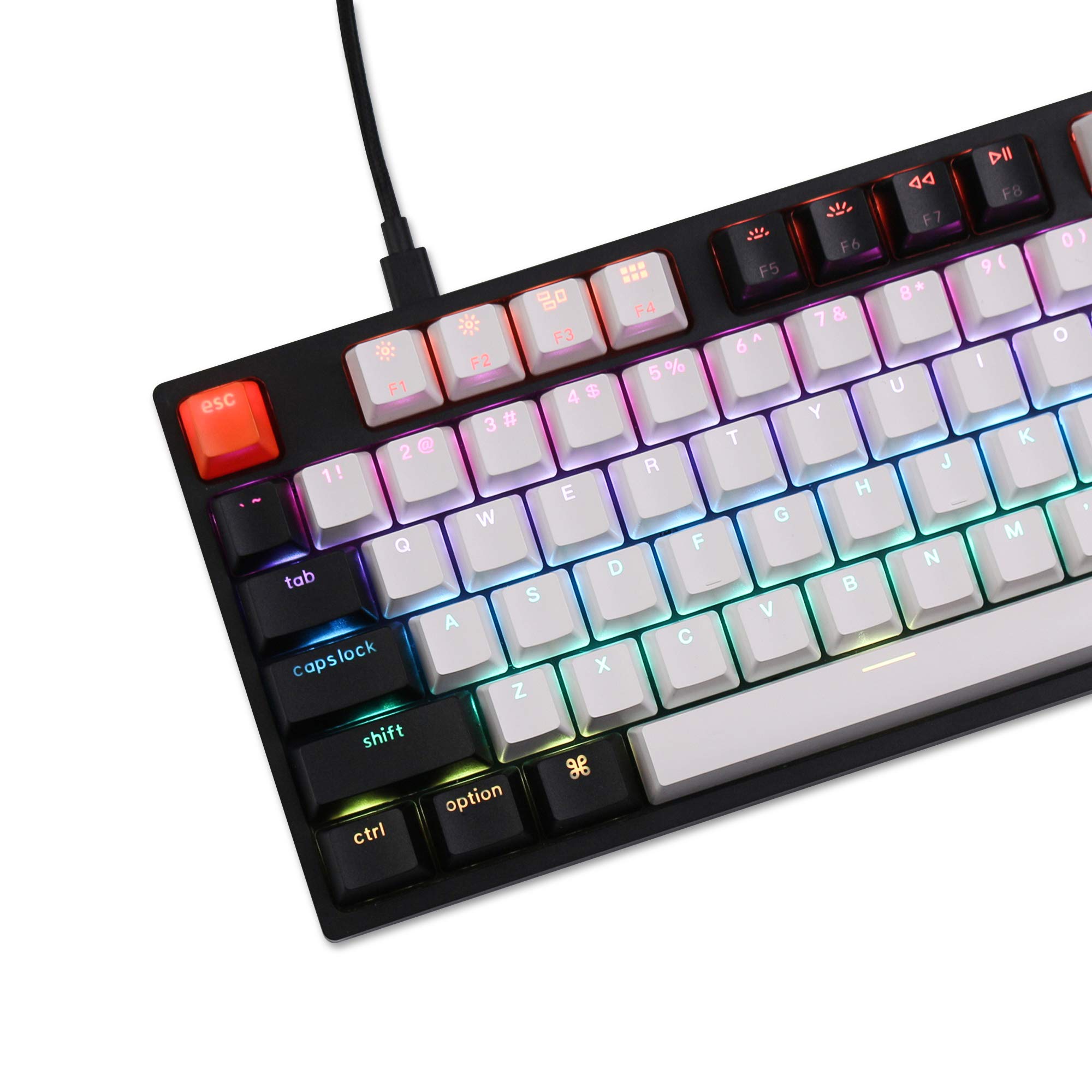
The Keychron C1 is a tenkeyless mechanical keyboard featuring 87 keys with hot-swappable Gateron G Pro Brown switches, allowing users to customize their typing experience without soldering. It connects via a reliable USB Type-C wired interface with a detachable cable, supports both Mac and Windows layouts with included extra keycaps, and offers a clean white LED backlight with multiple lighting modes. Designed for professionals and gamers seeking a compact, durable, and versatile keyboard, the C1 balances productivity and style in any workspace.


| ASIN | B08CNBL4Z4 |
| Additional Features | Lighting |
| Antenna Location | Gaming, Office |
| Best Sellers Rank | #10,264 in Video Games ( See Top 100 in Video Games ) #78 in Mac Gaming Keyboards #728 in PC Gaming Keyboards |
| Brand | Keychron |
| Built-In Media | USB Cable |
| Button Quantity | 87 |
| Color | Hot-swap Gateron G Pro Brown Switch |
| Compatible Devices | Gaming Console |
| Connectivity Technology | wired |
| Customer Reviews | 4.7 out of 5 stars 682 Reviews |
| Enclosure Material | Acrylonitrile Butadiene Styrene |
| Hand Orientation | Ambidextrous |
| Item Dimensions L x W x H | 14.06"L x 5.12"W x 1.5"H |
| Item Weight | 0.7 Kilograms |
| Keyboard Backlighting Color Support | Single Color |
| Keyboard Description | Mechanical |
| Keyboard Layout | QWERTY |
| Manufacturer | Keychron |
| Model Name | C1 |
| Model Number | C1G3 |
| Number of Keys | 87 |
| Number of Sections | 5 |
| Power Source | Corded Electric |
| Recommended Uses For Product | Gaming, Office |
| Special Feature | Lighting |
| Style Name | Classic |
| Switch Type | Tactile |
| Theme | Customizable Mechanical Keyboard for Mac and Windows |
| UPC | 680306999293 |
| Unit Count | 1.0 Count |
| Water Resistance Level | Not Water Resistant |
W**T
Perfect for programming, amazing quality for the price
I've never had a mechanical keyboard before, but wanted to invest in a nicer keyboard because I spend about 1/3 of every day typing. While I considered other keyboards, I ended up picking this one because of its flexibility/modifiability while still being 100% beginner-friendly. I got a good bargain by purchasing used, so I paid only $51--at that price it really can't be beat. It was hard to find an "entry-level" mechanical keyboard that was high-quality without ridiculous rainbow glowy lights all over it. (Sure, RGB features on those blinged-out gaming keyboards can be disabled, but then it feels like I'm paying a premium for a feature I didn't even want.) This keyboard ticks all the boxes for me and has been a delight to use so far. Pros: - The stock keycaps feel high quality. Of course they're replaceable too, if they ever wear out or I want a change. - Pleasantly subtle color scheme. No rainbow glowy lights. They even include extra ESC keycaps if you don't like the orange one it comes with. - Switches and stabilizers feel buttery smooth to me, but I am a mechanical keyboard newbie, so I'm comparing it to the cheap scissor-mechanism keyboards I'm used to. - Wired USB-C with a replaceable cable. I hate Bluetooth keyboards and mice, and far prefer a trusty plug-n-play peripheral like this that never needs a battery or disconnects itself at inconvenient times. It Just... Works. Info: - Can switch between Mac and Windows/Linux layout on the fly. Extra keycaps for alt/option/command/WIN are included too so you can set it up for your preferred layout. - I won't be using the keyboard backlight much, since even when I program in the dark I'm still touch-typing. But occasionally I gotta hunt-and-peck some special function key, so I guess it's nice to have. It has several silly/aesthetic lighting patterns that I will never use, haha. - I chose Brown switches and am happy with them, though they are slightly louder than I was expecting. (Mechanical keyboard nerds aren't lying when they wax enthusiastic about the satisfying clackety noises.) The hot-swappable feature means a noob like me can try different switches without having to solder, if I were so inclined. Cons: - Keycaps are ABS plastic, which tends to be less durable than PBT and will attract finger oils over time. (Though since they are removable, can easily clean or replace them.) - Maybe the loudness of the switches is a con if you are in an open plan office; though with some practice I think I can learn to type more quietly on these Brown switches, since they require less forceful presses and are more precise than basic cheapo keyboards I've used until now. I never expected to feel so positively about a basic computer peripheral! Guess I'm a mech keyboard enthusiast now?
L**A
Perfectly Clicky. Great for typing and all day working.
Terrific mechanical keyboard. I really love everything about this. This is my work computer, and it's a great keyboard to type on all day. It is truly a pleasure to use and makes work more enjoyable. The keyboard came set up for Apple. All I had to do was swap out a few keys to make it a Windows keyboard. It was very easy and everything is included. You get a tool to remove the key, a tool to remove the switch, and some backup keys. The tactile blue switches are amazing. They are clicky and responsive. My typing has improved since upgrading to this keyboard. They are definitely not too loud. They are very satisfying to type on. Another feature that I really liked is the ultra-long, braided cord. It's a high-quality cord, and it is easy to tuck away. I was going to get a custom cord, but this one is fine for now as it's so long and stealthy. I think the best feature is the stay-on backlighting. This is by far the best lighting I have ever seen on a keyboard. The light is crisp and bright, but not too bright. There are a ton of different lighting effects, and they are all smooth and fun. I really like that the light just stays on all the time. My last keyboard only lit up when I typed, and I really didn't like that. I don't need to have as many lights on around me to see the keyboard at night. Overall this was an awesome buy, and I hope to use it for many years to come. I will purchase more switches and keycaps in the future.
E**C
T H O C C Boi?
I will preface this review with the fact that I am a complete and utter noob in this massive world that is custom mechanical keyboards. The only experience I have with mechanical keyboards are with the marketed pre-built "gaming" ones with Cherry MX Red linear switches. With that being said: Instead of ultimately building my own, I decided I would leave that special first-time for when I am ready to build something I want for gaming/personal user at home. I chose Keychron's pre-built C1 over others after careful research and consideration. Bluetooth/wireless option was not really a deal-breaker for me, and I decided to go with Gateron Brown Tactile switches as my only other experience with mechanical keyboards have been lighter, Linear switches. I wanted to try and experience a different feel as this time I needed something for the office. Right out of the box: The quality is fantastic. Although it is a plastic frame and provides a different sound profile, I wanted something relatively lightweight as it would be a dedicated keyboard for the office. Having watched tons of videos of the Keychron K series, Q series, and C series I was able to get a good idea for the stock sound they generally tend to provide. Maybe I was lucky, but all the keys sounded absolutely fantastic. These Gateron Browns, along with the stabilizers for the bigger keys came factory lubed and I was blown away by the sound profile that I was getting right out of the gate. A deep, satisfying T H O C C, especially with the bigger keys like my spacebar, left/right-shift, backspace, enter, etc. However, A quick type test made me realize the keycaps themselves do feel and sound a little bit on the thinner side, providing a little bit more resonance and reverberation of the higher-end frequencies. This tended to give the alphabetical keys a more clacky sound and feel, which contrasted some of that beautiful, thocc-y sound I was getting from some of the bigger keys. Overall, the combination of all these factors kind of gives this keyboard a more muted, balanced sound of both thocc and clack. Having only experienced the ways of the clack, I can confidently say that I consider myself T H O C C gang. As for the switches, I am honestly torn between what I like more. I know in this community there is a lot of debate between Linear gang and Tactile gang, but at this point in time I don't know exactly where I stand. I had never really worked in a setting that involved a lot of keyboard use, so my only real experience had been in a more gaming setting. I will be using this keyboard stock- for now, in the office for a little while to really see where it stands for me as time goes on. I will update my review in the near-future in hopes to give an even better perspective and opinion on this keyboard should any newcomes to this community come across the choice of a pre-built.
W**G
Solid Value Mechanical Keyboard
The keyboard provides a lot of extras that you don't find with mechanical keyboards at this price range - hot swappable switches, a physical switch for OSX or Windows, and white backlight. In the box, you get windows keycaps if you need are a windows user - it comes with OSX keycaps in place. Also included is, usb-c to usb-a adapter keycap puller and switch puller. I don't care for wireless keyboards but if you're looking for one, this one will not work for you. I'm not a gamer and this is for work so I not sure how if it's any good for that. I like the different key cap color layout, it gives some style and variety in color. I don't really need backlighting for my keyboard but it's a nice touch and you can cycle through a various lighting configurations. One thing to keep in mind is if you turn on the backlighting the emitted light is uneven with the white and black keycaps. This keyboard is lighter then the one I have in the office but that's not a bad thing. The lip at the front fo the keyboard is lower than some of the other mechanical keyboards out there but I did end up getting a wrist support for it. The gateron brown switches are little more mushy compared to outemu brown switches. My only other complaint is when I undock my laptop and keep the keyboard plugged in, I cannot seem to turn off the background light. Not a big deal since I can just unplug the keyboard from the dock but it's something I noticed.
H**R
Almost perfect white backlit tenkeyless keyboard!
I had worn the letter decals off my old Dell full keyboard and was in the market for a tenkeyless white backlit keyboard. The RGB versions are a bit flashy for me, all I want is to be able to see the keys in the dark should I want to game or type in the dark. After searching and comparing products I settled on this Keychron model. It was shipped as soon as it was available, and arrived safely in its shipping packaging. The retail packaging the keyboard came in was professional, nice box with graphics sealed in plastic. After opening the box I found the following: * Keychron C1 Tenkeyless Mechanical Keyboard in a special plastic sleeve * Type-C cable WITH Type-A adapter * 2 tools, 1 keycap extractor, 1 switch extractor * Extra keycaps set (2ea Win and Alt, 3 other misc keycaps) * Manual * Quick start guide * Switch replacement best practices card The keyboard arrives set up for Mac/iOS. I am a Linux/Android user so the first step was to set the switch to Win/Android and then replace the appropriate keys on the keyboard. This was my first experience replacing keycaps so I was unfamiliar with the process and the usage of the supplied tools. The manual and quick start guide clearly show which keycaps should be replaced but unfortunately do not describe the process of using the tools supplied. I surmised that the tool with the wire loops was to be used for extracting the keycaps, so I used it to carefully extract the keycap perpendicular to the surface of the keyboard. After gently pressing the replacement keycaps in, the replacement was done. Although my current board has a Type-C connector available, Keychron provides a Type-A adapter on the end of the cable in case the users motherboard does not have a Type-C connector. I thought this was a professional touch. After plugging the keyboard in and using it, these are my observations: * It has a wonderful clicky noise and feels great to type on * The product generally feels very solid and professionally manufactured, attention to details! * The manufacturing process of the black keycaps makes it difficult to view the F1-F12 keycaps, particularly the F5-F8 keycaps (see the attached picture) in the dark The Dell keyboard I replaced had switches similar to what is now a Blue switch (tactile bump feedback) so I am learning how to properly use a Red switch. This is basically just not resting my fingers as heavily on the switches as I was used to in the past, otherwise I make extra keystrokes inadvertently. This is not a problem with the product at all. In summary, having used the keyboard for a couple weeks, I enjoy using it and would purchase it again! I gave it 5-stars on all the features, but only a 4-star overall rating due to the difficulty reading the F1-F12 keycap names (particularly F5-F8).
K**K
Insane value!!!
This keyboard is incredible, its way better than my razer blackwidow keyboard which is almost 200 dollars and theres no competition. Its extremely solid and sturdy, the red gateron switches are thocky and the keycaps are solid. The white rgb is bright and has really cool settings that are easily accessible out of the box. I didn’t read the full description and see that its only white backlit which is a fault on my end but regardless i will still keep and use this keyboard as my main because it is ridiculously better than much higher priced products. If you’re looking for an amazing keyboard that looks clean and is a breeze to type on for any occasion then this is the one.
M**W
Better than the K8
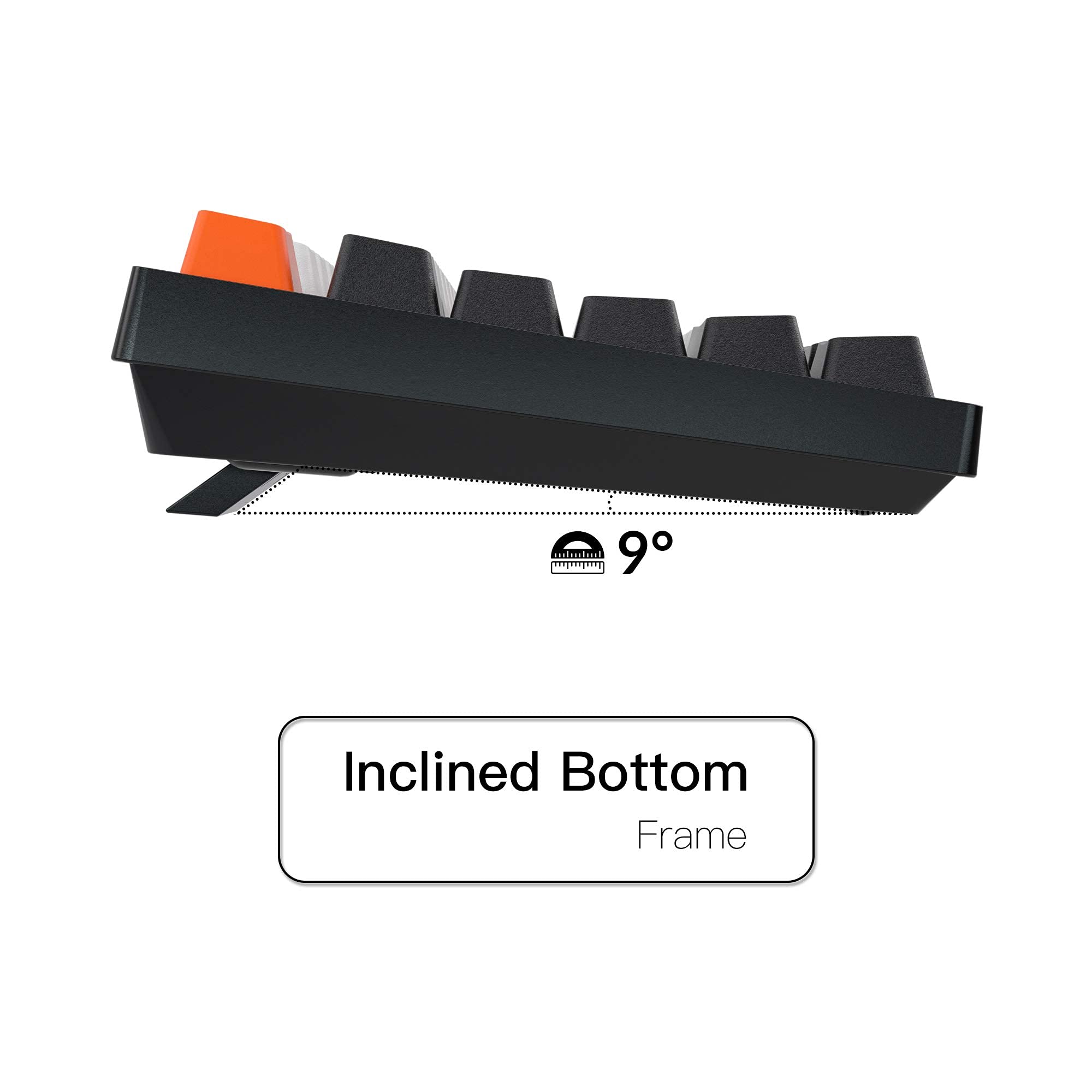
The K8 is a more "premium" keyboard. But I am liking this one better than the K8. I ordered a C1 and the K8 (the most expensive one) at the same time. If my K8 wasn't broken, I would probably still wanted to return it. The height difference on the C1 makes a huge difference. It may seem slight side-by-side. The K8 requires a wrist wrest, while the C1 can get by without one. This may sound like a minor point but it's turned into a deal-breaker for me. The K8 is the tallest keyboard I have ever used. It seems arbitrary and excessive. The height makes it unusable without a wrist wrest. The C1 is slightly louder. For me this isn't a problem since I use it at my home office. I like the stark colors. But the color combination of the C1 may not suit everyone (my coworkers are split - some really like it). But it's a great keyboard for modding, so replacing keycaps is a great first thing to do. The C1 is a great value. It's incredibly hard to beat this price point. They share a number of features - backlighting, hot swappable switches (if you chose that particular k8), similar firmware, similar layout.
L**0
nice inexpensive works fine
got the gaterons brown version C1 and this is anice inexpensive keyboard when my old one just crapped out from another company any my t key stopped working. Id like a windows lock button to not have that key working when im gaming but it's fine. maybe i can disable that key anyway in my computer. nice keybaord and the keys are the i think?d-pbt caps, real nice feel. dont start to feel slick after a bit of using. Ive had so many problems with my recent newer keyboards of that little f and j nubs on the keys to let you know if your hands are in the right place on the keyboard to even use them without looking down every time. and the lighting if you like it, has neat patterns and looks real nice. i like the keyboard, the keys, and the parts on how they built it. just as good as my old keyboard but even cheaper.
Trustpilot
3 days ago
4 days ago