

Desert Online General Trading LLC
Dubai, United Arab Emirates
Desert Online General Trading LLC
Dubai, United Arab Emirates

📺 Streamlined control, endless entertainment—your ultimate binge buddy!
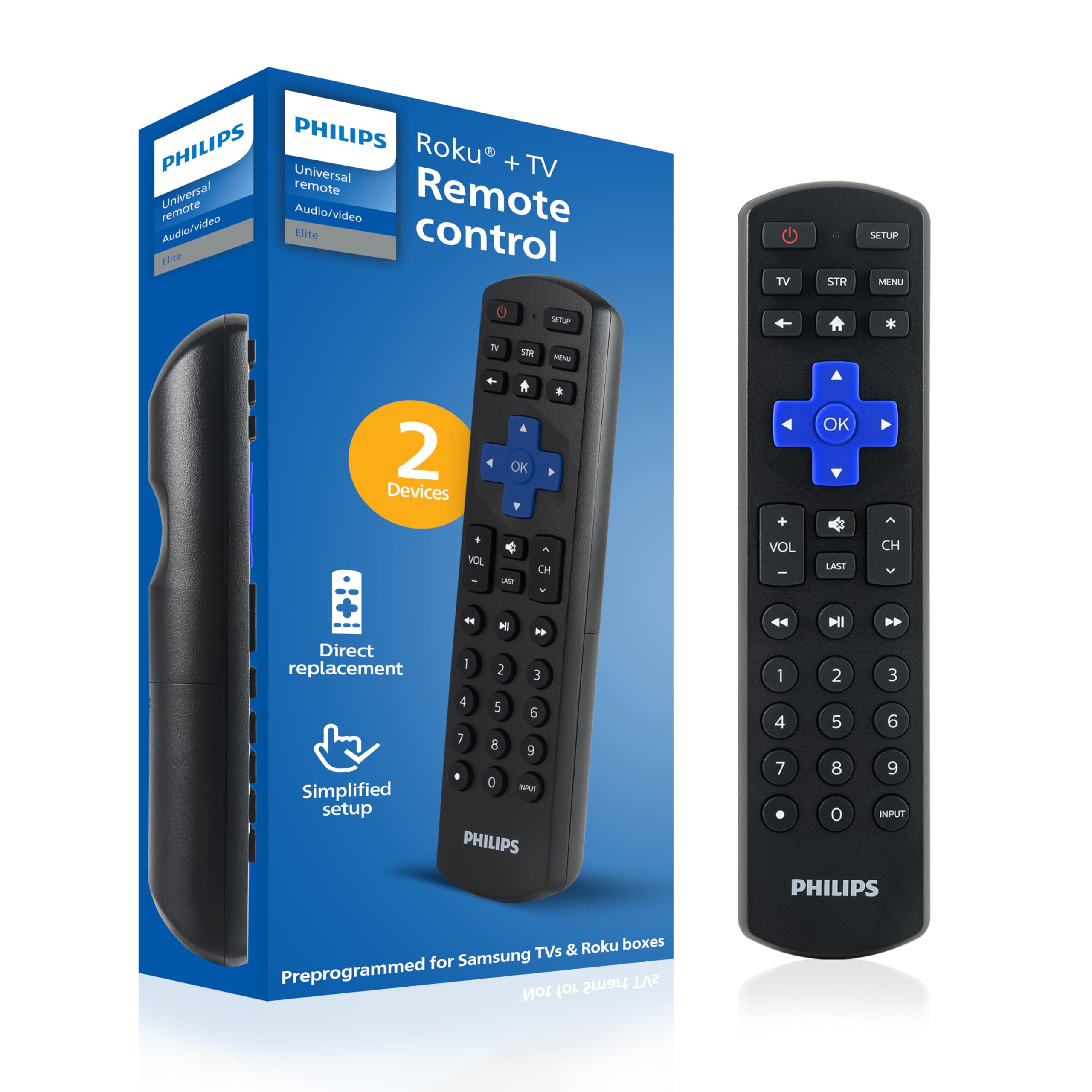
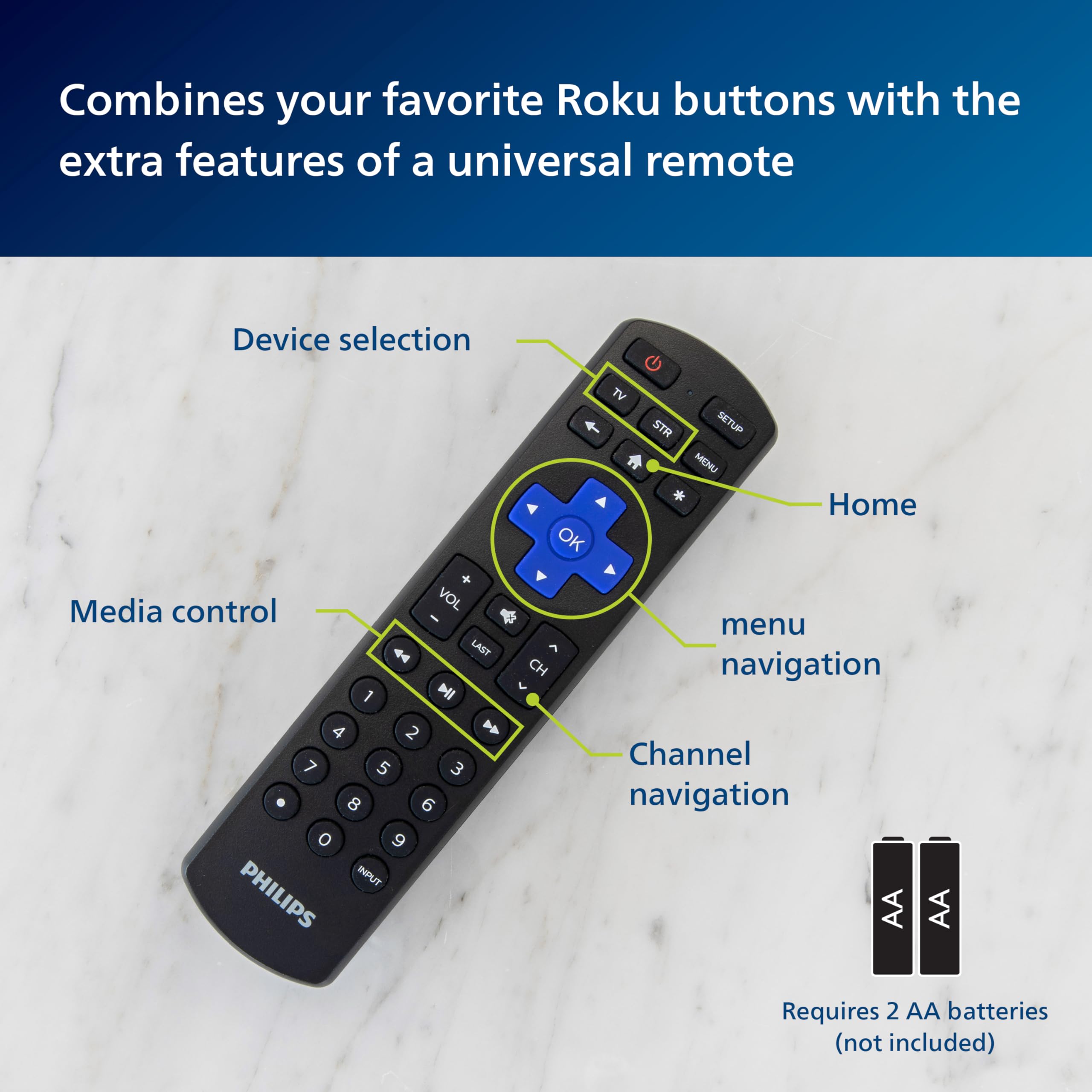
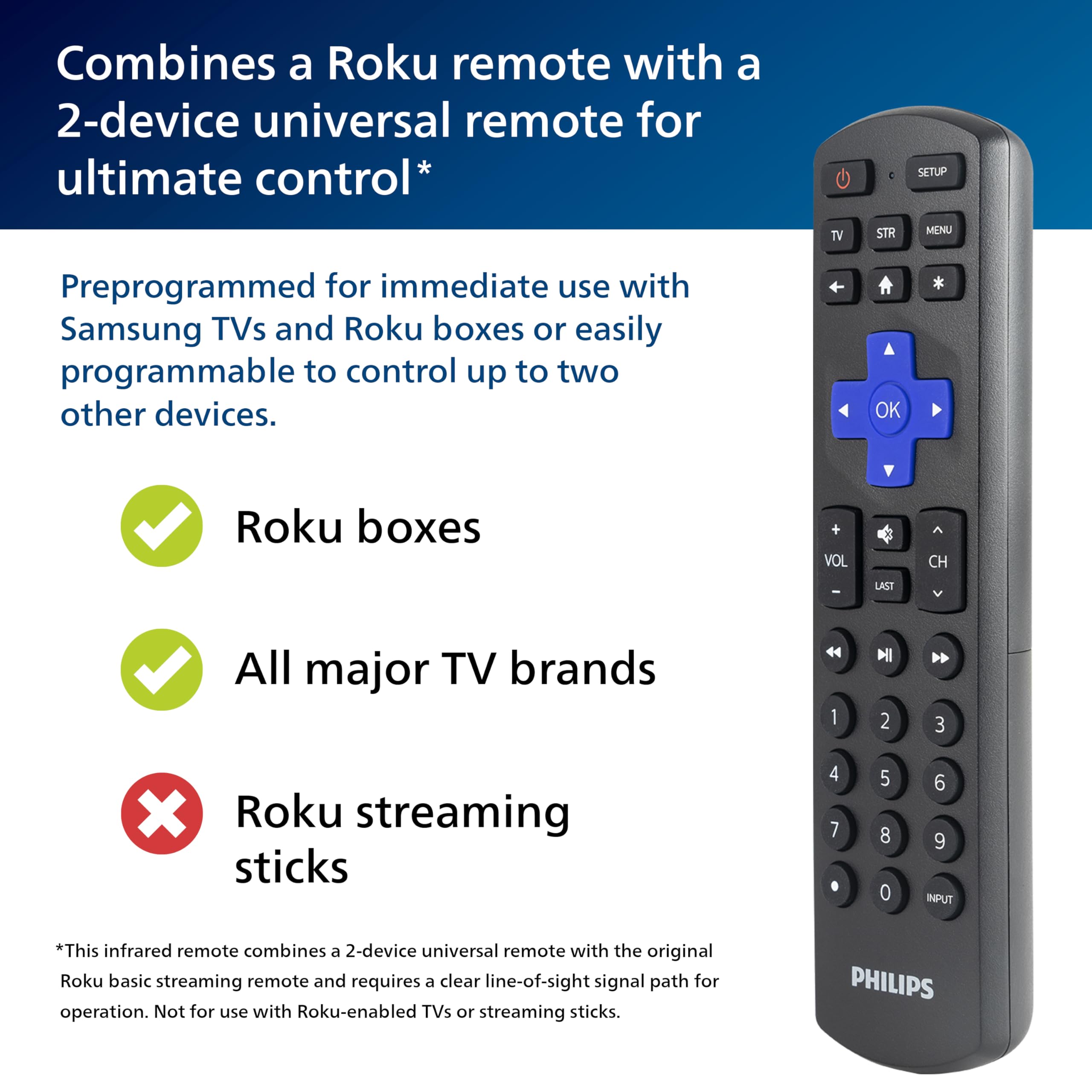
The Philips Roku TV Remote Replacement is a sleek, black universal remote preprogrammed for immediate use with Samsung TVs and Roku streaming boxes. Featuring infrared connectivity with a 10-meter range, it supports thousands of devices from top brands like LG, Sony, and Panasonic. Equipped with Roku’s signature purple buttons and primary audio control, it simplifies your home entertainment setup. Powered by 2 AA batteries (not included), it comes with a 90-day limited assurance and US-based technical support.


| Color | Black,Purple |
| Controller Type | Button Control |
| Number of Batteries | 2 AA batteries required. |
| Supported Battery Types | Alkaline |
| Maximum Range | 10 Meters |
| Compatible Devices | Stereo System, VCR, Television, Streaming Device, DVD/Blu-ray Player, Home Theater |
| Connectivity Technology | Infrared |
| Special Features | Universal |
| Maximum Number of Supported Devices | 1 |
O**G
Update: Now works for changing channels on TCL Roku TV!
This review is primarily for people like me who wanted to use this with a TCL Roku TV.One problem with Roku TVs is that the remotes don't include number buttons. This is a pain if you use an antenna to watch TV over the air. Like many people, I get more than 50 DTV channels with an antenna. With the normal Roku remote, you have to use a menu to scroll through all of them, which gets annoying quickly if you want to flip the channel much at all.This remove looked like the perfect solution: A Roku remote with a number pad. I went and programmed the remote using code 6171, as instructed. All the buttons like those on the factory remote worked fine... but what about the number pad??**New comments (December 2023)**When I first got this, the number keys only worked for whole number stations, not the stations like 2.1, 5.1, 15.3, etc, that are used for over-the-air digital TV. Even though there was a dot key on the remote, it didn't work. That was a disappointment (and my comments about this are below). However, Roku must have fixed this in some update to their Live TV software! The dot key now works, and I can now jump exactly to the channel I want!**Original comments (September 2021)**Here's the thing, the number pad works, SORT OF. If you are in the "Live TV" input of your Roku TV, the TV will register the numbers you've pressed on the remote. So far, so good. However, to choose DTV channels, you need to be able to use the dot, so you can go to channel, e.g., 14.1. Well, the dot key on the remote doesn't work! So you can't enter a DTV channel manually. Annoyingly, if you just enter "14", it won't jump to "14.1". It will just sit there and do nothing.Now, here's where this remote is still beneficial. On a Roku TV, "live TV" includes both over-the-air (antenna) channels and special Roku numbered streaming channels. There are lots of these streaming channels. For me, they start at channel 115 and go up to 1190. There are maybe a couple hundred channels in that range, each with a number. Since these numbers have no dot in them, you can actually use the remote control to switch to these directly. So, that's kind of nice. I just wish I could do the same thing for the antenna channels.
G**H
One remote replaces two
Universal Remote Control by Philips, Roku Universal Replacement Remote, Compatible with Samsung, Smart TVs, 2 Device, Black, SRP6320R/27. This remote did connect instantly to my old Insignia TV (NOT a smart tv), which runs a Roku Premium box (not a stick). Instructions were clear and included instructions for setting it up if it did not auto connect. My old remote had to be manually set, but it was easy to do, instructions were the same. With my old set up I had one remote to operate the Roku box and a second remote to operate the TV. This remote operates both, so no more grabbing a different remote to turn on/off, change volume or operate the Roku box... which I really like. There is a small learning curve because you have to tell it which device you want to operate (TV or STReam). To turn TV on or off you need to be in TV mode. To use Roku you need to be in STReam mode (this mode also operates the volume buttons which is very convenient). Now that I am used to it I find it a great improvement over two separate remotes. THIS MODEL ONLY OPERATE 2 DEVICES, if you want to operate more than 2 you will need to order another model or use a separate remote for the other device(s). I recommend this remote for those having only 2 devices.
D**Z
Does NOT work with TCL Roku TV
Bought this remote because it mentioned it would control a TCL Roku TV so that I could use only one control instead of two to control my cable box and TV but unfortunately, none of the codes provided worked for the TV. Called the phone number on the instructions and got an automated system that just told me to input the same codes I already had in the instruction sheet and then it said for US support I had to call an 800 number that did not work that also got me to the same automated System and after going through the whole setup steps again it failed to transfer me to an operator. Then I called the phone number on the Amazon troubleshooting website and was then told that for Support for the remotes I had to call a different phone number. I called that number and it said that they were currently closed to check a website to see when they opened for my location and got disconnected so finally gave up and put the control back in the box and scheduled an Amazon return, not worth it.
J**E
It’s very good remote if you don’t need the normal functions of the Xfinity remote
There’s two things I didn’t like about this remote. Only two things… one it doesn’t have voice.. and two you can’t push the Xfinity button
P**K
Works well for my use case
Have a relatively new TLC, Roku TV, and pretty high-end but old ONKYO receiver running to some Bose speakers. The receiver predates ARC, so needed an alternative solution to control the audio. This ended up working as a pretty good solution for that. Works to control both the TV and audio with a single remote. The code system to program the remote is mildly tedious but works. Only mild complaint is that the power button only powers off the device you're currently interfacing with, so you have to power off/on each device individually. Having none of the advertisement buttons (sling, peacock, ect) normally featured on Roku remotes a big upside in my book.
K**S
Works as a Replacement, But Number Buttons Are Useless for Roku Apps
Bought this for my mother-in-law, hoping the number buttons would let her change channels easily within her streaming cable app. Unfortunately, they don’t work for selecting channels inside Roku apps, which was the main reason we got it. That said, the remote itself works fine for basic Roku functions and feels like a decent replacement. Just be aware that if you’re looking for a way to directly enter channel numbers in streaming apps, this won’t help.
J**C
Great Controller
This worked perfectly with our Samsung TV. Paired instantly. My family gets confused because it has the same color scheme as our Roku controller. LOL. Very happy with my purchase.
N**R
Sound bar Connection Issue
I had no trouble syncing the remote to my TCL ROKU TV. Then when I tried to make the remote "talk" to our TV's sound bar, it did not work, My wife and I tried several times, went on-line to see if there was a "trick" to make it work, and we still could not get it to work. I returned the remote.
Trustpilot
2 weeks ago
3 weeks ago
5 days ago
3 weeks ago