

Desert Online General Trading LLC
Warehouse # 7, 4th Street, Umm Ramool, Dubai, 30183, Dubai
Desert Online General Trading LLC
Warehouse # 7, 4th Street, Umm Ramool, Dubai, 30183, Dubai
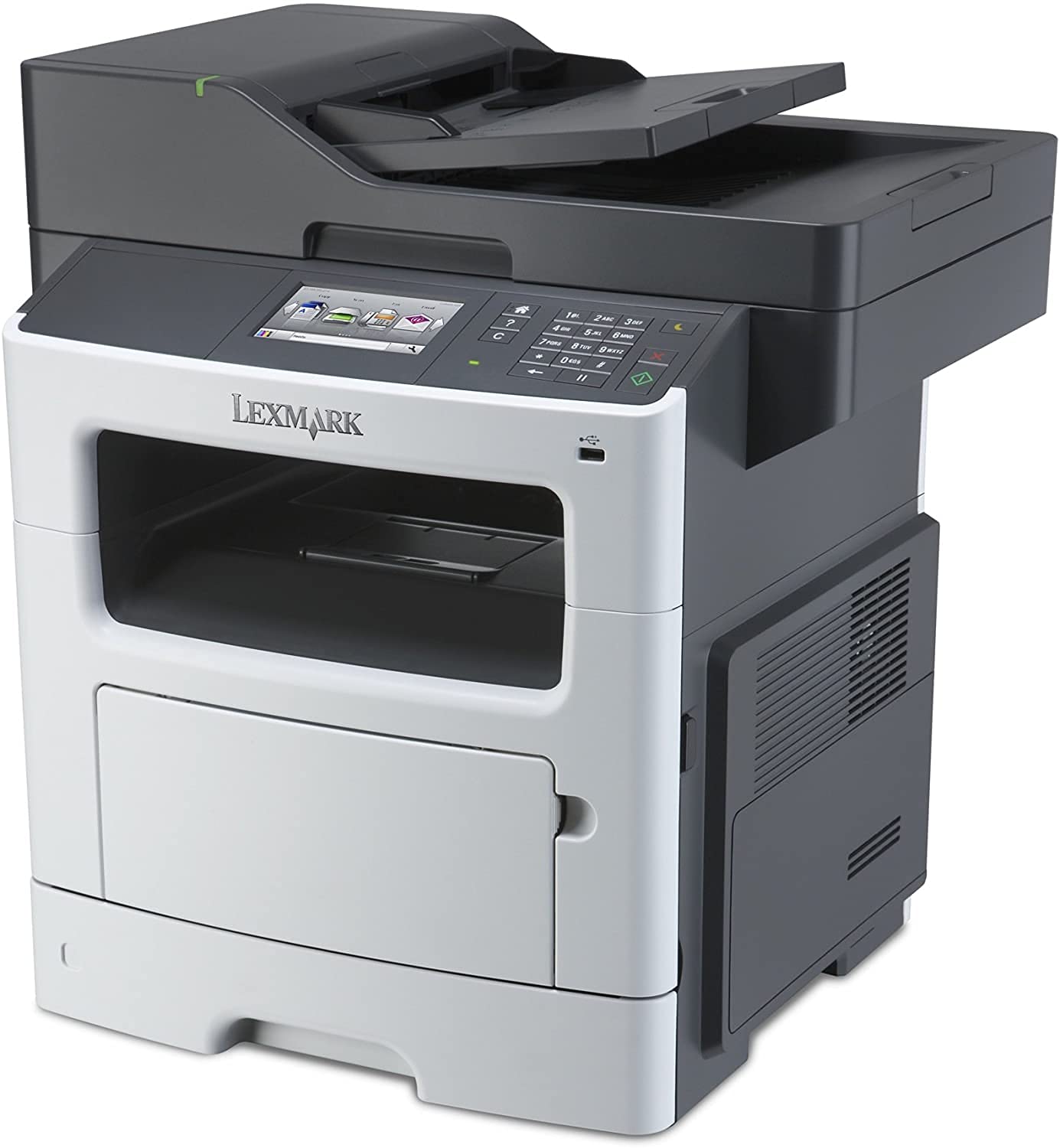
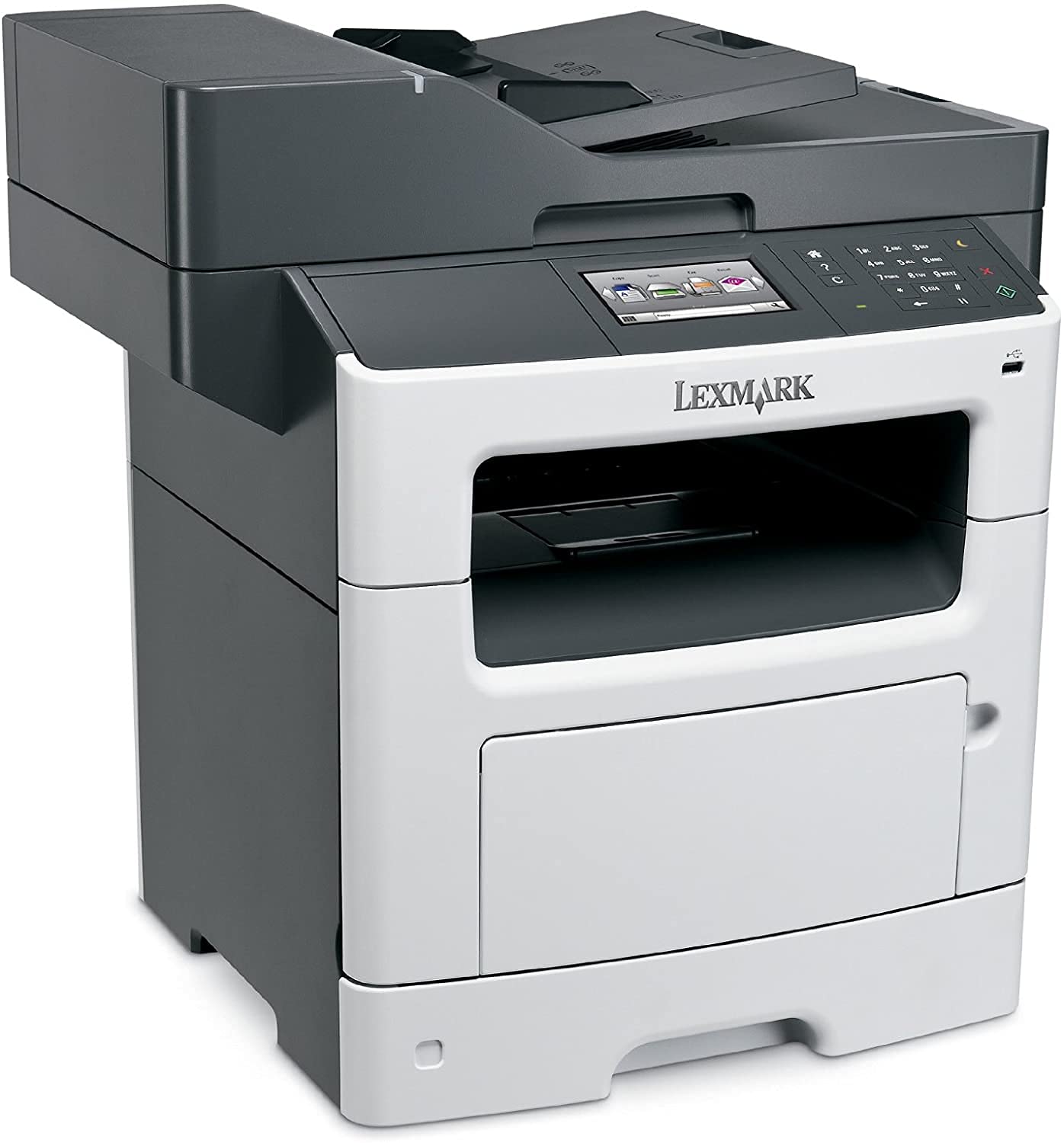
🚀 Elevate your office game with speed, capacity, and connectivity that means business.
The Lexmark MX511de is a monochrome all-in-one laser printer designed for high-volume professional environments. Featuring a fast 45 ppm print speed, up to 2000-sheet input capacity, and Gigabit Ethernet connectivity, it handles demanding print, scan, and copy tasks with ease. Its 800 MHz dual-core processor and upgradeable 2.5 GB memory ensure smooth performance, while duplex printing and versatile media handling support efficient, eco-friendly workflows.
| Brand | Lexmark |
| Connectivity Technology | USB, Ethernet |
| Printing Technology | Laser |
| Special Feature | Auto-Document Feeder |
| Color | Black, Grey |
| Model Name | MX511de |
| Printer Output | Monochrome |
| Maximum Print Speed (Color) | 45 ppm |
| Max Printspeed Monochrome | 45 ppm |
| Operating System | Windows, Mac |
| Item Weight | 21800 Grams |
| Controller Type | Android |
| Printer Media Size Maximum | 8.5 x 14 inch |
| Included Components | Statement of Limited Warranty/Guarantee, Software and Documentation CD, MX511DE Laser Multifunction Printer, Black Starter Return Programme Toner Cartridge, Return Programme Imaging Unit, Setup Guide or Sheet (Network and Local Attachment), Lexmark Cartridge Collection Programme Information, Power Cable(s), Stability Sheet and Safety Sheet or Booklet |
| Style | Printer |
| Print media | Envelopes, Paper (plain), Transparencies, Card stock, Labels |
| Scanner Type | Flatbed |
| Memory Storage Capacity | 512 MB |
| Max Input Sheet Capacity | 2000 |
| Max Copy Speed (Black & White) | 45 ppm |
| Display Type | LCD |
| Compatible Devices | Smartphones, PC |
| Sheet Size | 8.5 inch x 14 Inches |
| Duplex | Yes |
| Hardware Interface | Ethernet |
| Resolution | 1200 x 1200 DPI |
| Additional Printer functions | All In One |
| Control Method | App |
| Number of USB 2 Ports | 3 |
| Total USB Ports | 3 |
| Manufacturer | Lexmark |
| Item Weight | 48.1 pounds |
| Product Dimensions | 23.1 x 20.9 x 23.6 inches |
| Item model number | MX511de |
| Is Discontinued By Manufacturer | No |
| Material Type | Plastic |
| Number of Items | 1 |
| Manufacturer Part Number | 35S5703 |
R**R
A real Business Class printer and worth every penny
Purchased this to replace an unreliable Color Brother MFC 9960 (less than a year old - ouch). The unit feels like it is built solidly. The set up and install on our network was straight forward. It warms up and prints very quickly. Scanning is a breeze and it scans and saves to anyplace...networked drive, email, etc. We have 15 users in our office and each configured it to scan to their preference. Print quality has been great as well. The toners are not cheap, but that is to be expected. The yield from the toner cartridges seems to be average or a little above average. The display is crisp, easy to understand and intuitive.Pros:1) Good build quality2) Easy to useCons:1) Heavy2) PriceWould I buy it again? Yes. would I recommend it to friend? YesWARNING - The Amazon listing suggested a wifi card (Lexmark 27X0225)to go with this...it is not for this machine! Don't buy this wifi card as it wont work! I bought the wifi card, tried installing it and ended up having to return it...PITA.
A**R
My adventure with a refurbish LexMark MX611dhje
The printer arrived with part of the outer panel broken from mishandling by UPS, but the packaging was not really enough to keep a printer from being damaged inside a cardboard box. the printer, although wrapped with bubble wrap, was loose in the box and could move when dropped. I called Printer Ready Tech Support and sent pictures of the damage to them. They asked me to assemble the printer and see if it worked. It's didn't as copies were coming out solid black or dark gray. I found and fixed a small door on the toner cartridge with a dislocated hinge which didn't improve the problem. I informed them and they said they'd send an imager, but before I could respond I had my Toner cartridge refill salesman look as it and he put in a a new cartridge and imager. It worked. The seller had offered me a 50% discount if I would keep the machine with the apparently cosmetic damage and I agreed after toner and imager was replaced. They are supposed to be processing my refund by crediting my Amazon account, but are waiting for a couple of days. The refurbished machine seems to work well, but I a still setting up some of the pictures as I had to download the user manual (340 pages) from the original manufacture. This item is refurbished, so it was about half the cost of a new unit, and will be a real bargain if it keeps working and I get the 50% credit. I did loose about a day of work by having to work with the copier and correspond with the seller. Best news is that toner cartridge and imager have illustrations on the labels on how to insert them properly. I think this model may be out of production, so new ones are hard to find. Time will tell if it's better than the Hewlett-Packard I had to replace. HP sets up everything when you hook it up to the computer, this Lexmark does not.
B**D
you are not buying a new printer
I have had problems with the printer since i bought it. I thought i was buying a new product when i purchased this in May of 2019, but I was just informed by Lexmark that the printer was originally purchased in January of 2014 and the warranty expired in january of 2015.
J**S
This has been a good buy
I purchased this unit to replace a long string of color units The price was comprable to what I had paid prior. The speed has been great. (suprising even) The staff loves this machine. I hope that it last a long time. I was told the toner is pricey. I still love the speed of the unit. I hate when I pay overtime because staff is sitting and waiting for the printer, the scanner or the fax to perform their task.
M**H
Nice Printer; Very Quiet
Short Form: Nice Printer; Very Quiet; Some Quality Problems; Doesn't Perform As AdvertisedLong Form: I needed to replace my older multifunction printer, and had been recommended the Lexmark brand by a few people I know. While different from the Brother, Xerox, and HP printers I already have in my office, I went with the MX511de as it offered the features that I needed -- 600dpi scanning, legal-size flatbed scanner, fax, duplex, network, the works.As a copier, the unit seems to work very well, and it is certainly fast, which is what we wanted. However, we quickly ran into a couple of critical shortcomings that caused some issues.The first problem showed up with respect to print quality. One of the items that we print are PDF files of small text, which are then scaled down into booklet form. My HP LaserJet 4M+ (a.k.a. "the "tank") does an exceptional job with these documents, although the output from this 1993 printer is a bit slow for my needs. However, printing the same document on the new MX511de was much faster, but it showed VERY poor print quality. The fonts were ragged. The tops of the letters were cut off. It simply looked NASTY, and was unusable for our needs. I went back to the tank for printing these documents! After doing some digging, I found that the default printer quality for the driver is "1200 IQ" (whatever that means). I further found that if I changed the quality to "1200 dpi", the printer actually gave me readable documents. Why the 1200 IQ couldn't outperform the 600dpi LaserJet from 1993, I have no idea. It's an extra step to get readable fine print, but something that wasn't too bad.The real kicker came when I had to use the scanner feature. One of my projects is to scan print photographs into digital files. I use a variety of equipment, including a PlusTek slide/negative scanner for slides & negatives and a Kodak ScanStation 500 for most print photographs. However, some old photos from the 50's and 60's are too small to feed through the Kodak, and I needed a usable flatbed scanner. In the past, my Brother MFC was able to do an admirable job of covering this task for me. I simply load up the photos on the flatbed, run the scan, and then split the large file apart on my workstation into smaller photos and do all the post-production cleanup. When I bought the MX511de, I specifically verified this before I spent the $$. Legal size scan surface? Check! 600dpi scanning? Check!It wasn't until I actually needed to do one of these scans that the cold, hard truth became apparent. Although the product advertising may lead you to believe that it can do a 600dpi scan at full-page size, it does not indeed have this capability! If you attempt to perform a full-page color scan at 600dpi, you immediately get a message on the server that due to memory limits, the scan is being re-formatted to 300dpi. Yuck! This is 1/4 of what I need for my project! (Interestingly, the SCSI flatbed scanner I bought in 1995 did 1200dpi scans just fine. Too bad the SCSI interface didn't remain in common use on small computers.)Spending a lot more time, I found out some more -- if I shrink the scan size to "statement" size (5"x8"), it only scales the resolution to 400dpi. Even better, if I shrink the scan size down to Index card (3"x5"), it indeed scans at 600dpi. Whew. So it CAN handle 600dpi. And it CAN handle full-page scanning, just not both at the same time, sucker! So, I started doing some math. A full page (8.5"x11") scan at 600dpi at 24-bit color resolution should be approximately 100MB in size. My printer had 512MB of memory -- supposedly 4x what I needed. How much memory do I REALLY need to be able to do a full-page 600dpi scan? Time to call tech support!After going through the first layers of tech support (you know them, the folks that never seem to listen quite closely enough), we upgraded the firmware - no joy. We tried using Printer Home software (instead of the web page) to set up the scan - no joy. Finally got escalated to L2 support, then L3 support, who took the problem to engineering. I had to submit sample after sample to prove the problem. (Even learned some things about the printer in the process, too.)Anyway, to make a long story not-so-long -- I finally got a reply from L3 tech support. Apparently, when the first users of the printer generated a 600dpi scan (again, a 100MB image), they complained that the printer was too slow. Gee whiz! Who'd have thunk that moving a 100MB image would be fast? To deal with the complaints, the engineers decided to fix them for good -- and they built in an internal buffer size for the scanned image that is irrespective of the actual RAM in the printer, and which cannot be field-adjusted. If the scan is larger than this hidden and undocumented buffer size, the resolution is automatically downgraded to a DPI resolution that WILL allow it to fit into memory. This keeps the performance of the scan high, but degrades the quality accordingly. (Following this logic, I wonder why they didn't just force every scan to be 50dpi black&white -- you gotta believe that a 233KB image will provide a LOT better performance!)<RANT>I suppose the same issue could come up with my pickup truck. Every time I hook up a 20,000lb trailer to my pickup truck, the acceleration performance of the truck degrades. Do I complain about it? No! I understand the ramifications of what I am doing. The solution found by Lexmark is akin to the truck maker changing out the trailer hitch bolts for paper clips to combat the acceleration complaints. If you try to tow too much, the load is simply dumped by the side of the road, and engine performance returns to normal!</RANT>So, now the solution was supposed to be simple -- Engineers won't fix it, because doing so will hurt performance. Instead, they told me that I had to contact Lexmark Sales and request a "Special Product Request" to have the product do what it is advertised to do, and that it would likely cost me something to get someone to build me a custom firmware that allows it to perform as per the specs. So, I call Sales. They have no idea what I am talking about. They send me to Lexmark Dispatch, who can route me to the right person. He has no idea, and sends me to Lexmark Tech Support. This guy finds the original L3 tech, who says to call Sales. ARGH! If that doesn't work, I have to call my dealer. My dealer, of course, will have no choice but to contact Lexmark Sales, get routed to Dispatch, Tech Support, and be told to call THEIR dealer. I seem to be stuck in a loop once again. They now tell me that they will try to figure out who I should talk to and get back to me. When? They have no idea -- it's not a priority item. Sigh.Now, I could change all of my scans to 3x5 scans and just deal with it. However, I still have a few hundred photographs to go through, and doing 1-2 at a time instead of 20 at a time was never part of the plan. I guess I keep hoping that someone at Lexmark gets a clue and either fixes (or at least documents) this design flaw to prevent other people from spending money on a product that doesn't do what it says it will do. Or, maybe I have to spend money on another 600-dpi flatbed scanner and simply HOPE that their product works as advertised....
L**E
This is a good printer/copier/ all in one
This is a good printer/copier/ all in one. It was purchased for the copier role. The first one we purchased would not pick up paper from the drawer, it would from the bypass tray. We looked and then RMA'd the printer. The second did the exact same thing. We decided to call Lexmark and they told us it is a known problem, the pick up rollers are bad. They sent out the new and improved rollers and the printer worked great. It prints nice and is somewhat quick.
Trustpilot
1 day ago
3 weeks ago