We remain fully operational. Our teams are working around the clock to ensure your deliveries continue safely.

DOWNLOAD THE APP


Customer Services
Copyright © 2025 Desertcart Holdings Limited
DOWNLOAD THE APP

✨ Stick Bold, Stick Brilliant — Your Creativity’s Best Canvas! 🎨
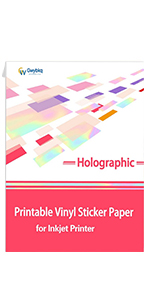
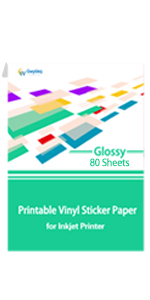
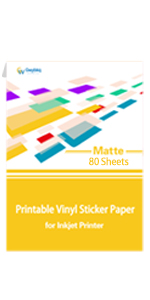
Gwybkq Glossy Sticker Paper offers 80 sheets of premium, waterproof, and tear-resistant printable vinyl in standard letter size (8.5 x 11 inches). Designed for inkjet printers and compatible with popular craft cutters like Cricut, it delivers vivid, quick-drying colors with a glossy finish. Ideal for professional-quality DIY labels, decals, and creative projects that demand durability and flawless print performance.




| ASIN | B091DQ2LGS |
| Best Sellers Rank | #24,805 in Office Products ( See Top 100 in Office Products ) #245 in Laser & Inkjet Printer Labels |
| Brand | Gwybkq |
| Brand Name | Gwybkq |
| Brightness | 90 |
| Color | white |
| Customer Reviews | 4.6 out of 5 stars 1,099 Reviews |
| Item Dimensions L x W | 11"L x 8.5"W |
| Manufacturer | Gwybkq |
| Material Features | Waterproof |
| Paper Finish | Glossy |
| Paper Size | 8.5-x-11-inch |
| Paper Weight | 20 |
| Sheet Count | 80 |
| Sheet Size | 8.5-x-11-inch |
| UPC | 770456782750 |
| Unit Count | 80.00 Count |
K**.
A Guide to GWY Sticker Paper
I'm going to write the review I wish I'd had when buying this paper -- because then I wouldn't have had to buy and test every one of them! For reference: I'm using a Canon ix6820 and a Silhouette Cameo 4 (similar to a Cricut). I bought every type of printable sticker paper that this company has, and tested them all. I made kiss cut settings (like a sticker sheet). Here are my results. (Please note that I only tested the Matte for waterproof quality.) TRANSLUCENT Yes, it's a little squeaky, but it's beautiful. I definitely prefer this over the Clear paper. It's my choice for see-through sticker paper from this brand. I did notice that when you peel the sticker off, it doesn't look too great -- until it's placed on paper again. Then it's beautiful! GLOSSY My personal favorite. It printed beautifully, and has a finish that I love. Only complaints are these: the more intricate stickers can be a bit delicate, and also my Cameo's blade does get a little stuck if I set too many passes for the machine. But I think that's just the nature of glossy paper. (Bonus: I tested a few pens on labels made from this paper, and it didn't smear or scratch the sticker. What a win!) MATTE Not terrible, but not my favorite. Maybe I'm doing something wrong on my end, but sending this paper through my Cameo was somewhat frustrating. The cuts weren't very accurate, and when I peeled off the stickers, they tore more than once. The color is very vibrant, and when I ran some stickers under some water they didn't bleed at all. Unfortunately, they're just not sturdy enough for my taste. CLEAR Last one! And sadly the one I like the least. I thought this sticker paper would be my favorite -- it feels nice and smooth to the touch, and isn't squeaky at all. Unfortunately, the ink smears a lot. I let this one dry for 15+ minutes before I picked it up (which I don't usually do, I was just busy) but after the Cameo was done cutting, and I transferred them to the paper that you see above, I had ink on my fingers. If you look closely at the second picture, you can see they have an odd textured look -- that's actually my fingerprints. Overall, I don't hate any of these. They all feel like good quality sticker paper (and I actually prefer them to the pricier OL brand). TL;DR: My personal favorites are Glossy and Translucent. SILHOUETTE SETTINGS On the off-chance another Silhouette user has made it this far into this novel of a review, I'm going to include my cut settings for the Glossy and Translucent papers! GLOSSY (kiss cut): Force 8, Speed 4, Passes 1, Acceleration 1, Blade Depth 3 GLOSSY (full cut): Force 28, Speed 5, Passes 2, Acceleration 1, Blade Depth 3 TRANSLUCENT (kiss cut): Force 18, Speed 4, Passes 1, Acceleration 1, Blade Depth 3 TRANSLUCENT (full cut): Force 28, Speed 5, Passes 2, Acceleration 1, Blade Depth 3
O**A
Good vinyl 👍
It's decent vinyl. Thick, but not too thick. Doesn't tear. Colors really pop. I see a lot of people having problems with ink smearing or not drying. If you have an HP or Canon printer, this will probably happen. This vinyl works best with Epson printers. I print on my Epson ET15000 with Glossy Photo setting at max quality, and it comes out great. Not wet at all. Dry to the touch immediately. There's only two small gripes I have about it... It kinda has a very faint bumpy sheen to it. You can't feel it, but when you get it in the right light you'll see it. I'm still on the search for the perfectly smooth vinyl. The other complaint is when you contour cut it with a vinyl cutter, it leaves a dusty residue. I'm not certain, but I suspect it's the coating on the vinyl being pulverized into a dust by the cutting blade. I just use a soft brush and pass it over my prints, but it would be cool if that didn't happen.
J**S
Quality and receiving fast.
Received swiftley and no problems. I use this item often making tumblers for family. Never have a problem printing and the color comes out clear and vibrant.
V**N
Great vinyl sticker paper
Works great is my printer and the labels I make look professional once printed and cut.
S**E
Overall great paper, but two issues
I used this paper in my small business for several months, and overall it's great sticker paper. Prints easily & looks great, as long as you only load one sheet at a time. Adhesion is great most of the time, more on that later. Definitely needs to be laminated or sealed (but I find that's how all printable sticker papers are). The option to buy a larger amount was awesome. Also there is no branding or grid on backside, which is nice for small business use. The first issue I had was that the back of the backing paper was very paper like. If you use an adhesive mat (like cricut, & even on a light grip) to cut your stickers, it is very difficult to get the stickers off afterwards without ripping the backing. Even if you do manage to get the backing off without ripping it, which takes a lot of patience, a little sticky residue still remains. So then the back will stick to other stickers & stuff, and even transfers to whatever it was stuck to. Probably not a big deal for personal use, but for a small business it leaves an unprofessional feel if the back of your stickers are ripped or slightly sticky. Second was an adhesion issue. I used this for awhile in my small business, and 90% or the time it worked great. But for some weird reason, there are a few brands of powder coated metal water bottles it just won't stick to, but other brands it's just fine. The brands I found that aren't compatible are Stanley, Yeti, CamelBak, & sometimes Oowala.
K**Y
Perfect
Great great product love the quality and the results after printing
M**H
Long story .... !
Testing this glossy sticker paper has been a journey! I at first printed a sheet on our HP Officejet Pro 8610 printer, and although the colors adhered to the paper better, the black ink borders smeared - even after drying for 2 days (in other words, the black ink never adhered well). However, I never had that problem with printing photos on glossy photo paper from that printer. After doing a BUNCH of research, intuition told me that the problem was likely the ink, not the glossy sticker paper. So, I then bought an Epson ET-2850 .... and the problem was solved! The ink dried on this paper almost instantly! Yay! (You can tell how committed I was to being able to make glossy labels!) So while this was an expensive test, I'm now set to print and cut on glossy sticker paper - and probably anything else. This paper worked GREAT after that. I did learn that the cut settings on my Cricut Explorer 2 need to be fiddled with a bit - the glossy sticker setting I selected cut a bit too deep. But that is easily corrected. I also learned that to cut out stickers printed on glossy sticker paper with a smart cutting machine, you will likely need to apply regular scotch tape over the registration marks so the machine can see them, otherwise your cuts will likely make your labels or stickers unusable. How much light in the room didn't matter, in my case (it apparently does for some).
C**D
Not bad!
It’s hard to look for decent sticker paper. Most if not all have semi/bad reviews. Well I gotta say I haven’t had issues with this paper. It doesn’t bleed at all and it seems to stick just fine! I do give my paper a couple minutes after printing just in case. It’s not very glossy but I usually laminate my stickers so that part is not a big deal to me. My daughter put water over a sticker before laminating thinking it would transfer over to her skin like a tattoo and the ink didn’t bulge. Picture remained intact. So far so good, I’d repurchase!
Trustpilot
1 month ago
2 months ago