

Desert Online General Trading LLC
Dubai, United Arab Emirates
Desert Online General Trading LLC
Dubai, United Arab Emirates


🚀 Elevate your digital workspace with unstoppable storage power!
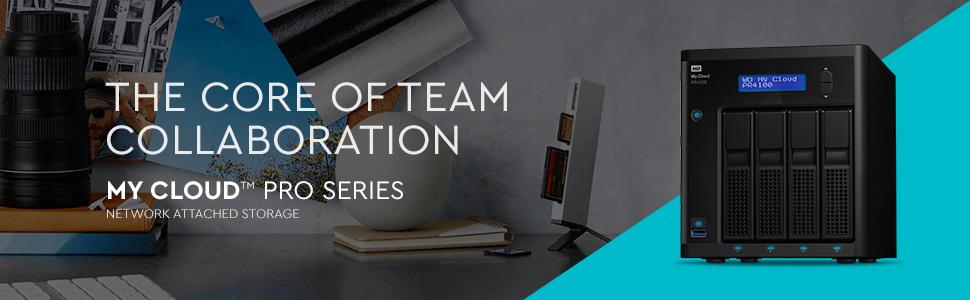
The WD 64TB My Cloud PR4100 Pro Series is a high-capacity NAS media server featuring a quad-core Intel Pentium processor, 4GB RAM, and built-in video transcoding for HD streaming. It offers robust security with AES 256-bit encryption and supports multiple RAID configurations, making it ideal for professionals seeking centralized, secure, and accessible storage across Mac and PC platforms.








| Brand | WD |
| Series | WD 64TB My Cloud PR4100 NAS |
| Item model number | WDBNFA0640KBK-NESN |
| Hardware Platform | Mac, PC |
| Item Weight | 13.93 pounds |
| Product Dimensions | 9.13 x 6.69 x 7.56 inches |
| Item Dimensions LxWxH | 9.13 x 6.69 x 7.56 inches |
| Color | Black |
| Manufacturer | Western Digital Technologies, Inc |
| ASIN | B09HY8H7NC |
| Date First Available | September 17, 2021 |
T**S
Purchased PR4100 - Pros & Cons
Got this to replace my EX4 but will use both....Overall:1) Purchased this no drives then went to WD site and got 4x16TB drives. It saved me about $950. You would think if it comes with drives it would be cheaper but that is not the case. Always purchase these without drives then go get them. the 16TB Red PRO drives were a great price point and have 512MB cache. It gives me 48TB usable after RAID 5.2) Use it to backup ALL of my data and I have 22TB of Data. 12TB of critical data and 10TB junk. I keep having to move drives around and find stuff so I gave up and wanted it in one place. I made shares for Software, Virtuals, Programming and Junk besides the Public shares. I use it like a network share and store everything.3) Got it to replace my EX4 but am going to get the regular RED 4 or 6TB drives for my EX4 and use both. This way I can Use this to store my data and use the old EX4 as an archive. Yes it is RAID but been in the industry to long to trust one device with all my eggs. Double disk failure and you are toast....Pros:1) Very simple so setup. I added the 4 drives and turned it on to get en IP. The IP is displayed on the front by using the buttons. I put the IP in my browser and I was up and running. I have 2 networks so I set a static IP on both Ethernet ports. When I want to switch between them I just swap the cable. Yes I could use both at the same time but not that important.2) The 16TB drives I got and the unit itself is very quiet. I can have it in the same room next to my PC and it is not a bother.3) The tools and interface is simple to use. I added shares within seconds. Very simple to add software. Just like an iPhone. Go to software, pick what you want and install it.4) The 1Gb ports are great. Streamed most of the data to this @ 100GB/Sec. That is 800Mb/sec if you convert. A gig port runs @ 1000Gb/sec. The rest is just communication and I was coming from physical drives so the source was a bottleneck. These 4 drives are rated @200MB/each and these is no need for SSDs if you are worried.5) I upgraded to 16GB but it doesn't look to need it. I ran copies and streamed movies from and to it at the same time. Inside the tools you can display memory and performance charts. It is very simple. The ram went max 1.5GB. It comes with 4GB so that would have been fine. I upgraded just because you can and it was only $50 for the chips when shopping around.6) Startup from sleep is only seconds away and that has not been an issue. Just hit the share and you are good to go7) Downloaded an FTP program for my cell phone and I can see all my data and play movies quickly and simply8) very compact. It is not much bigger then the 4 drives and fits easily on a shelf or in the corner of the room.Cons:1) My old EX4 was a simple media player. Natively it shows up on all my Samsung TVs when I go to source. Not sure about others but most smart TVs should be the same. This was a crazy nice feature that was not in this new product. This was something I thought would be there but I assumed.2) The only way to share media like my EX4 to TVs and devices is to setup PLEX. I tried but I need to log into the device and set it up. I tried last night and messed up by using my WD account but the wrong password. Something happened and now it is all screwed up. Going to call tech support and get help sorting it out and setting up PLEX.3) I can't turn off the light on the front display. Had it next to the TV and put electircal tape over the display. Would be nice for the backlight to go out until I press the button or have a button to turn it on and off4) It does not have WiFi and needs to be plugged in. If you have an older WiFi router it may not have Gig ports and it will only operate @ 100Mbit. Even WiFi is faster the 100Mbit.Conclusion:Went to you tube and other sites to get evaluations and everyone pointed back to this. If I didn't have my EX4 I still would have purchased this. All other products use PLEX to share media so setting it up on this is like the others. Still going to use my old EX4 to share movies and shows since it is native and nothing to setup. I recommend getting an EX4 to mirror data and archive to have two of these if you only have one set of data. Great product and tons of space in a small footprint. Well done WD.........
G**T
Lot's of capability if you know what you're doing.
Rarely do I review products, but this little NAS is fantastic and worth a quick review!If you know what you're doing, you can SSH into this thing and download/run containers! It has docker installed as part of the base image. It also supports NIC teaming, has redundant power supplies, allows backup to AWS S3, and a bunch of other features. I was expecting a solid NAS (and it certainly is that), but if you configure it properly it's a fantastic server too. Plex is blazingly fast, various containers support non-standard capabilities / uses, and overall it's great!It's also worth noting the WebUI is pretty bare bones but functional. For example, I wanted to hibernate the device overnight and have it resume in the morning (let's not discuss the impact on disk parking / lifetime that introduces) since when I'm sleeping I'm super sensitive to sound and need this thing to basically be silent / off. The power management features included made it trivial, and it's again ready to go first thing.The auto-firmware update feature keeps the core OS secure / updated, and everything else (apps, containers, config) is stored on the disk array, so if you ever need to wipe and return this to factory settings, just pull the drives and you're done!WD have done a really nice job here, and as mentioned, if you know what you're doing this thing will serve you well.
T**T
Easy to use and set up, powerful and functional!
I upgraded to this from a WD EX4 and setup was a breeze. I was able to just swap the drives from the old unit into the new one, boot it up, and it detected the array and re-configured it quickly with no loss of data. Just a few tweaks of hostname and IP and my network never even knew the difference!The UI is easy to use and the CPU is powerful enough that I migrated my Plex server from my ESXi host to the NAS itself and it doesn't even flinch.You can also set up NFS support and use it as an NFS file store for an ESXi host as well (Which is why I upgraded to it). I'm not sure I would trust it for a Production-grade NAS device (I've had a couple times where it appears to have frozen and required a reboot, usually immediately after a firmware upgrade) but for my home lab setup, it's an amazing device.
Trustpilot
1 month ago
2 weeks ago
2 weeks ago
1 month ago