
DOWNLOAD THE APP


Customer Services
Copyright © 2025 Desertcart Holdings Limited
DOWNLOAD THE APP

🚀 Compact power, endless possibilities — Beelink SER3 Mini PC.
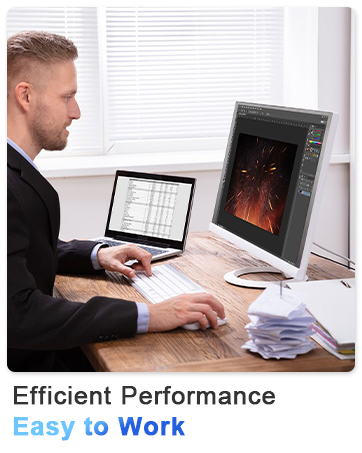
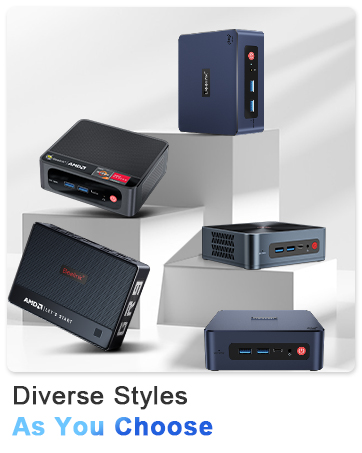
The Beelink SER3 Mini PC packs AMD Ryzen 3 3200U processing power with 16GB DDR4 RAM and a 500GB PCIe 3.0 SSD into a sleek, compact design. It supports dual 4K displays at 60Hz, offers next-gen WiFi 6 and Bluetooth 5.2 connectivity, and features multiple USB 3.2 ports for versatile use. Perfect for professionals seeking a powerful, space-saving desktop solution with reliable performance and seamless multitasking.




| ASIN | B09SYSPSSM |
| Are Batteries Included | No |
| Brand | Beelink |
| Color | multi |
| Computer Memory Type | DDR4 SDRAM |
| Connectivity Type | Bluetooth, Wi-Fi |
| Customer Reviews | 4.4 4.4 out of 5 stars (809) |
| Date First Available | 26 February 2022 |
| Form Factor | All-in-One |
| Graphics Card Description | Integrated |
| Graphics Card Interface | Integrated |
| Graphics Card Ram Size | 8 GB |
| Graphics Chipset Brand | AMD |
| Graphics Coprocessor | AMD Radeon Graphics 7core |
| Graphics RAM Type | Shared |
| Hard Disk Description | SSD |
| Hard Drive Interface | Gigabit Ethernet |
| Hard Drive Size | 500 GB |
| Hardware Platform | PC |
| Item Weight | 930 g |
| Item model number | Beelink |
| Manufacturer | Beelink |
| Maximum Memory Supported | 32 GB |
| Memory Clock Speed | 2400 MHz |
| Memory Technology | DDR4 |
| Number of HDMI Ports | 2 |
| Number of USB 3.0 Ports | 4 |
| Operating System | Windows, Windows 11, Windows 11 Pro |
| Package Dimensions | 22.2 x 13.79 x 5.89 cm; 930 g |
| Power Source | Battery Powered |
| Processor Brand | AMD |
| Processor Count | 2 |
| Processor Socket | Socket FP5 |
| Processor Speed | 4.2 GHz |
| Processor Type | Ryzen 3 |
| RAM Size | 16 GB |
| Resolution | 3840x2160 |
| Screen Resolution | 3840 x 2160 |
| Series | Beelink SER3 |
| Wireless Type | 2.4 GHz Radio Frequency, 5 GHz Radio Frequency, 802.11a/b/g/n/ac, Bluetooth |
M**O
Speed delivery
Super
W**E
If you want a small foot print computer that works and works and works get this one. It does all I ask plus more. Great speed. Just wish it had more USB3.1C ports. You will need a good USB hub to connect flash drives, etc.
P**S
It was easy to install and affordable. very happy.
M**T
Update 10/25/2023: been running this thing 24/7 with no issues. I mostly use it by remoting in to it from my laptop/chrome book using RDP in windows. Zero issues. Very stable. Still quiet and no overheating for my use. Plenty of ports and they all work. Great value. Original review 9/2022: Super easy to set up. Plugged it in, turned it on, did windows setup, and logged in. Easy. Minimal bloatware garbage. Easy to upgrade ram, which I did by adding a matching ram card for a total of 24gb of ram. Wi-Fi works great and hardwired gets me almost my full gigabit up and down. Already looking to upgrade and give this one to my son.
M**N
I've used numerous NUCs and BRIXs and other similar mini-PCs / micro-PCs over the years but this Beelink is the first that gives me decent storage and memory expandability in-box. Of course, that's mostly due to using the AMD SOC, but they also had to engineer the box and having a M.2 NVME, M.2 SATA, *AND* room for an internal 2.5" SATA drive (they include the tiny ribbon cable and adapter for it, it all fits inside). That's really pretty awesome. And then on top of that I can throw up to 64GB of DDR4 (SODIMM) into it (e.g. 2 x 32GB). I got the 16GB version which comes with one 16GB SODIMM installed... so not dual-channel out of the box, but that also means I only needed to buy one additional 16GB SODIMM to get 32GB of total memory, instead of having to replace the pre-existing memory entirely. A+ for memory expansion flexibility! I can't review gaming or other windows stuff for this guy. I'm running an open-source OS for a 24x7 NVR system and some home automation services. The unit is compatible with Linux, the BSDs, and of course Windows. A+ there. It looks like they even included boot media so theoretically I could even go back to Windows after having wiped. The included cables, the boot media for recovery, and other extra stuff in the box are high quality and a nice touch. A power adapter is included and good for 57W (19V @ 3A). For my use-case I need the performance to be able to do at least a little transcoding (being a laptop SOC it obviously has serious limitations there, but its still far far far faster than a RPI 4)... and I need extra memory for staging video files to avoid wearing out the SSDs. In as little power as possible. This unit burns around 15W with my workload (see addendum below). It was pushing 20W but I found settings to get it down to 15W, and the fan doesn't run at 25% load. The BIOS has some interesting features. In particular the AMD sub-menus allow the power envelope to be set. 12W, 15W, 25W, 30W, etc... all the way up to 55W. Of course the heat pipes and fan can only take away so much heat, and my particular interest was to run it in as low a power mode as possible so I use the 12W setting. This doesn't actually get the whole unit down to 12W... its more like 20W (the 12W is for the SOC core only). The unit defaults to the 25W setting I believe. This setting has very little to no effect on sustained loads. It primarily appears to give more of a burst at the beginning. In fact, see addendum below, there is no need to change this BIOS setting even if you want a lower power envelope. In anycase, as with all of AMD's recent CPUs, a single core will boost to higher frequencies while a multi-core workload will being the frequency cap down to maintain the requested power envelope insofar as that is possible. External I/O is just as impressive as the insides. 6 x USB-A ports (blue, so probably USB 3.1 or something), 1 x USB-C port. Three video ports. Then additional 'extension mode' ports (two more USB A ff, then for video mirroring a USB-C and a HDMI). Good grief that's a lot of ports on something this small! No reset button :-). But I won't dock it a star for that. Its not a desktop. Edit: addendum - Running my heftier home automation services 24x7, one issue cropped up. I stuffed a 4TB samsung SATA SSD into this baby and the little ribbon cable that connects the SATA inside the box clearly has issues communicating at 6Gbits. I did make sure that the ribbon connectors were well seated on both ends, that isn't the problem. I had to force the interface to run at 3GBits to get rid of the errors. Samsung SSDs seem a bit sensitive in this regard. But since then it has operated perfectly. Another item that I figured out was that I could get the power consumption for my home automation load down to 15W by turning off turbo mode and setting the max frequency to 1.7GHz. Its still 4-core/8-thread. I just returned the BIOS to its normal 25W settings and forced the frequency inside of Linux. As a knock-on bonus, the fan doesn't run (with the system 35% loaded at 1.7GHz, 24x7). This is with the NVME system drive and a 4TB Samsung SATA SSD, and 32GB of ram. 15W. Wow. I am really impressed. -Matt
W**T
Um mini PC... O que você esperaria de um mini PC? Lento? Travando? Engasgando? Não! Esse Mini PC assume tranquilamente o status de um PC gamer. Não é um PC gamer para jogadores xiitas, mas ele é capaz de entregar um desempenho incrivelmente satisfatório para jogos AAA até 2020 com qualidade minimamente aceitável. Estamos falando de um Mini PC que suas especificações superam a de um Xbox One X, com hardware robusto, ainda que estejam limitado a 32GB de RAM LPDDR5, mas é capaz de receber mais armazenamento, podendo ter muito mais que só os 512GB de fábrica. Se o seu objetivo é ter um PC pequeno, discreto e que entrega muita qualidade com pouco espaço, este é o seu PC!
Trustpilot
1 week ago
1 month ago