

Desert Online General Trading LLC
Dubai, United Arab Emirates
Desert Online General Trading LLC
Dubai, United Arab Emirates


🕶️ Stay sharp, stay private — your screen’s new best friend.
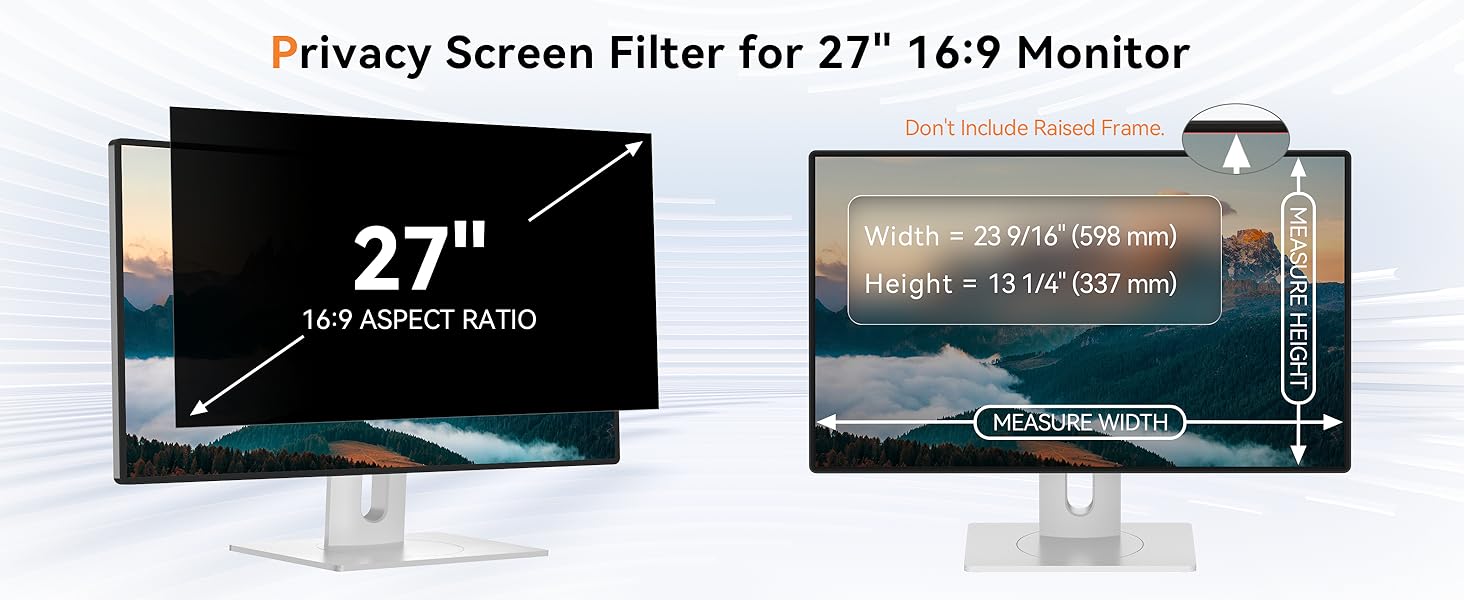
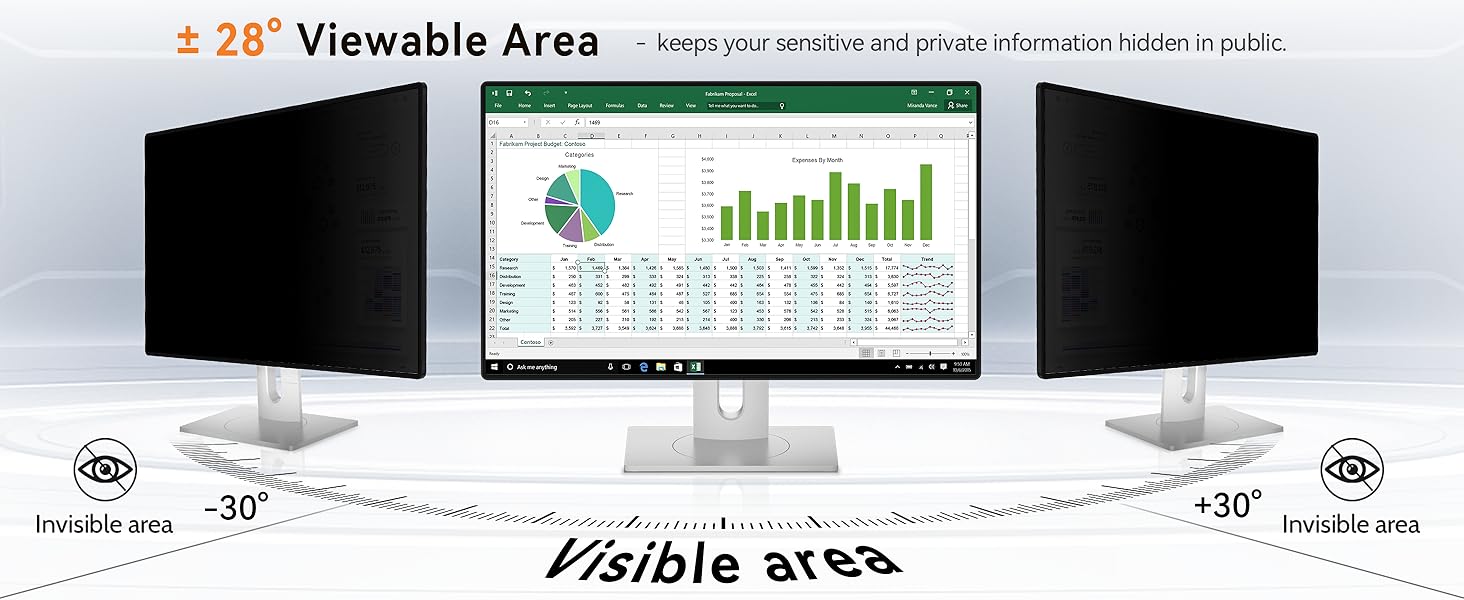
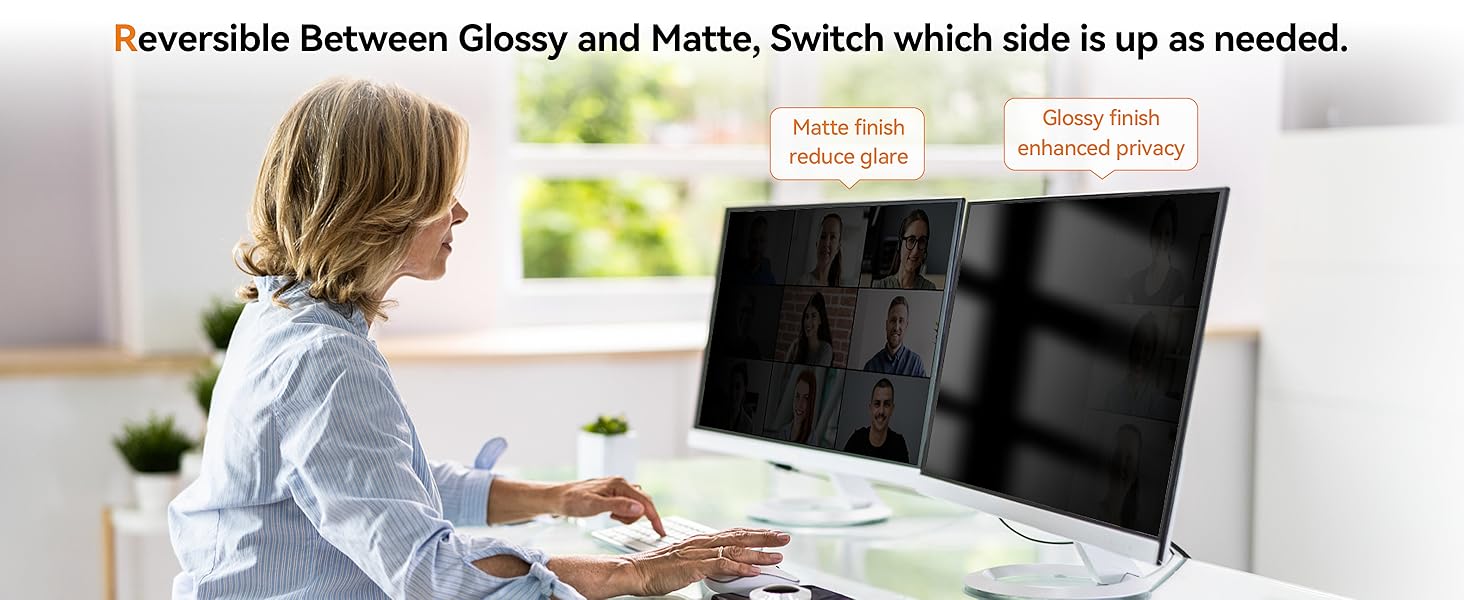
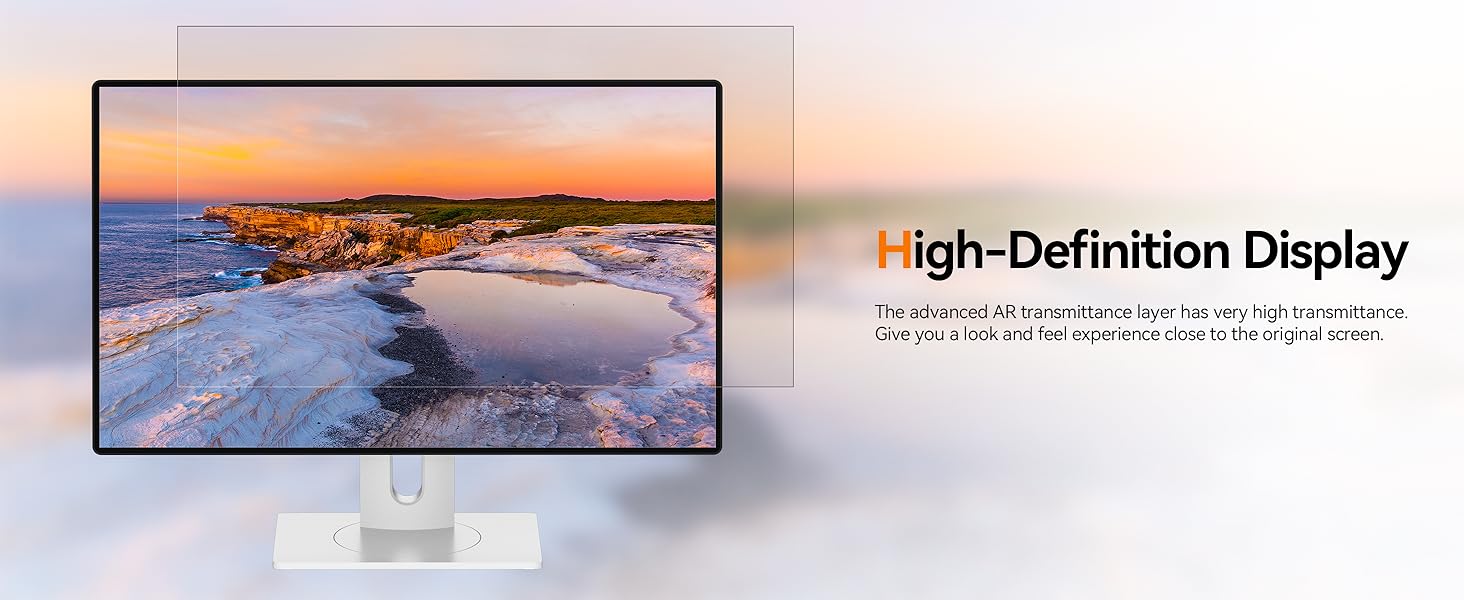
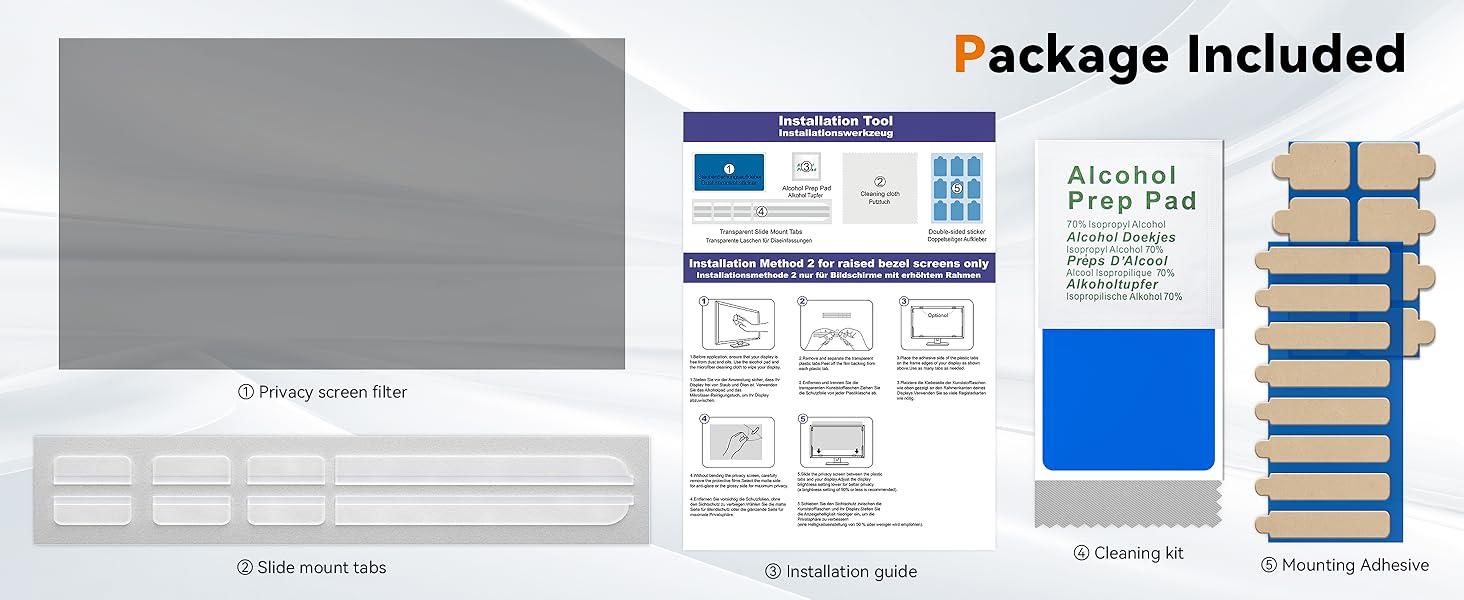
The Mamol 27 Inch Computer Privacy Screen is a precision-engineered privacy filter designed for 16:9 widescreen monitors. Featuring advanced microlouver technology, it blocks side views beyond 30 degrees to protect sensitive information in public or high-traffic settings. Dual-sided with glossy and matte finishes, it offers customizable clarity and anti-glare options. Additionally, it reduces blue light exposure by 98% and UV rays by 99.9%, safeguarding your eyes during extended use. Compatible with major monitor brands and equipped with versatile mounting options, this lightweight 14.4-ounce screen shield is perfect for professionals seeking privacy and eye comfort without compromise.

| Standing screen display size | 27 Inches |
| Brand | Mamol |
| Series | Mamol 27 Inch Privacy Screen Filter |
| Item Weight | 14.4 ounces |
| Product Dimensions | 23.6 x 13.3 x 0.5 inches |
| Item Dimensions LxWxH | 23.6 x 13.3 x 0.5 inches |
| Color | 27 Inch (Diagonal) - 16:9 Aspect Ratio |
| Manufacturer | Mamol |
| ASIN | B09XK8K16M |
| Date First Available | April 25, 2022 |
P**D
Perfect Fit! - Lenovo Legion Y520 15.6in ** Pros | Cons | Neutral | PRO TIPS
As the title states, I have a Lenovo Legion Y520 15.6 in. If you've never seen this laptop in person, the bezel (plastic piece around the LCD screen) is quite wide, which also creates a raised edge.However, it literally fits perfectly. Now I know there are exaggerations to "perfectly." But, when I say perfectly, I mean perfect. I tested the size by using the raised edge as an advantage, I placed the screen protector on my screen, and boom! It sat on the raised bezel, perfectly inline with my LCD screen.TLDR:Pros:- Perfectly fit my Lenovo Legion Y520 15.6 in.- Ability to choose Matte Side forward (helps reduce glare) or Glossy side forward (maximum privacy)- Simple steps to install AND they provide everything you need to install it.- Comes with 9 Double sided sticky tabs.- On MY laptop, the light bleed is negligible. (Less than 1mm of light bleed/actual LCD screen showing)Cons:- Hard to install the double sided sticky tabs with just your fingers (they're pretty small)- (Personal Con) I'm a perfectionist and the fact that I couldn't line up the sticky taps perfectly along the edge of my screen bugs me.Neutral:- Sticky tabs are VERY see through (EXCEPT, the outline of said tab)No Review:- I did not opt to use the slide mounting feature, so unfortunately I will NOT be able to review it.PRO TIPS:*USE TWEEZERS* - When opting to use the double sided sticky tabs USE TWEEZERS TO HELP WITH PLACEMENT. Those tabs are small, but the edge to hold the part where it *ISN'T* sticky is EVEN SMALLER (I'm talking 1-3 mm).*CLEAN THE SCREEN* - When deciding which side to use, you HAVE to peel off the protective film on the privacy screen to show you the "Glossy Side" and the "Matte Side" BUT BEWARE. Peeling off the protective film will create a positive static charge on the screen, and little lint WILL STICK TO IT. You will more than likely have to clean the side that will be touching your LCD screen to ensure no lint gets trapped there.*ROLL STICKY TABS* - When removing the double sided sticky tabs off of your screen, the easiest way I found to do it was to pick at a corner (with your finger nails) until it slightly raises, then slide your finger across it to the opposite side. This will make it roll up into itself, and you'll be able to easily remove it.*LOWER YOUR BRIGHTNESS* - When trying to maximize your privacy, have the *Glossy Side* facing forward AND LOWER your screen's brightness. This will give you the maximum amount of privacy protection. I suggest starting all the way at the darkest setting, and slowly increasing it until you can find a compromise between maximum privacy and being able to see your own screen.
C**S
Great product
Incredible product. Came with clear instructions and extra parts. Fits my laptop great (Acer Aspire)
A**N
Be careful with stickers
This looks great, and provides great screen privacy. I am in medical school and like to study in coffee shops. Unfortunately, a lot of my work is... NSFW. No longer do I need to worry about terrorizing the public with the very large photos of genitalia that pop up while I do my board exam practice questions. While this provides great protection from people sitting immediately to your right or left at about 60 degrees. It does not prevent people behind you from seeing what you are doing, but no privacy filter is going to do that.In terms of application, the screen cover itself is not sticky, hence the stickers or the slide-in system. I first tried the slide-in system and although it worked well, I could see the slides on each side and that really bothered me. I decided to switch to the stickers and I was worried how well they would stick, so I applied all of them. Do not do this. The stickers are really powerful-- you truly only need them at the very edges. Unfortunately, the sticker edges are also visible so although you can see through them, you will very clearly see the edges of the stickers. I am also a bit worried about pulling the stickers off- they adhere so closely to the screen, which in my laptop's case is a bit flimsy, that I worry pulling them off could actually damage my screen. I would recommend trying the sliding system first to see if you can live with it before moving to the stickers.*update-- I managed to very carefully remove the stickers and I actually put the screen back in place and used some clear scotch tape on the sides-- I am much happier with that and think it's the best way to go.Btw I have a lenovo legion 7 and it fit perfectly.
V**D
Fake advertising chinese junk
The product is actually 1 inch less than advertised so a small part of the screen is not covered.Also, it does not have any type of glue. You can not apply the product directly on the screen. You must use some stickers on top of the product.Cheap chinese junk with fake advertising on top of it. Throwed it right in the garbage bin. Would not reccommend.
M**N
Good for glare
Keeps my nosy boss from looking over my shoulder
C**S
PERFECT for flying (Be sure to measure first!)
Be sure to measure your computer screen (vertically and horizontally)! Don't just assume because you have a 14' screen that this will fit. The one I ordered was too long. I had to cut it to make it fit. Fortunately, it was not that difficult and actually fit just right. I love these privacy screens, though. I fly a lot and have a nice portable laptop I use for both work and play. I do several long haul (and red eye) flights, so I am always conscious of passengers seated next to me, when I am on my computer. This privacy screen is great. Even with my wife sitting next to me, I have to turn the computer so it is facing her before she can see the screen. Otherwise it is just black. I can work without disturbing others and (more importantly) I can work without others reading everything I am doing on my laptop! VERY happy with the purchase and would HIGHLY recommend!!!
B**L
Keep me hid
Great for work on the go in public places.
O**V
Excellent privacy filter with bright screen
Good screen filter with simple application. I am used it with Lenovo P16 Gen 2, applied using plastic tabs on the outer rim of the screen. Excellent adhesion, do not believe to those reviewers, who complain about poor adhesion. Нou just need to thoroughly degrease the surface and stick with clean, grease-free fingers. I am very impressed with quality and full installation set. This filter also keep contrst and enough bright view for comfortable working.
Trustpilot
3 weeks ago
2 months ago
![[2 Pack] 24 Inch Computer Privacy Screen for 16:9 Aspect Ratio Widescreen Monitor, Eye Protection Anti Glare Blue Light Computer Monitor Privacy Filter, Removable Anti-Scratch 24in Protector Film](https://images-na.ssl-images-amazon.com/images/I/71EJUiAO+aL._AC_UL116_SR116,116_.jpg)