
DOWNLOAD THE APP


Customer Services
Copyright © 2025 Desertcart Holdings Limited
DOWNLOAD THE APP

🚀 Elevate your build with elite power and speed — don’t get left behind!
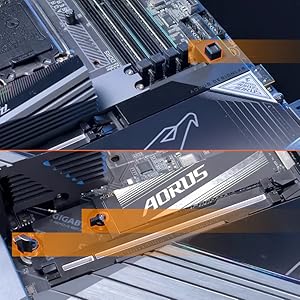
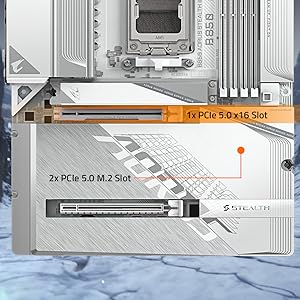
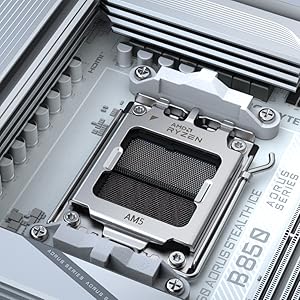
The GIGABYTE B650 AORUS Elite AX is a premium ATX motherboard designed for AMD Ryzen 7000 to 9000 series processors, featuring advanced 14+2+1 phase digital VRM, DDR5 memory support up to 128GB at 6666 MHz, PCIe 5.0 and PCIe 4.0 M.2 slots for next-gen storage, WiFi 6E and 2.5GbE LAN for ultra-fast networking, and user-friendly features like Q-Flash Plus BIOS update and EZ-Latch for easy installation. Backed by a 5-year warranty, it’s engineered for gamers and professionals seeking high performance and reliability.

| ASIN | B0BH7GTY9C |
| Best Sellers Rank | #6 in Computer Motherboards |
| Brand | GIGABYTE |
| CPU Model | Ryzen 7 |
| CPU Socket | Socket AM5 |
| Chipset Type | AMD B650 |
| Compatible Devices | Personal Computer |
| Compatible Processors | AMD Ryzen 7000 Series , AMD Ryzen 8000 Series, AMD Ryzen 9000 Series |
| Customer Reviews | 4.3 out of 5 stars 4,067 Reviews |
| Graphics Card Interface | PCI Express |
| Item Dimensions L x W x H | 10.62"L x 3.14"W x 13.18"H |
| Item Type Name | Gaming Desktop Motherboard |
| Main Power Connector Type | 24-Pin |
| Manufacturer | GIGABYTE |
| Memory Clock Speed | 6666 MHz |
| Memory Slots Available | 4 |
| Memory Storage Capacity | 128 GB |
| Model Name | B650 AORUS ELITE AX |
| Model Number | B650 AORUS ELITE AX |
| Number of Ethernet Ports | 1 |
| Number of Ports | 13 |
| Platform | Windows 11 |
| Processor Socket | Socket AM5 |
| RAM Memory Technology | DDR5 |
| Ram Memory Maximum Size | 128 GB |
| System Bus Standard Supported | Serial ATA/600 |
| Total Number of HDMI Ports | 1 |
| Total PCIe Ports | 3 |
| Total SATA Ports | 4 |
| Total Usb Ports | 12 |
| UPC | 889523033623 |
| USB 2.0 | 2 |
| Unit Count | 1.0 Count |
| Warranty Description | 5 |
I**N
Awesome Motherboard!
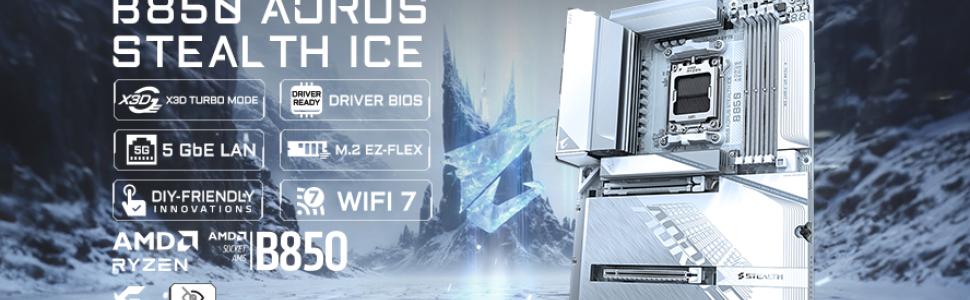
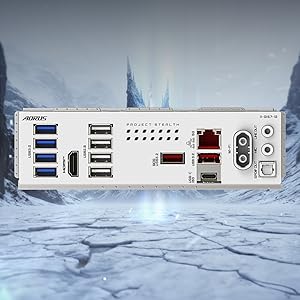
Just built my newest build a few days ago. I chose the GIGABYTE B850 AORUS STEALTH ICE AMD AM5 Motherboard. Because in my opinion. It is the absolute best board for my use case. The Stealth rear plug feature. Presents a beautiful and absolutely extreme clean look. And for the short amount of time I've owned mine. Has performed exemplary. I paired it with an AMD 9800X3D, RTX 5080, 32 GB G.Skill DDR5 CL6000 ram. And my gaming experience has become a thing of sublime satisfaction. Had zero install issues. And performs beyond my expectations. This is my first AMD build. And I am glad to have chosen the AM5 platform. Please make sure that the case you buy has rear motherboard connect support. GIGABYTE good on you for making such a beautiful & quality product! I built this while recovering from radiation treatment for Cancer. And this build has been a blessing. Giving me something else to focus on during a trying time. GIGABYTE thanks again for giving my build the look and performance I was looking to achieve.
J**.
Great looking and nice features for the price.
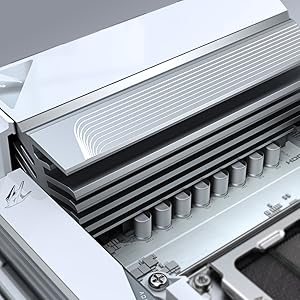
Great motherboard after BIOS update. I wish it could update itself over the internet but you must use a USB Flash drive to update. BIOS actually looks really nice. I love the built in heat sink for the SSD. No issues as far as stability so far. No crashes or blue screens except when I tried to unlock EXPO. Maybe that is the RAMs fault though. Boot times are as expected. I'd say it is a decent value for the money. I'm loving the built in wifi.
R**V
Great board. I'm sticking with GIGABYTE products for all my PC needs.
I ordered this board after having massive issues with another company's motherboard. This board arrived well packaged. Very easy to install, and if you want Addressable RGB fans, this motherboard has multiple ARGB headers that support them. I'm running this board with an AMD 9900 processor, 32 Gigs of Corsair DDR5 RAM, and a GIGABYTE GeForce 5060 Ti 16 GB GPU. Make sure you download the GCC software for this board, as it allows you to control your ARGB Fan Fusion speed and lighting control. Easy to install, easy to update the drivers and BIOS. Performance is top-notch; I can barely hear my PC running. Ensure that after you do the initial update, you go into GIGABYTES website, look up this motherboard, and download drivers for your LAN, APU/CPU, audio, etc. My only regret is a me issue. My last build 8 years ago we with a GIGABYTE AORUS Motherboard. I should've stuck with this company, I am glad I had issues with the other board, or else I would not have had the opportunity to go with such a great board. Memory capacity I believe is 256GB, so I will be upgrading that in the future. Great and durable motherboard with will stand the test of time.
W**Y
Awesome AM5 board with plenty of features and connectivity options
This review is for the GIGABYTE B650 AORUS Elite AX rev 1. I ordered this board because I was on an older Intel platform and I wanted to try an AMD build again. The AMD AM5 platform suits my needs since it has current modern features and is projected to have a long lifecycle and I anticipate my next upgrade to be in 5 years or so. The GIGABYTE B650 AORUS Elite AX was one the lesser expensive and full featured ATX boards with WiFi at the time of my purchase. My build includes: GIGABYTE B650 AORUS Elite AX Motherboard AMD Ryzen 7700X CPU Corsair Vengeance RGB RAM Zotac GTX 1080 AMP Edition First, my dislikes. No printed manual. As a lifelong pc builder, I rely heavily on a manual booklet for basic info such as what slots to install memory in. How to connect front panel power, reset, hdd status led etc. Where all of the headers such as USB and fans are located. Having an online manual is good but is useless if you don't have a spare computer or laptop to use while you build your computer. Thankfully I did not have to use the BIOS flashback feature because the board recognized my CPU, a Ryzen 7700X, otherwise I would have to go online, download the manual and look up the flashback instructions. For the price I do wish that the board included a higher end integrated audio chipset. Features-wise the audio chipset is the biggest disappointment. I did not like is the top most NVME slot right above the GPU slot has a really thick thermal adhesive pre-applied to the heatsink. It is so thick that it bends my NVME drive slightly - not enough to cause any issues but should be noted. One last thing I did not like is the lack of onboard BIOS post code status LED. I had this feature on my previous motherboard and found it super helpful when diagnosing problems. Now, for my likes. I like all of the features. AM5 socket, DDR5, WiFi6, PCIe 5.0, multiple NVMe slots, plenty of USB slots, and of course RGB support. The board itself is great. Build quality is awesome, no issues with build quality or materials. I did run into a few issues though. Although these issues were encountered with this motherboard, they are not Gigabyte's fault necessarily. These issues were mostly to do with the AMD platform and chipset itself. 1. The shipping BIOS "F2" version did not allow me to enable XMP memory profile. I had to flash the BIOS to the current at the time "F4" BIOS. Note that the current BIOS version as of this review is "F5a". 2. There were a lot of stability or problems with the USB chipset or bus. File transfers over USB were very slow or slower than it should be. I have USB DAC that had a lot of noise during audio playback. These issues were resolved by installing the latest chipset drivers for the B650 from AMD directly and also updating the BIOS. Here are some recommendations based on my experience with the GIGABYTE B650 AORUS Elite AX. Definitely update the BIOS. In past generations of motherboards it is only recommended to update the BIOS to fix a specific issue you've encountered. However, in modern motherboards there are so many chipsets and features that it is important to keep up to date on BIOS versions to maintain stability, performance, compatibility, and security. AMD seems to release AGESA updates (as BIOS updates) often and this is directly tied to the chipset. Also, download the chipset drivers directly from AMD because they tend to be more up to date than the motherboard manufacturers' website. To flash the bios, just download the BIOS file for your motherboard from Gigabyte's website and extract/copy the file to a USB drive. Reboot and enter the bios and choose Q-Flash. Select the BIOS, and the board will load the BIOS to memory then prompt for a reboot and apply the new BIOS. Aside from the chipset drivers, all other motherboard drivers can be downloaded and installed from Gigabyte. Ever since, updating the BIOS and AMD chipset drivers, I have had absolutely zero issues. Performance is amazing. Stability is solid. I even run a mild overclock using the AMD Ryzen Master app and doing an auto-oc. In summary, I highly recommend the GIGABYTE B650 AORUS Elite AX if you're looking for an AM5 build. The issues I've had are specific to the AMD platform and not the motherboard itself, however because of this I would not recommend the AMD platform for novice PC builders or if you are not comfortable or familiar with BIOS updates and troubleshooting driver issues.
M**E
Two of these boards, both junk.
Complete junk. I've ordered two of these boards in the last two weeks. The first one is already enroute to an Amazon return center (how's it that I dropped it off on October 9th and it's now October 16th and it's still in transit, how is that even possible?), so I ordered another one right away, as this is for my main machine. I installed this one on Friday night and there's been nothing but issues. The first board was stuck on the RAM debug LED and wouldn't even post or load into the BIOS. This board, while it's able to post and seems fine when just browsing or even completing synthetic benchmarking, has such bad stuttering (even the audio cuts out during the stutter) in-game that trying to play any competitive online game is pointless. It even presents these weird display artifacts in Assassin's Creed Shadows, which are green orbs that appear for a split second. All of the other parts are known-working, so I know that's not the issue. I've tried every troubleshooting tip I can find online with no luck. I've built over 20 gaming PCs in the last 5 years, so this can't be chalked up to me being an inexperienced builder. I now have over 15 hours into dealing with these two crap boards, which consisted of tearing down my machine and putting the first board in, troubleshooting that one (which included taking RAM out of my daughter's PC to verify it wasn't my set of RAM), pulling that out and rebuilding with my old board (only RAM slot B2 is functional, hence the need to buy a new board), ordering the exact same board again, build with the new board, and now trying to troubleshoot what's going on. I've had other Gigabyte boards and graphics cards, but after this experience I'm never buying another Gigabyte product (no wonder they're always the cheapest option). I'll stick with MSI for motherboards from here on out. Because these products have been opened and used, I now have to wait for Amazon to inspect the item and determine if 'meets' their return requirements before receiving a refund. So now I have $300 dollars tied up into these two boards with the hope that I actually get a refund from Amazon. And how does a tech company the size of Gigabyte not have any after-hours support?? I called their US number and was greeted with a message stating call back during normal business hours! Like what the actual fork, Gigabyte. I do admit that this board looks stunning, but I'll gladly work a few more hours at work and spend more money to buy MSI from now. Also, I tried this board with 3 sets of working RAM and with 3 different GPUs (RX 6700 XT, RX 6800 XT, and RX6950 XT) all with the same result. Hard lesson learned!
L**L
Amazing board with some caveats.
I upgrade from a Gigabyte X570S Aorus Master in order to upgrade my Ryzen 5 5600x to a 7800x3d. The setup was pretty straight forward and I feel that the white color helps make labels clearer to read. There were some issues that faced after completing my build. I'll add fixes I found here in case anyone has a similar experience. 1. WiFi and LAN don't appear to be pre installed. They expect you to download this beforehand and put it into a flashdrive so that you can install it later. 2. QFlash is great but the manual (which doesn't come with it so dl on your phone or another pc) isnt straight forward on this. I found a recent YT vid from 2024 that showed me how to do it properly. 3. CMOS reset should work by pressing both pins with a metal object. I tried this and it did nothing for resetting my BIOS to default. Same with removing the CMOS battery for 30 minutes. 6. After I enable EXPO 1, my system didnt post. This ended up being because my two memory sticks weren't placed in the correct arrangement, the manual helped with figuring out how it should go. 7. The heat plate that covers the M.2 slots are great because they're tool less, but can be difficult to put back on because you have to hook the top and bottom into a small space by where the M.2 inserts are. 8. QFlash is great! But it does take a little over 6 minutes to complete. 9. The BIOS descriptions are extremely minimal. I often feel like they expect it to be tribal knowledge that you should get from YouTubers if you want to know what they are. 10. If you install your GPU then your boot M.2 in the slot below it, you may run into a frozen aorus logo loading screen. I had to put mine in the last slot at the bottom to get it to boot properly. Pros: • Comes with its own WiFi module with wifi7. I heard it's faster than the LAN capabilities. • The white color looks great! • QFlash has saved my life a few times, if I could name a child after it, I would to showy appreciation. • The manual was great and pretty well written given the broad amount of details it had to cover. • It has lights which help to indicate what may be causing problems. Check the manual to get a better understanding of what they mean. • Very roomie ports as I had an easier time connecting stuff then I did with my last few builds. • X3D turbo, I don't know if it's good or not yet, but it's at least there 😂 • Great clearing between the CPU and RAM making it easier to install and upgrade. • No tools needed for NVME and CPU inserts. Cons: • GPU was a bit difficult to properly seat. • M.2 didn't work in first slot like I would expect. Random legendary Reddit user told me how to fix this issue. • Seating NVME plate was a more difficult than it should be given that it's tool less. • website FAQs section was pretty much useless and they lacked proper laymens terms as to what each downloadable does. Some are straight forward but not all if you're not someone who's used to them. • the ice and non-ice versions are completely different, so make sure you get drivers and BIOS updates for the right one. All in all, it is a great MB with some cool features and plenty of room for upgrades. I picked this over the higher tier boards because I felt I wouldn't have been the type of user who would have taken advantage of the extra features. If your looking for a great upgrade white board to dip you into AM5 with an X3D chip then this is a fantastic option. Just note that while it's not difficult to setup, it's also not 100% plug-n-play for the less experienced builders.
A**Y
A well built board that looks as good as it does in the photos
First and foremost it looks fantastic That's probably the reason why most people are going to buy this board. The packaging is also really nice and well designed for a fun unboxing experience. The PCIE slot quick release works great and the latches for the M.2 drives make it pretty easy to slot it a new drive. The performance is going to be pretty much what it says in the spec sheet. Altogether just a really nice motherboard you can't really go wrong with it but do remember that a premium is being paid for the back connect and extra little convenience features.
J**S
One of my favorite boards
This is probably one of the best boards I've used yet, the IO is one of my favorite parts because I hate not having enough USB 3.0 ports so that's a big upside. The BIOS is simple and easy to use in my opinion, hats off too Gigabyte for that. My only complaint here would be the plate that houses the M.2 drives is a little finicky to get back on. Another small little thing is I like the metal backing sticker that comes with the board. Base Build Specs: Gigabyte B850 AORUS Elite AMD Ryzen 7 7800x3d MSI Vanguard 5070 12gb SOC 2x16gb Kingston Fury DDR5 6000MTs 500gb Kingston Gen4 M.2 (Boot Drive) 2tb WD_BLACK SN850X Gen4 M.2 Be quiet! 750watt Psu fully modular Case, fans, etc... Geometric Model 5 Vent Various Thermalright 120mm/140mm Fans Thermalright Core Vision 360mm Radiator
Trustpilot
1 week ago
2 months ago