
DOWNLOAD THE APP


Customer Services
Copyright © 2025 Desertcart Holdings Limited
DOWNLOAD THE APP

⚡ Elevate your home network to WiFi 7 speed and style — don’t get left buffering!
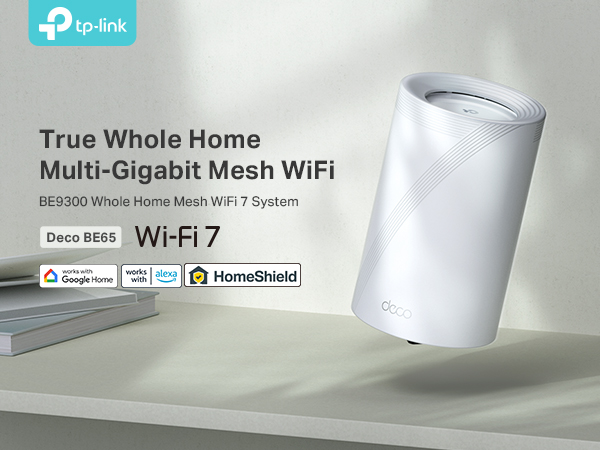
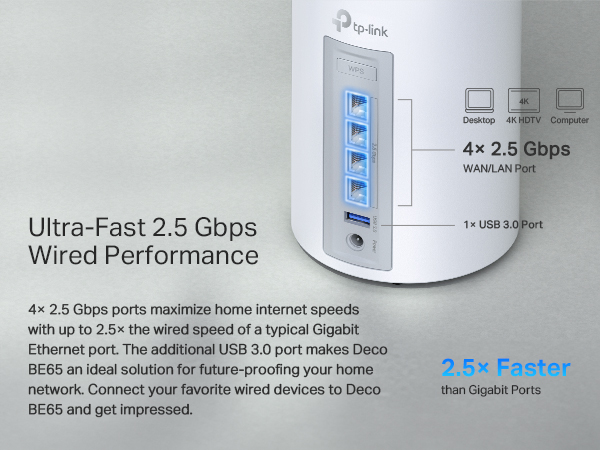
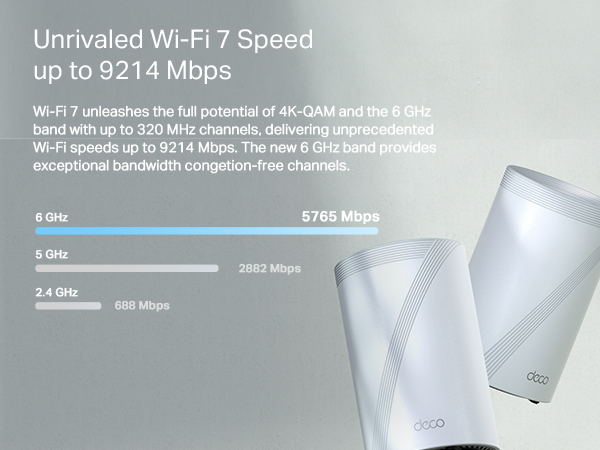
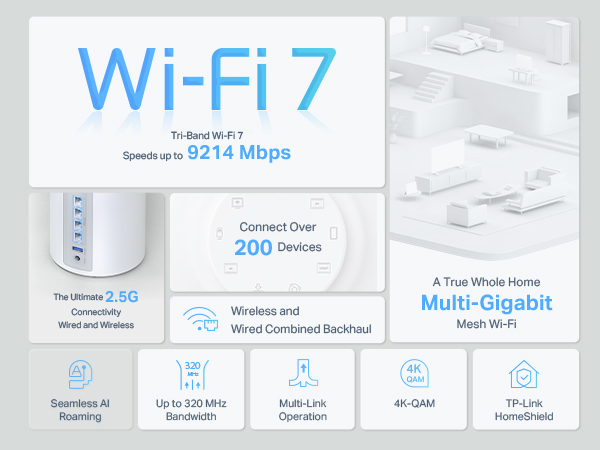
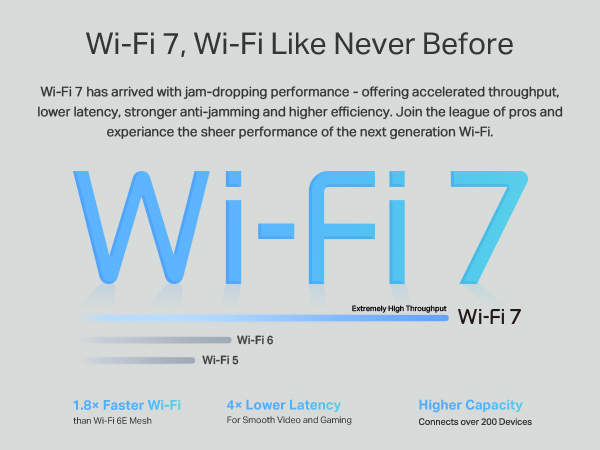
The TP-Link Deco BE65 (3-pack) is a cutting-edge WiFi 7 tri-band mesh system delivering up to 9214 Mbps combined speeds with 2.5 Gbps wired ports. Designed for whole-home coverage, it supports over 200 devices simultaneously, leveraging AI-driven optimization and Multi-Link Operation to minimize latency and maximize throughput. Compatible with all WiFi generations and featuring advanced security via TP-Link HomeShield, it’s ideal for gamers, 4K streamers, and smart home enthusiasts seeking a reliable, future-proof network solution.





| ASIN | B0CSM4X5PB |
| Antenna Location | Home |
| Antenna Type | Fixed |
| Best Sellers Rank | 4,642 in Computers & Accessories ( See Top 100 in Computers & Accessories ) 17 in Whole Home & Mesh Wi-Fi Systems |
| Box Contents | Deco BE65(3-pack) |
| Brand | TP-Link |
| Brand Name | TP-Link |
| Colour | white |
| Compatible Devices | Desktop, Laptop, Smart Television, Tablet |
| Compatible devices | Desktop, Laptop, Smart Television, Tablet |
| Connectivity Technology | Wi-Fi |
| Control Method | App |
| Coverage | Whole Home Coverage |
| Customer Reviews | 4.4 out of 5 stars 128 Reviews |
| Data Transfer Rate | 9214 Megabits Per Second |
| Frequency | 5 GHz |
| Frequency Band Class | Tri-Band |
| Frequency band class | Tri-Band |
| Is Modem Compatible | Yes |
| Item Dimensions L x W x H | 10.8L x 10.8W x 17.6H centimetres |
| Item Weight | 3.7 Kilograms |
| LAN Port Bandwidth | 2500000000 bps |
| Manufacturer | TP-Link |
| Maximum Upstream Data Transfer Rate | 2500 Megabits Per Second |
| Model Name | Deco BE65(3-pack) |
| Model Number | Deco BE65(3-pack) |
| Model name | Deco BE65(3-pack) |
| Number of Ports | 4 |
| Operating System | Linux |
| Other Special Features of the Product | Alexa Compatible |
| Security Protocol | WPA-PSK, WPA2-PSK, WPA3 |
| Special feature | Alexa Compatible |
| Wireless Compability | 802.11.be |
| Wireless communication standard | 802.11.be |
S**R
Easily the best solution for black spot Wifi
Highly recommended and I very rarely write a review so I hope this is useful to all.... Firstly the issue..... I had a BT router with 4 mesh discs that was providing 50-70mbs download and 25-35mbs upload - the house is big, it has very thick walls both internal and external - I have a lot of smart things connected - Sky Q with 3 mini boxes, 2 x hue controllers with over 90 lights/sensors/controllers attached (some inside some outside) - 6 smart TV's - a home Network Access System with 16TB RAID for backup plus the usual collection of phones, iPads and computers/laptops. The BT system worked sort of ..... the mesh system was ok but the blackspot still happened - devices did struggle to move from one place to another and the speeds were so slow - I took speed ratings in every room and the worst rooms were getting 2-3MB per second download and less than 1MB upload..... then there was the reliability of the system - when one mesh disc stopped working (the BT stuff is fairly cheap and cheerful but only cost £10 per disc) then it gradually took down the rest of the system - restarting the hub worked but boy oh boy did that take some time... and the hub was not really up to the job. What forced the change - installation into the village of fibre - by Quicklime and I signed up to 1000MBS upload and download so it was time to make the network work properly! The router they installed was ok - but I wanted a solution that would be good for the next 5 years or so.... I did my homework and ordered the the TP link Deco 65 triple pack - try band and wifi 7 - so hopefully enabling me to not worry about the network until 2030! I configured my Quickline ZYXEL router to have no wifi networks - one ethernet cable in and one out to the DECO (If i removed the ZYXEL then my internet provider Quicklime would not offer remote support).... I configured my DECO with the same wifi name and password as my old BT one and plugged in...... WOW - firstly all the wifi devices connected and worked (that were in range) without any new setup.... I then added the second and third DECO BE65 products... easy.... then I placed them in the house and again WOW! My speeds are incredibly - no black spots for wifi and such an easy process ..... so much so that I've already added an outdoor DECO X50 - it's not wifi 7 but it then allows the garden and patio to enjoy 100MBS connection. I cannot recommend this system and product enough - from unboxing to using took less than 30 minutes and then add another 15 mins per additional box.... I have been playing with the various settings and the network optimisation tool is great - if you change the positioning of any unit then run this and it will reconfigure for the best / optimum network. A fantastic product and well worth the money!
G**P
EXCELLENT WIFI, QUALITY PRODUCTS.
Offers a straightforward and user-friendly installation with an impressive range and throughput. Upon opening the well-designed packaging, the build quality is immediately evident. I’ve upgraded from an ASUS XD5 3-node system, which performed adequately but experienced throttling of my WiFi maximum, resulting in a loss of 240 Mbps from my 1 Gbps service. The ASUS provided satisfactory 5 GHz band range and coverage for its price point, it exhibited occasional temperamental behaviour when restarting after power cuts or disconnections. In contrast, the TP Link system has proven remarkably reliable in restarting. Simply plugging in and turning on the device suffices, eliminating the need for manual intervention. The range on both the 2.4 GHz and 5 GHz bands has matched that of the ASUS, without any reduction in throughput. I consistently achieve full wireless speed, as confirmed by broadband speed tests that indicate the modem is receiving the full 1 Gbps connection. When combining the 5Ghz and 6Ghz channels as an MLO the potential throughput is approx 200mps greater than the ASUS could offer with only 5Ghz (Tested indoors at range through 2 walls) So if you have 6Ghz devices its a good improvement, although 6Ghz range is none to be limited. The inclusion of four 2.5 GHz Ethernet ports is a significant advantage, providing future-proofing for potential future needs, such as 8K TV streaming and high-definition videos. The node design offers a sophisticated aesthetic, featuring an off-white porcelain vase-like appearance. Wall brackets are available that not only elevate the units off the surface but also conceal the Ethernet cables. One minor issue is the status indicator light. Like many systems, it is positioned at the bottom edge of the front face, which is not particularly large or bright. Furthermore, it does not direct its light forward, making it difficult to observe, especially if the device is placed on a table or lifted using wall brackets. It would be beneficial for the manufacturer to relocate the light to a higher position for better visibility. The installation process is remarkably straightforward. Renaming all devices is a simple task, and creating multiple WiFi networks is also easy. The accompanying app software is clean, modern, and intuitively user-friendly. However, it is worth noting that a subscription to TP Link’s annual modem security software is required (unlike the ASUS systems). After reviewing the available packages, I found that the basic package offers sufficient protection for just over £36 per year. It seamlessly integrates with the app software, providing continuous protection, summary reports, and other essential features. Overall, I am highly satisfied with my decision to purchase this system. The range, coverage, and throughput are significantly superior to my previous system. The nodes are not overly large and unsightly, and they have proven to be reliable without any issues so far.
D**M
Best wifi by far!
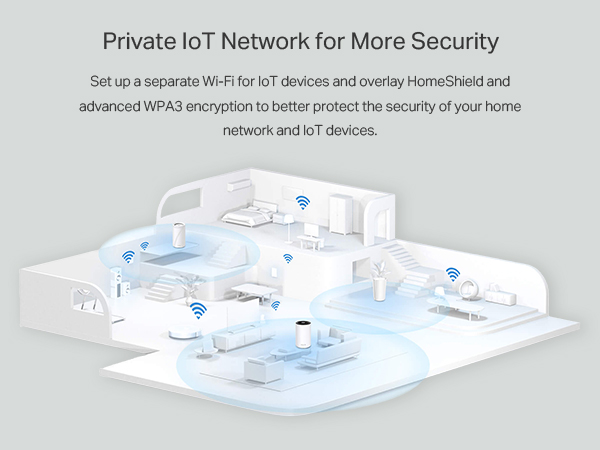
I have bought several wifi solutions over the years including previous TP link mesh networks. Whilst they have all worked "ok" this product absolutely smashes past anything before. Details: I had a TP Link M4 and M9 mesh with a Sky Fibre setup. My speeds were modest c 400Mbps at the modem with wifi at maybe 150Mbps. I upgraded Sky to the max option and that took me to 650 to 700Mbps at the modem, using the provided Sky router. However, I was still having some WiFi issues (TV's dropping off occasionally, poor signal in some rooms, devices not connecting to the 2.4GHz wifi, wifi speeds unstable and still at about 150Mbps etc), so I decided to upgrade the mesh and go for this product It was expensive but absolutely, 100% worth it! No regrets whatsoever I bought the pack of 3: - this replaces the Sky router and it connects directly to the fibre (no more Sky router) - the modem speed jumped from about 650 (Sky router) to 900Mbps even though the Sky package was the same - the wifi increased to 400 to 700 Mbps depending on where I was in the house - all rooms are covered with ease - some of the Alexa controlled lights that had never really worked suddenly connected and worked great! (This mesh has a dedicated IoT setting that beams at 2.4GHz only) - each router has 4 ports, so I had more than enough ports to connect the TV in using ethernet My goodness... what a difference! Everything just works. I cannot praise it enough. One word of caution: When setting up the mesh for the first time, they do switch off and then on quite a bit during the setup. At first I thought there was a problem but it seems to be configuring itself. Be patient, it can take up to 10 minutes to find the other routers, navigate the switches and get itself sorted. But once it is running, it is amazing. Other points of note: - it has a dedicated IoT wifi for isolation (security) of all IoT devices. This wifi runs at 2.4GHz only, so it fixes a lot of the issues with IoT devices that don't like 5Ghz - improved security settings allowing for device isolation (even if the device is on your main network) - Guest wifi with limitations on duration of connection (even has a barcode that guests can scan to get immediate access without entering passwords) - It provides captive, which is cool albeit a bit gimicky for a home setup. But hey, why not. In summary: expensive but a resoundingly solid purchase. Go for it...
B**T
Might be a painful set-up
Dropped a star just because there are no instructions at all to speak of that help setting up. From other poor reviews I can see that this was those peoples problems too - They just didn't dig far enough and gave up with it. A lot are stating things don't exist that actually do e.g. the dedicated 2.4ghz channel. We got this because we were having trouble with mobile connection at home only whereby we'd need to click airplane more off and on to access some websites/banks etc. For this new system BE9300:- Likes: The fact once set up it seems to work well with good whole house and garden coverage. Speeds are good. Information is good enough about what is connected, IPs and MAC adds Dislikes: Absolutely no information or instructions to set it up - It isn't guaranteed to be plug and play. Only things that seemed seamless were Alexa 5ghz devices which attached no bother to the shared 2.4/5ghz channel. The shared 5/2.4ghz band just wouldn't work with the 2.4 IoTs and the 5ghz of this also had the same problem for phones as previously encountered! Had to go into the MORE section and WiFi Settings to set up MLO Network 5&6 ghz for phones (works perfectly now) Had to go into the MORE section and IoT Network to set up dedicated 2.4ghz IoT band all worked as they should with seamless connections. Only one failed cheap switch product for a garage door that won't transmit is temp wifi channel for set up. Won't work on the ISPs modem hub either so just buying a new one. Another problem was the "Preferred Connection" setting just doesn't work at all. Have reported it to tplink as it seems to attach the setting to another item!!
S**H
Simply Brilliant
Simplest set up I've seen for a wireless mesh system. Honestly 10 minutes and it was up and running. So fast in fact that the kids didn't even have time to complain that the WiFi was down!! It was seamless. The house was built in 1912 and all interior walls are solid brick. This typically zaps wireless signal strength. However the BE65 are performing really well against the brick. Good signal strength across 2 floors in all rooms. Previously I was using a WiFi 5 mesh network that I installed about 4/5 years ago. Speeds have seen a real improvement really. I'm now getting between 90-110% of my ISPs quoted download and upload speeds. Previously that would have been 50-60%. I honestly didn't think I would see such an improvement in speeds. Latency has also improved spectacularly, and is currently around 50% of what I was getting previously. I have to say I am pleasantly surprised by the ease of setup, performance, ok they cost a bit, but it's worth it to get the broadband speeds I thought were untenable.
A**L
Trash
Bought a 3 pack to replace two amplifi HD's that have been running flawlessly for years. With my amplifi system on 5ghz wireless backhaul I get a consistent 400/400 across a three story house (only two nodes), and a solid signal anywhere in the house. With these things using wired or 6ghz wireless backbone I was getting faster speeds, but performance was hugely inconsistent. Watching graphs with a WiFi analyser and iperf/jperf looked like a rollercoaster next to the amplifi HD's. Truly shocking.As for range, it was LAUGHABLE. With a single node running in the same spot as the amplifi, walking to the next room 10m away instantly dropped to one bar, and speeds just died. The amplifi's on the other hand remained completely consistent... Full speed and signal. The fact that two five year old wifi5 mesh points were infinitely more consistent than a wifi7 mesh is all I needed to know to return these. The deco's themselves have ZERO settings you can tweak. It also has a built in DHCP server that cannot be disabled. That meant half the clients were getting addresses from my main server, and others would get one from the deco's. Not acceptable. Also, a warning about the MLO - it does not include the 2.4ghz network, just 5 & 6ghz, even though the box clearly shows all three. For the price, look elsewhere.
A**R
Expensive but worth evert penny ! You get what you pay for
We have had an ongoing nightmare with dead zones of wifi all over the house, slow download speeds, wifi freezing, sky boxes bugging out on a daily basis etc etc..... We signed up to the local village Fibre Optic broadband which has 900mb download speed. We've been having ongoing issues with the ISP supplied Linksys kit so I bit the bullet and tried the Deco System along with the ISP providing a Static IP for us. All I can say is wow ! - the difference is amazing - it took about 20 mins to set up, and about 10-15 mins to then add the additional nodes. We have quite a large long house and the 3 nodes cover most of it now - it is struggling a little right at one end of the house as the cabling and router is located at the other end of the house and one of the external security cameras is still a little bit hit and miss - but its way better than it used to be. I am considering acquiring a couple more to beef up the coverage at that end of the house. The speed is jaw dropping and it's very simple to control with the APP. It sets up automatically a separate network of Internet of Things - ideal for adding the mundane gadgets to, and you can prioritise different things - for example a work lap top, can take precedence over the kids Playstation etc, and you can all prioritise nodes, so that a given device will always hook up to a specified node - or you can just leave it set to Automatic in which case it will pick the strongest node. All in all - expensive ? Yes.... but worth every penny if you suffer with awful wifi and need to improve it. It's transformed our network. Highly recommended
A**B
Worth the price for a mesh WiFi
The TP-Link Deco BE65 Pro mesh system is worth the price, offering a major upgrade from a default WiFi 5 modem with strong reliability, eliminated gaming lag and spikes, and excellent 5GHz/6GHz coverage. Setup is easy and straightforward via the Deco app. However, the 2.4GHz band lacks sufficient strength for outdoor Ring cameras, leading to sudden disconnections.
Trustpilot
1 week ago
1 month ago