
DOWNLOAD THE APP


Customer Services
Copyright © 2025 Desertcart Holdings Limited
DOWNLOAD THE APP

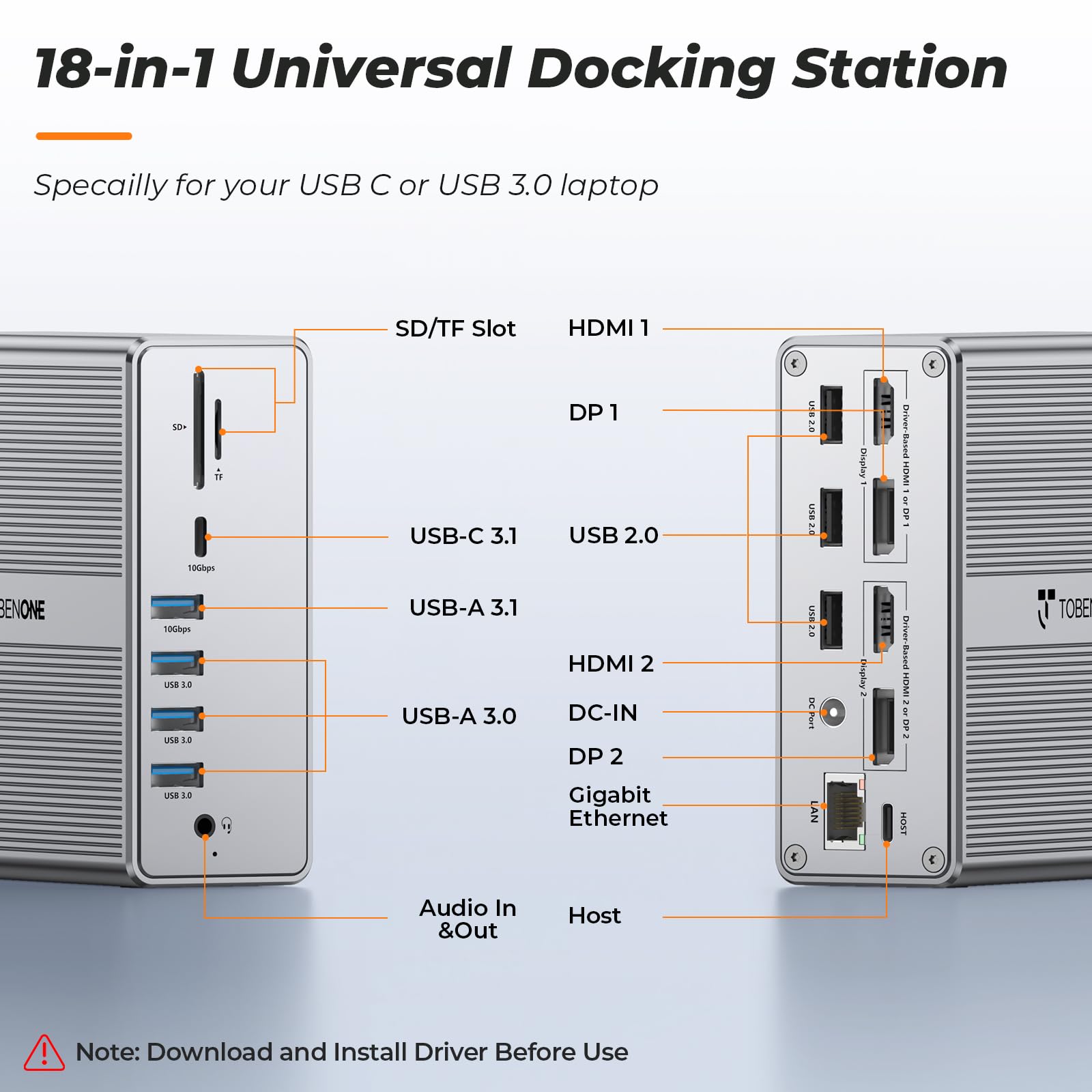


🚀 One Dock to Rule Your Desk — Power, Ports & Performance Perfected
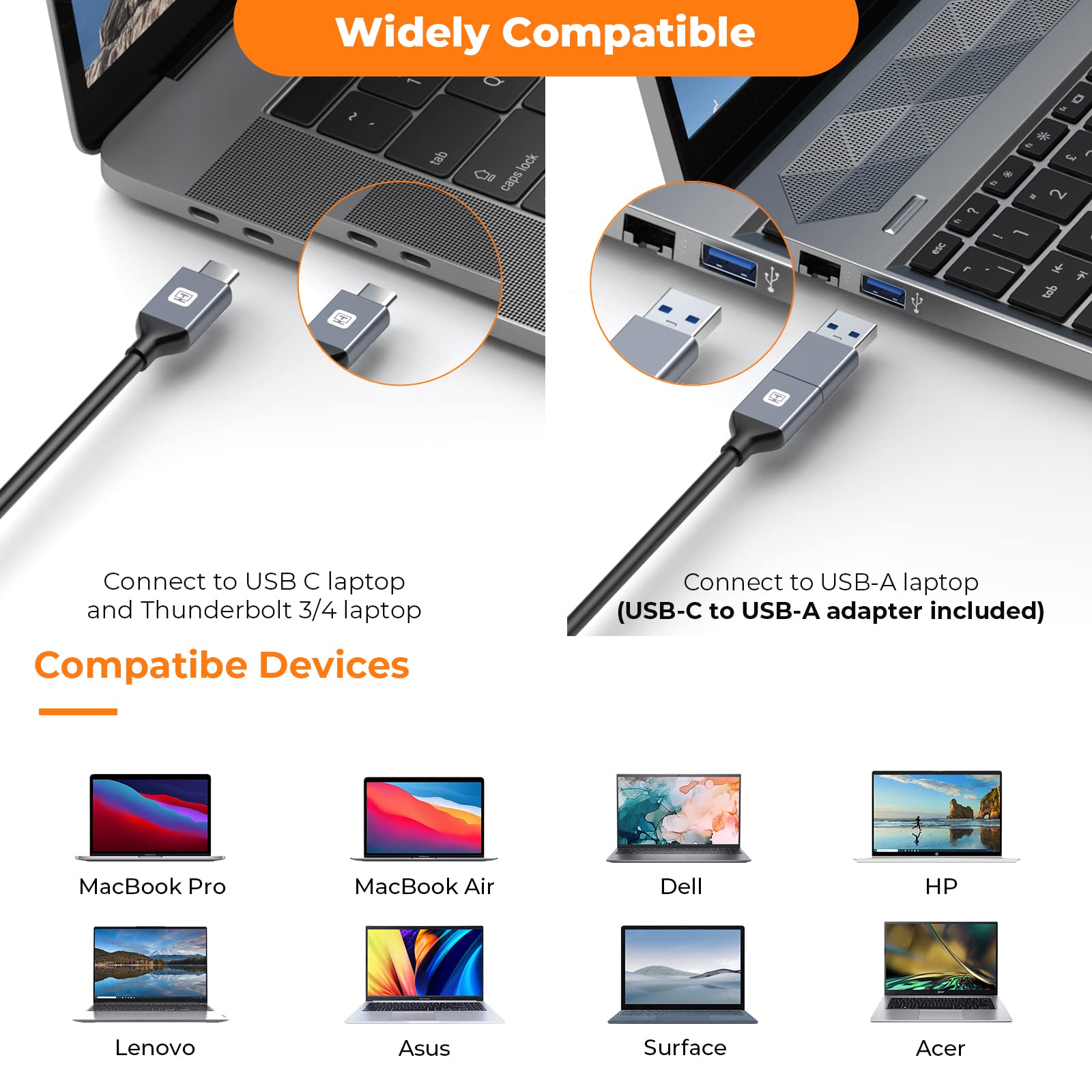
The TobenONE DisplayLink Docking Station is a universal 18-in-1 hub designed for MacBook, Windows, and ChromeOS laptops. It supports dual 4K@60Hz monitors via HDMI and DisplayPort, delivers 65W power to charge your laptop, and offers 7 USB ports including ultra-fast 10Gbps USB-C and USB 3.1 connections. With gigabit Ethernet, SD/TF card readers, and a sleek aluminum design, it consolidates all your peripherals into one streamlined workstation solution.


| ASIN | B0BK3GCHBM |
| Best Sellers Rank | 251,621 in Computers & Accessories ( See Top 100 in Computers & Accessories ) 1,566 in Docking Stations |
| Guaranteed software updates until | unknown |
| Item model number | AS048-2003250D1 |
| Manufacturer | Tobenone |
| Product Dimensions | 3.3 x 10.41 x 10.41 cm; 556.5 g |
M**O
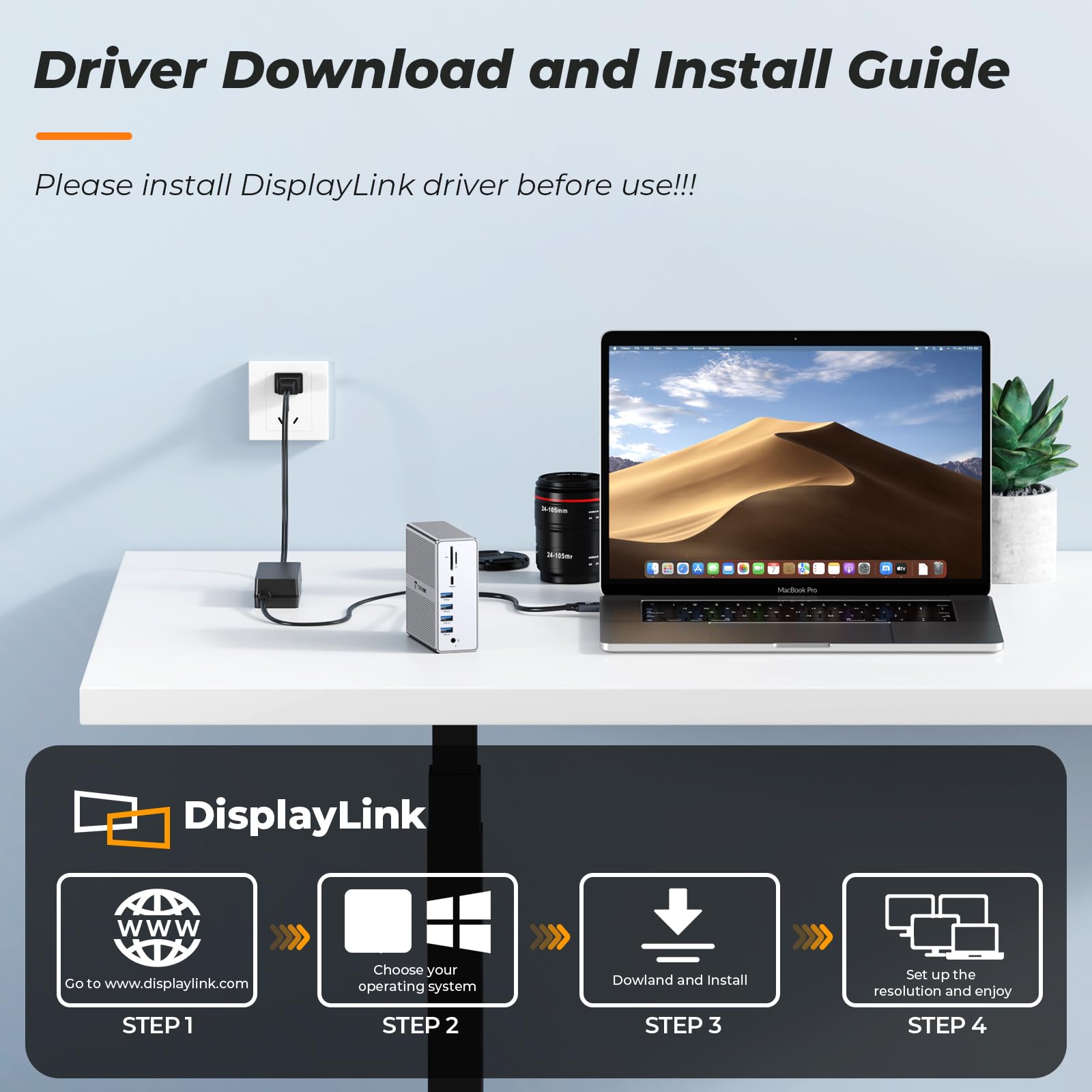
Earlier this year I purchased the USB C Docking Station Dual Monitor for MacBook Pro for my home office. What got me was the price and the functionality offering. Compared to the other options out there the cost was on target. I refuse to $300 - $500 for s docking station. Needless to say its been a total success and I love the device. I have had zero issues with it. Unlike my home office, at work I have two monitors and I have to use one on a display port and one on the native HDMI port on my MAC, I have cables everywhere. TOBENONE came out this unit and I could not resist. Based on my success of the device for home it's a no brainer. This one is more expensive but you get more with it, including a dedicated power supply. So when I get to the office its one cable and I am up and running. It has ports galore eliminating the need for any additional devices. Here is what you get for a few bucks more. • Dedicated power supply • Dual Monitor support for both HDMI and Display Port • Ethernet port • Headphone port • 3 USB 2.0 ports • 3 USB 3.0 ports • Micro SD slot • Standard SD Slot • 10Gbps USB Standard Port • 10Gbps USB C Port • Sturdy Aluminum Case • Universal USB C Cable Yes these might be listed in the details but it's worth mentioning here for the doubters as I am one of those. After installing the DisplayLink Manager driver the unit came to life with both displays. Please note that you have to Authorize the DisplayLink Manager in the MAC Security Settings under Screen Recording (see image). That's an apple requirement. I have been using it for a week and to date no functionality or compatibility issues what so ever. I have tried both HDMI and Display Port connections and there too, no issues. While there are too many ports to test all of them I have used most and all worked and worked well. I don’t have sophisticated speed testing but my simple test showed the performance was there also. I do video capture and recording from an external microphone. Being in an office environment I do a lot of virtual meetings. The hub keeps up. The port connections are solid and snug. The case is 100% aluminum, solid with finished edges and clean lines. Will not be an eyesore on your desk. will make for that clean minimalist look. There are no drawbacks to this device but I did notice one thing basically a nit ( I am very picky). The universal cable has an adapter from USB to USB C. The rubber holder prevents the port sitting flush to the dock. It worked fine but being an engineer I notice that stuff.
K**S
Been using it for 5 days and I am not seeing flickers or sudden disconnection which I was experiencing from my other docking station.
D**N
I have a MacBook Pro 14” 2023 with M2 Max Processor. I convert analog media to digital media and so I have many peripherals and frequently use 3 screens (laptop display + 2 additional extended display). I have used many different docking stations and have seen the pros and cons of each. The pros… 1. Quality build – Aluminum body and stylish 2. Plenty of Ports – I am especially grateful for the SD and Micro SD slot. 3. Utilizes only 1 USB C port connection on my laptop but still allows for 2 external displays. Some of my other docks had a double USB C cord for the computer connection. 4. Consistent and reliable – One of my other docking stations (different brand) would occasionally not connect or cause my device to crash when it was connected or disconnected which was very frustrating. That is not the case with this one. 5. Affordable – I paid over twice as much for that other dock and this one performs as well if not better. The cons…(really there are only 2 and I hesitate even mentioning them because they aren’t really a big deal and they do not impact my rating) 1. You need drivers to use extended displays…small inconvenience for the many benefits. You really don’t even know they are there once things are running. They do not load down the computer. 2. Lack of USB 3.x ports in the rear. There are three USB 2.0 ports in the back for peripherals that have low data transfer like keyboards and mice, but it would be nice to have some of the 3.x in the back for external drives for back ups etc. It is nice, however, to have the ones in the front for easy access for the many different devices I use. The images seem claustrophobic because I am putting in a new floor in my normal office with my large desk and workstation, so I crammed three displays on my little desk so I could demonstrate the setup (not my normal setup for that desk). As you can see, I have three extended displays. I also showed the display settings for those who are interested. The one image shows you the options associated with the display link drivers. I really like the one that allows the laptop to be unlocked with my watch which normally isn’t allowed when a screen is being “shared”. It is obvious that a lot of thought was put into the design, function, and convenience of this device. I would highly recommend this docking station for anyone looking for a quality dock for an affordable price…should be anyone looking for a dock really.
E**.
A perfect docking station for my MacBook Air M2. I am making the switch from a Windows PC to my Mac and I need a docking station for dual monitors for work. I have two HDMI monitors plus my Mac, so three unique screens. All work as expected. Plus I have a USB keyboard plugged in (my mouse is wireless). So, I have a ton of open USB ports if I need them in the future. All works as expected. I appreciate the power cord and the USB-C to USB-C cord to connect the docking station to my PC. All is great so far and setting up Display Link was fairly easy. Additionally, no problems using the external monitors with my work virtual desktop. I was concerned that there might be a security setting on the virtual desktop that interfered with the docking station. But no, all worked perfect.
A**R
I am using this with a MacBook Pro 2022 and a single external Samsung-brand monitor. I've only been using it a short time but have had few issues. Installation of the Display Link software was a bit confusing, including a typo in the URL on the installation guide — which also was in a PDF format without copiable text. When I finally found the software download site, it wasn't entirely clear what to do because the language was a little different between the DisplayLink site and the Tobenone documentation. The Amazon product page had some helpful instructions however. Once I got the software installed things went pretty smoothy. The colors on my external monitor were strange at first but I was able to fix that by adjusting the settings on the monitor itself. One ongoing issue is that when my system sleeps, the monitor behaves as if it's been disconnected. This interferes with a screen management utility I rely on as it loses some of my custom keyboard shortcuts whenever a monitor is disconnected and it is impractical to redo that daily. This is frustrating and I will have to change how I use that tool. I have only used one peripheral USB device so far but it worked perfectly. As for the docking station itself, I appreciate that only one USB-C port is used on the laptop for both power and connection, leaving the second one free. I would have liked it if there were more native USB-C ports, or at least one in the "back". The gray color is versatile and discreet.
Trustpilot
4 days ago
5 days ago