We remain fully operational. Our teams are working around the clock to ensure your deliveries continue safely.

DOWNLOAD THE APP


Customer Services
Copyright © 2025 Desertcart Holdings Limited
DOWNLOAD THE APP

🚀 Elevate your Pi 5 storage game with dual NVMe speed and power!
The Geekworm X1004 PCIe to Dual M.2 HAT is a cutting-edge expansion board designed exclusively for Raspberry Pi 5 models (2GB to 16GB). It supports two independent M.2 NVMe SSDs (2280/2230/2242 sizes) with dedicated high-efficiency power converters, enabling stable, high-performance storage. With bootloader support from May 2024 onward, users can boot directly from NVMe SSDs, eliminating the need for SD cards. Compact and compatible with GeekPi P579-V2/V3 cases, this HAT is ideal for professionals seeking fast, reliable, and scalable storage solutions for their Raspberry Pi 5 setups.


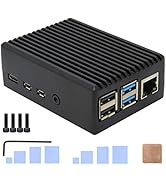
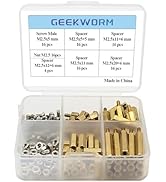


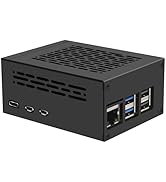


| ASIN | B0D3LP9KBH |
| Best Sellers Rank | #474 in Single Board Computers (Computers & Accessories) |
| Brand | Geekworm |
| Color | black |
| Customer Reviews | 4.2 4.2 out of 5 stars (53) |
| Date First Available | May 8, 2024 |
| Item Weight | 1.16 ounces |
| Item model number | TB-2024-19 |
| Manufacturer | Geekworm |
| Operating System | Raspberry Pi |
| Package Dimensions | 4.41 x 3.31 x 0.67 inches |
| Series | X1004 |
K**N
Excellent, Compact HAT; Works OOTB!
Works right out of the box. Compact and fits in the geekpi rpi5 metal case (a bit tight but works w/ both NVMe drives on top). The same fan cooler that comes with the geekpi rpi5 metal case also fits between this HAT and the pi itself. Also works out of the box with one of the NVMe drives being the boot drive! I used the RPi Imager (version 1.9.6) to write PiOS onto my NVMe drive using a USB adapter, slotted the drive into the slot marked as "nvme 1" and things immediately booted up, no SD card needed. `lsblk` also showed that the second NVMe drive that I slotted in is being recognized (just have to tweak fstab at this point). * disclaimer: only thing I have not tested is the IO speed bc I'm not doing anything that requires production-levels of IO
K**Y
Great addition to the Raspberry Pi
This hat is a great addition to the Raspberry Pi. I am able to boot my Ubuntu 20.04 from the SSD without having a SD card inserted. You just need to write the image directly to the SSD. I wanted to use the Raspberry Pi as a file server to share large file with friends.
C**E
Geekworm X1004 PCIe to Dual M.2 HAT NVMe 2280 SSD PCIe Peripheral Board for Raspberry Pi 5
I wish that I had not bought this hat as it will not add/retrieve information and is only used as a storage unit. Because of this, I have only given it 4 stars. I do wish that in the video it would have explained how to hook up the cable instead of just having music playing.
C**S
Makes a Pi 5 usable
This item has worked well for me
M**N
Great but I lost the ribbon cable
This thing looks great but I lost the ribbon cable. I do know what one to buy to replace it. Mike
P**O
Didn’t work for me
Couldn’t get this to work at all. The board wasn’t recognized properly and the NVMe drives never showed up, even after checking power, reseating everything, and trying different configurations. I tested on more than one system and got the same result each time. Might work for others, but it didn’t function in my setup and ended up being unusable for me.
W**.
Difficult to install.
The instructions were very basic and didn't explain which of the two included ribbon cables to install (or why there's two cables included that look different and only a place for one cable and only one cable in the install instructions) nor did it provide any instructions on how to actually install said ribbon cable. it was very very difficult to slot the hat into the GPIO connector and i was seriously concerned i was going to snap the hat in half trying to push it into the GPIO connector. With the hat pressed all the way down (as far as I could without literally getting out a hammer) into the GPIO connector there was a 4-5mm gap between the bottom of the GPIO adapter and the Pi5 device. The "instructions" image shows no gap whatsoever. The smallest riser I have is snug to the Pi5 and the nvme hat so it doesn't appear there's enough room to have it flush down like shown in the picture. This "hobby" of tiny computing seems to be difficult to get into due to the high difficulty level of building and configuring everything, and manufacturers of these products aren't making it any more consumer friendly by having sub-par instructions and lack of insight when it comes to the installation processes.
D**S
Documentation light
Could use some written instruction
C**N
Excelente producto cumple con todo y se adapta perfecto
Trustpilot
1 day ago
2 weeks ago