
DOWNLOAD THE APP



Desert Online General Trading LLC
Warehouse # 7, 4th Street, Umm Ramool, Dubai, 30183, Dubai
DOWNLOAD THE APP
Desert Online General Trading LLC
Warehouse # 7, 4th Street, Umm Ramool, Dubai, 30183, Dubai


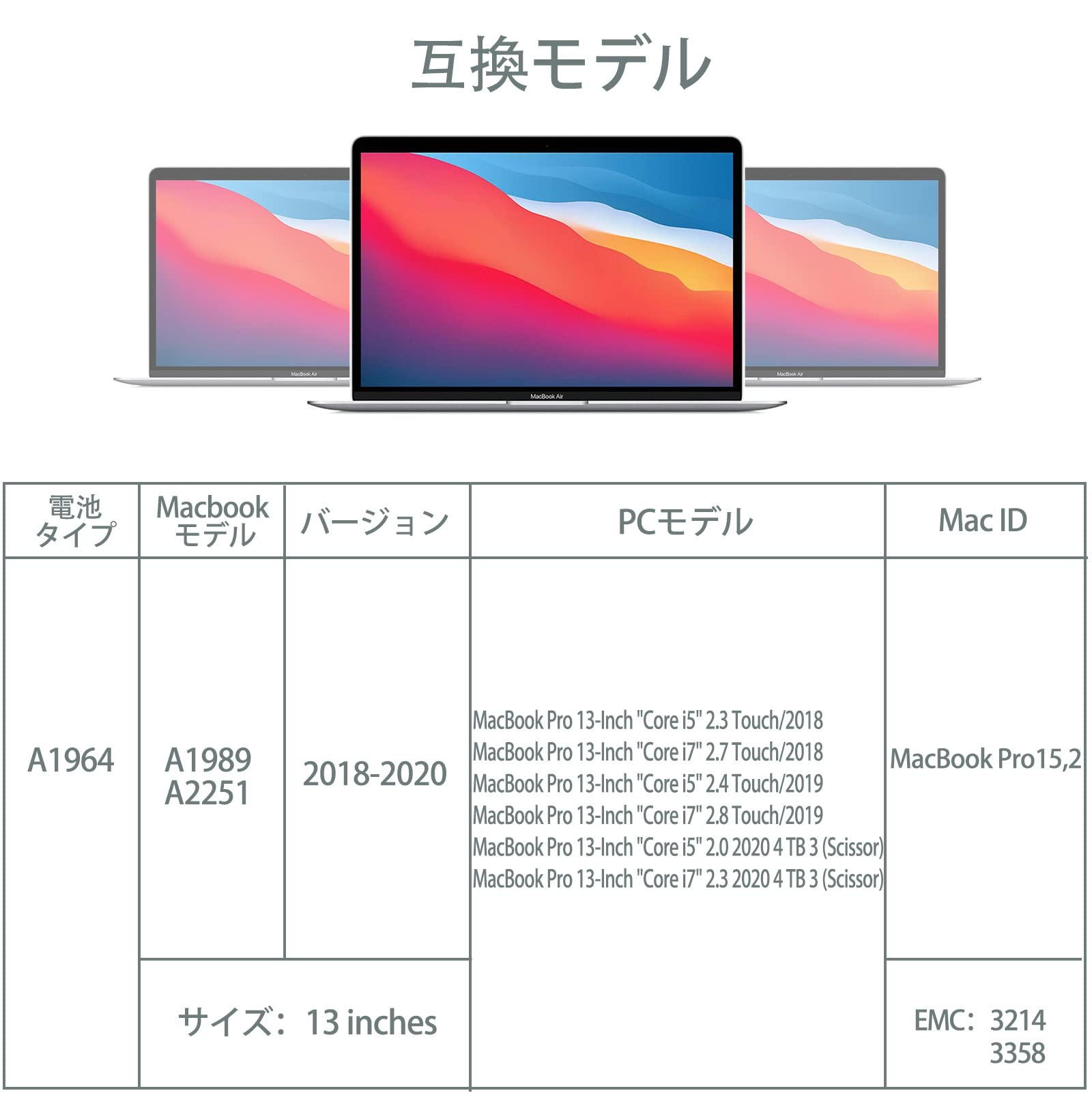


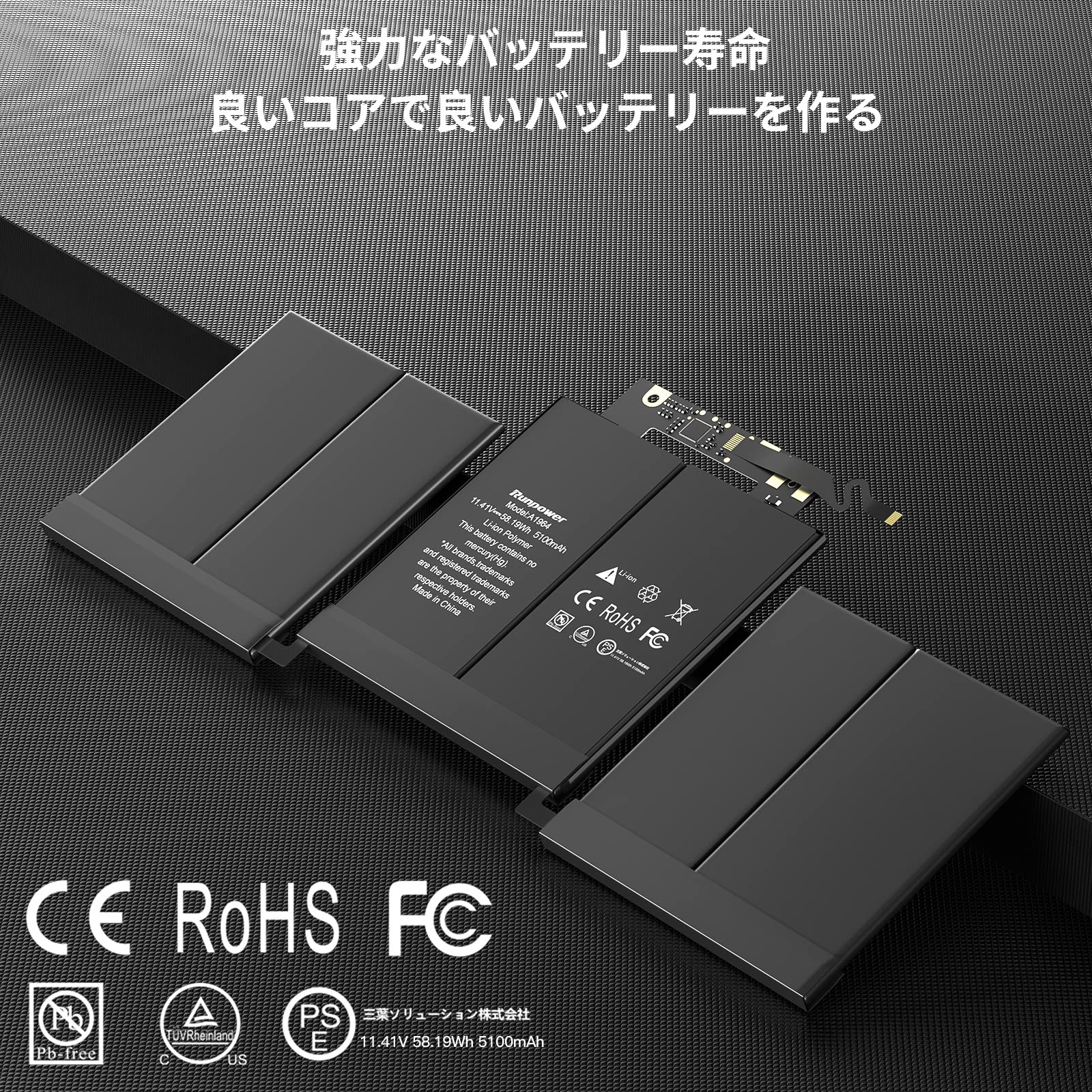
🔋 Power your productivity with confidence — never miss a beat!
The A1989 A1964 Battery is a high-capacity 5100mAh lithium polymer replacement battery designed for MacBook Pro 13-inch models (2018-2020). Featuring fast charging, multi-layer safety protections, and full compatibility with original chargers, it meets rigorous international certifications (PSE, CE, FCC, UL, RoHS) to ensure reliable, long-lasting performance for professional users.


| Manufacturer | Runpower |
| Brand | Runpower |
| Model | pro |
| Item Weight | 15.8 ounces |
| Package Dimensions | 14.57 x 6.85 x 1.14 inches |
| Item model number | A1964-02 |
| Batteries | 1 Lithium Polymer batteries required. |
| Manufacturer Part Number | A1964-02 |
| Voltage | 11.41 |
S**U
A High-Quality Battery with Installation Tools and Decent Instructions
I installed this Runpower A1964 battery in a 2019 MacBook Pro 13 Inch ten weeks ago and it's performing well, with no noticeable drop in efficiency over the course of around 20 recharge cycles. The primary factor that determines a laptop battery's quality isn't how well it performs new out of the box, but how well it maintains that performance over time. So far, this is a five-star battery. If there's any significant decline in its performance during the next year, I'll amend this review and rating to reflect that.The installation process is quick and easy. The battery comes with all the necessary installation tools as well as decent instructions. Nevertheless, I recommend watching a good video tutorial online before embarking on the job of installing the battery - make sure the video shows your exact model of MacBook and the step-by-step process of replacing its battery. That way you'll see the precise location of all screws that need to be removed in order to replace your old battery. I also recommend wearing an anti-static wristband whenever working inside any computer, even if you're only replacing a battery. These wristbands are cheap and wearing one will prevent you from inadvertently frying any of your MacBook's internal components with static electricity from your skin.
K**E
Worthy upgrade ⛑️
My 13" MBP 2018 laptop is 5 years old and has a battery cycle count of over 612. This battery replacement kit will breathe new life to it.Before installation, I did watch a few y0utube videos to gain some understanding on the various approaches to perform this task. I decided to go with the easiest approach.Installation experience:I really like the kit as it includes all the tools to complete the task. After removing the back case, I partially removed the side speakers and used a strong but thin string and like a cheese wire, i slowly sliced off the glue. The process carefully removing the entire old batteries took around 25-35minutes. The fitting of the new batteries took another 5minutes and putting the back cover was another 5minutes. The whole job was about 40mins but I used this opportunity to clean out all the dust trapped in the dual fans etc.Things I liked:- it included all the tools required to complete the job 🎉- battery was detected (full health) 🙌Overall, the result are amazing. It’s like have the laptop like it was on day one. Already I can see the difference in (longer) battery life. Happy day!!! 😍
O**Y
Computer Will Not Boot
Not sure how I review this item as all seemed OK but computer not booting.My laptop had a very short battery life and got almost too hot to touch. I had given up and replaced it but when this kit came up I thought it worth a try..Before starting I checked a few videos and it seemed a straightforward job. The kit itself came with printed instructions. Very small text and photos but it matched up with what I saw on line.The job was quite straightforward but note that I am a retired engineer and collect watches which I often maintain myself. I have no problem with working with the tiny screws and parts in a watch and had no issues with the small screws and following the simple instructions to change the battery here.The job is actually very straightforward with the hardest part getting the case back off. It needs a really hard pull at the right angle after removing the screws. Note the I put each set of screws in an envelope with their location written on it to make it easier to avoid losing them and locating the correct screw for reassembly. Then it is a case of unclipping the connector to the old battery and taking out two screws to move the touch pad cables access the battery. The hardest part is getting the old batteries out as they are glued in. The kit includes some plastic cards to slide under the battery and the instructions say to place the card in position and then shows dripping something (described as alcohol) on the card to run under the battery. No liquid was in the kit but I had a can of glue remover so put a small drop of that on the card with an eye dropper and it worked. After leaving it for a minute or two the batteries came away with little effort.Fitting the new batteries involves just removing the release paper on the adhesive on the back and sticking them down and connecting one tiny connector. Slightly awkward with my big hands but easy enough with some plastic tweezers.Reconnect the touch pad and put the case cover back and job done. The snag is the computer is totally dead. Rechecked the only connection made during the change and no indications of any problems so no idea if it is a faulty battery or something has gone wrong on the computer.I cannot blame the kit as I have no way of checking but cannot give it five stars without being able to boot the computer.
I**D
High Quality Replacement Battery
My MacBook Pro 13 stopped working so after doing a few tests and determining it was a battery issue, I got this Runpower A1964 Battery as a replacement. The battery came with the necessary tools as well as a guideline for me to do the replacement myself, which was quite convenient as I didn't need to pay at a store to get it done. Once completing the installation, my MacBook turned on without issue, and charges as expected. This has proved to be an ideal replacement battery, as it is a great quality and works perfectly when installed correctly, definitely recommend.
T**G
Great performance, straightforward install, reliable.
Installing this battery was far easier than getting the old battery out.I would recommend using dental floss dabbed with isopropyl or adhesive remover, but there’s lots of tips for this online along with very good step by step tutorials.Installing the new one was easy. All the tools and comprehensive instructions are included.If your laptop is otherwise sound, and you are only experiencing problems with battery life, I would definitely recommend this replacement.Having used this company previously I’ve found the longevity to be good and performance reliable.It will certainly save money and in my opinion it’s good quality.I hope you find my review helpful.
Trustpilot
1 month ago
1 month ago