
DOWNLOAD THE APP


Customer Services
Copyright © 2025 Desertcart Holdings Limited
DOWNLOAD THE APP
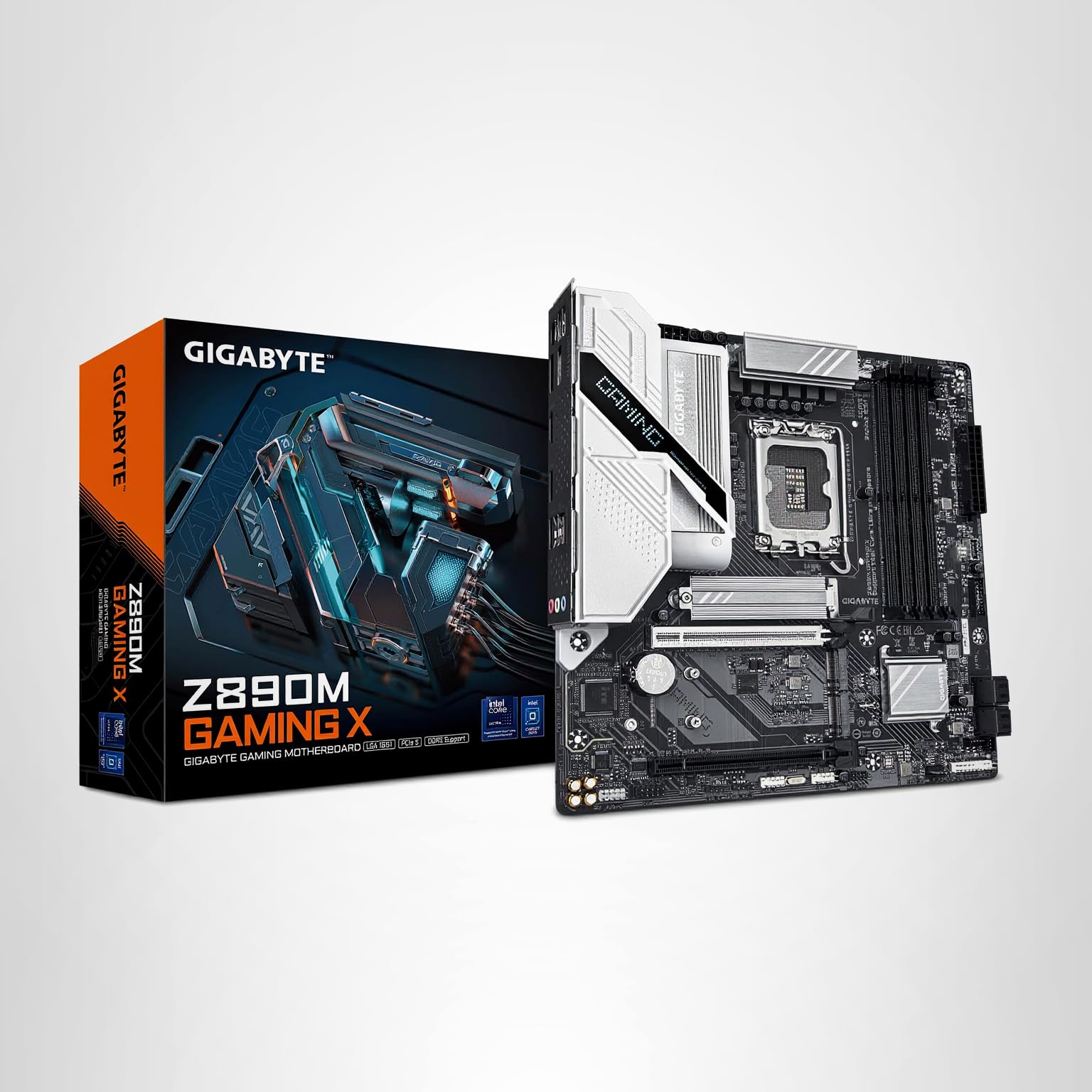
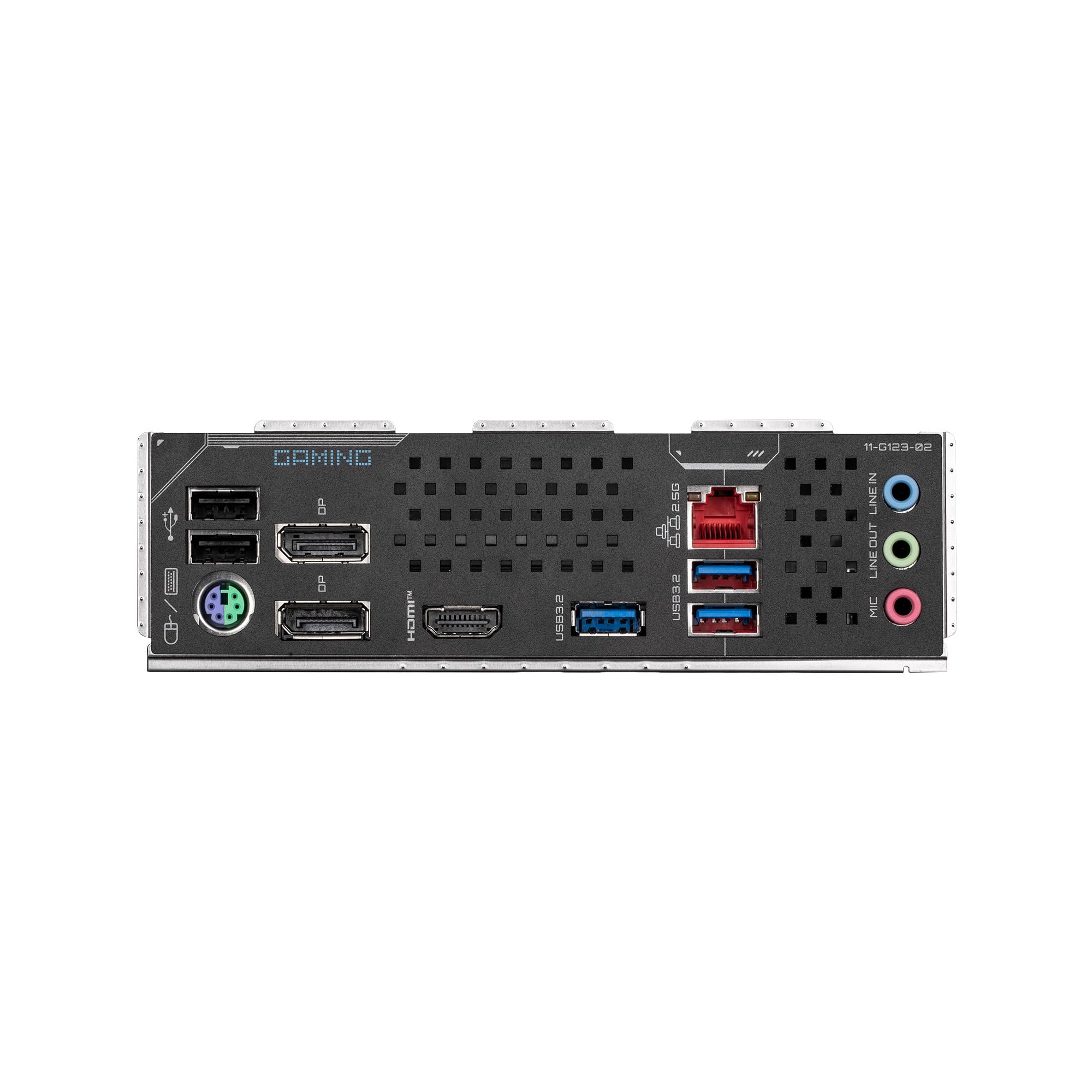
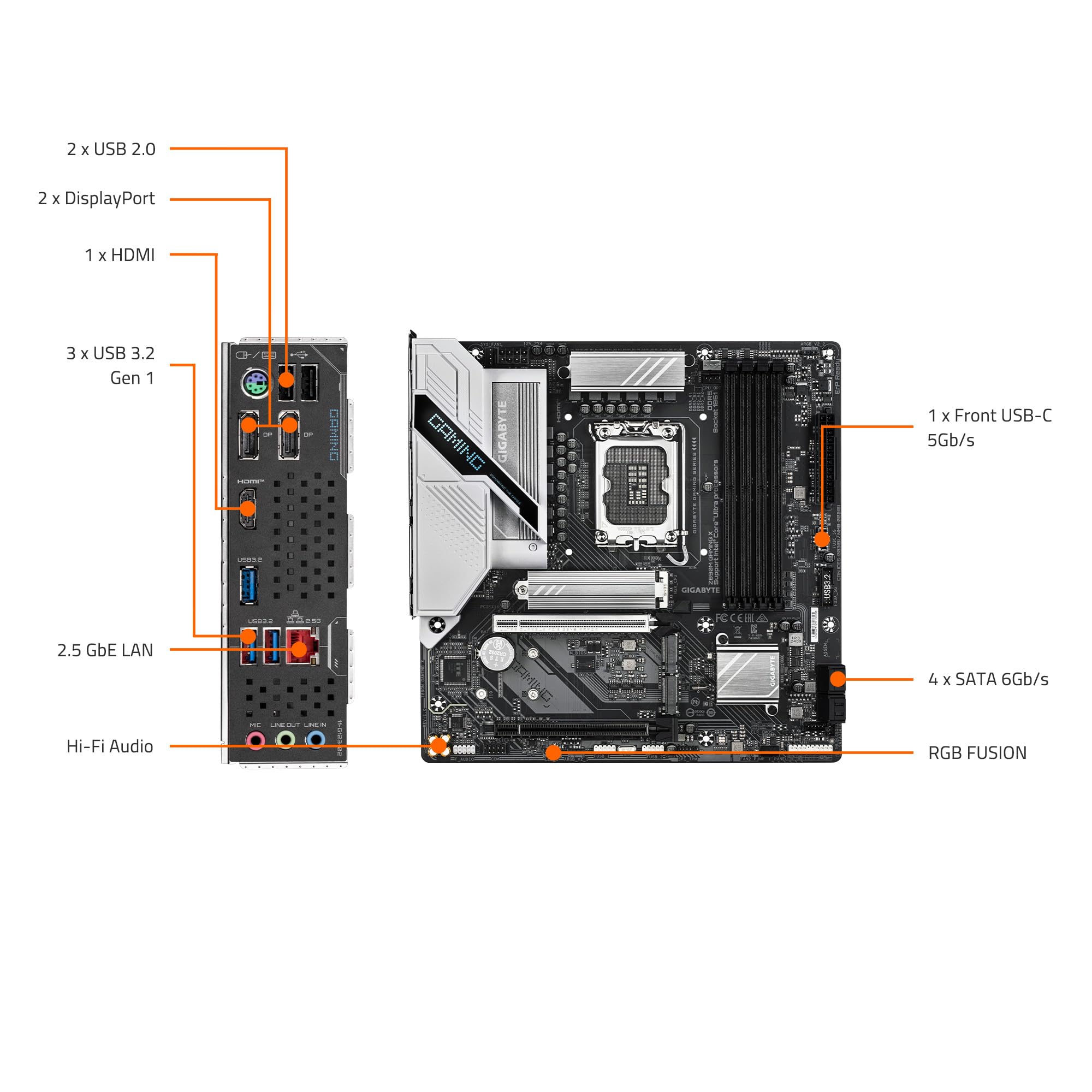
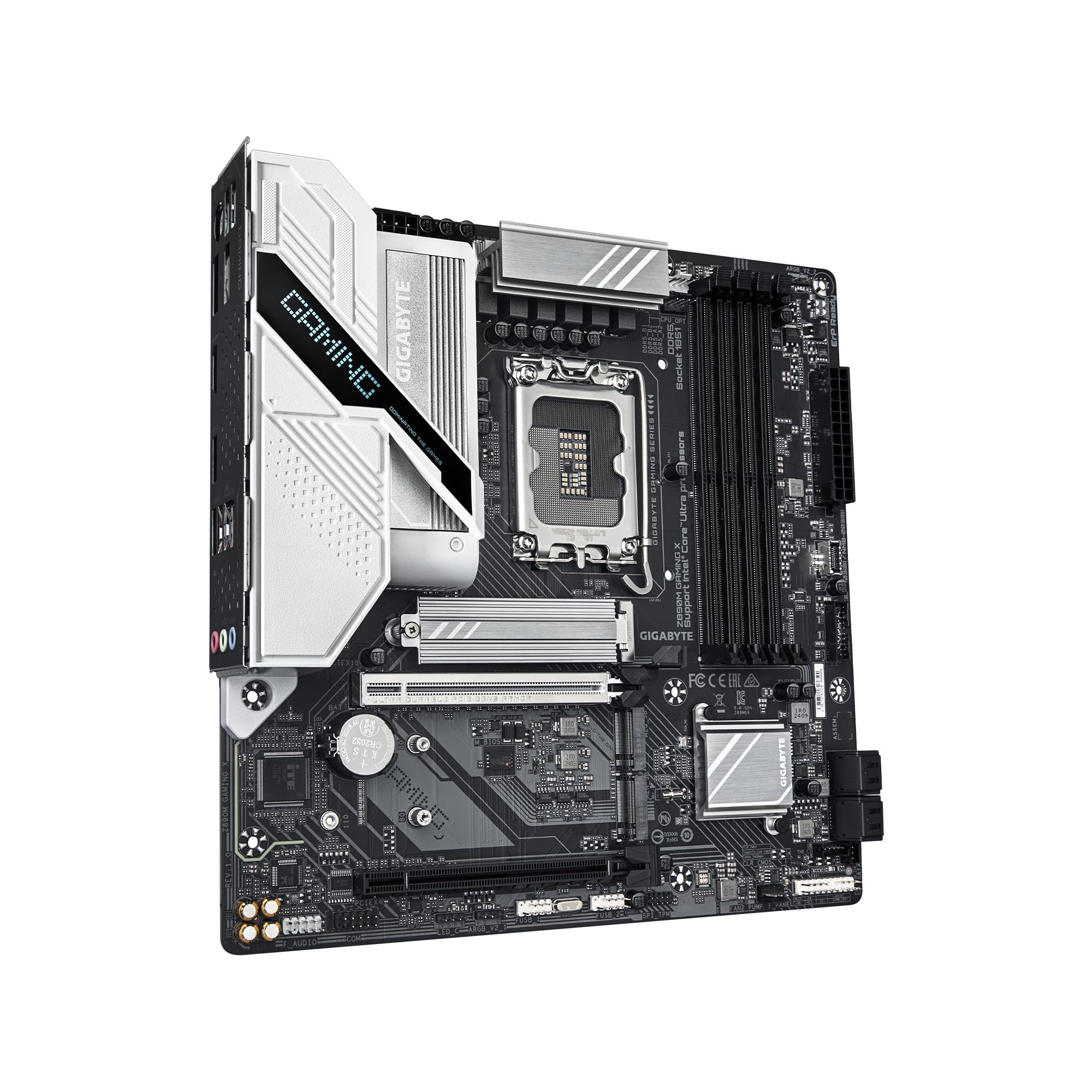
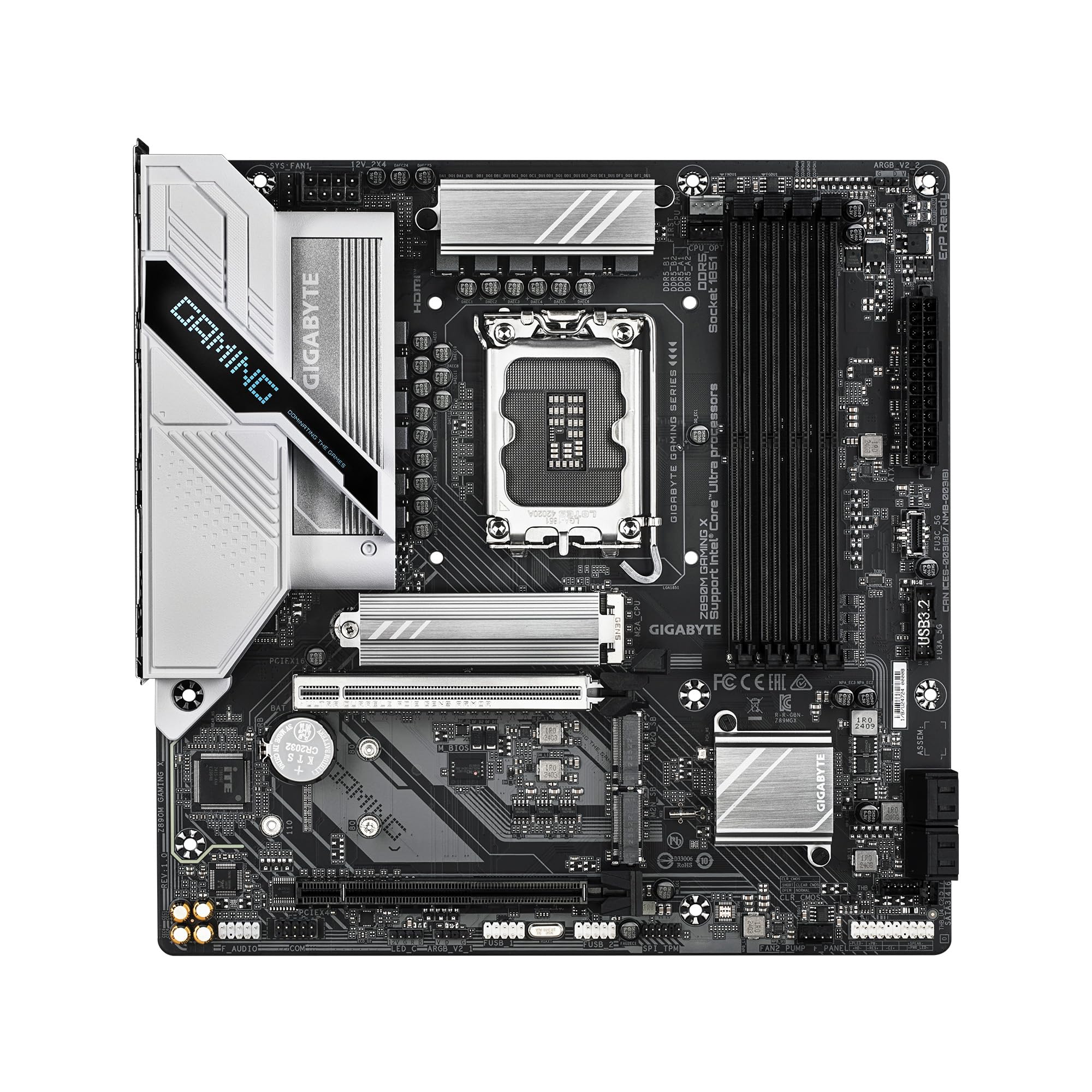

🚀 Elevate your rig with the GIGABYTE Z890M — where speed meets style and power meets precision.
The GIGABYTE Z890M Gaming X Ultra Core is a cutting-edge mATX motherboard designed for Intel Core Ultra Processors (Series 2). Featuring DDR5 memory support with 4 DIMM slots, PCIe 5.0 connectivity, and triple M.2 NVMe slots, it delivers top-tier performance for gaming and professional workloads. Advanced thermal solutions and 2.5GbE LAN ensure stability and fast networking, while front USB Type-C and DIY-friendly features like EZ-Latch and EZ-Debug Zone make it a versatile choice for modern PC builders.


| ASIN | B0DJP9FZYK |
| Best Sellers Rank | #63 in Computer Motherboards |
| Brand | GIGABYTE |
| Built-In Media | Speakers |
| CPU Socket | LGA1851 |
| Chipset Type | Intel Z890 |
| Compatible Devices | Personal Computer |
| Compatible Processors | Intel Core Ultra 200 Processors |
| Customer Reviews | 4.5 out of 5 stars 441 Reviews |
| Graphics Card Interface | Integrated |
| Item Height | 24.4 centimeters |
| Item Weight | 1111 Grams |
| Main Power Connector Type | 24-Pin |
| Manufacturer | GIGABYTE |
| Memory Clock Speed | 5600 MHz |
| Memory Slots Available | 4 |
| Memory Storage Capacity | 1 GB |
| Model Name | Z890M GAMING X |
| Model Number | Z890M GAMING X |
| Number of Ethernet Ports | 1 |
| Number of Ports | 8 |
| Platform | Windows, Windows 10, Windows 11 |
| Processor Socket | LGA1851 |
| RAM Memory Technology | DDR5 |
| Ram Memory Maximum Size | 256 GB |
| Total Number of HDMI Ports | 1 |
| Total PCIe Ports | 3 |
| Total SATA Ports | 1 |
| Total Usb Ports | 5 |
| UPC | 889523045411 |
| USB 2.0 | 1 |
| Warranty Description | 3 Year Manufacturer |
C**C
Best performance for the money and another great motherboard from Gigabyte
Gaming X Z790 AX DDR5 REVIEW: UPDATE: I now have 2 of these motherboards, one on my primary system and one on my Backup/media server. Picked up a 14700k and some other new parts. You can see how fast the NVME is and I uploaded a few more bench marks for those interested. The best bench listed not only has the 14700k but also a 3070 ti. I have only used Gigabyte MBs for over 10 years and continue to. Yes, I use these everyday and have for a long time. Even went with 64 gig of 7200 ram on my media sever. Everything works great. Not sure why all the bad reviews. This thing rocks. I have I7 13700k, 96 Gig of DDR5 ram 6400 x CL32 not even on compatibility list, 3060 GPU and a screaming NVME. The only thing is the M2 slot is PCIE4 not 5. I updated the BIOS before upgrading which I always do. I would have gotten the version without the AX but that was all that was available. Even the built in WiFi works great on my AX router without the antennas attached. the BT is awesome as well, I no longer need my BT dongle as the board has built in BT. Maybe I just got lucky? but I only use Gigabyte. Its my favorite brand. ORIGINAL REVIEW: After even more research I decided to do another upgrade to DDR5 and as a result the Z790 Motherboard. The Z690 Rocks as indicated in the other review and I migrated that board and RAM to my media server. A bit overkill for my Media server but it should last me a few years. With DDR5 prices coming down and supposed benefits I decided to migrate to the Z790. As expected my GPU and Hard drive benchmarks did not change, However my 13700k CPU benchmark has increased from the 45000 range with the Z690 to 49000-51000 with the new Z790. Overall, I am going to recommend the Z790 over the Z690 with or with out DDR5, I will also suggest using DDR5 unless you have some great DDR4 as I did. I had to get some mediocre 5600 CL 28 DDR5 Ram for testing and was able to achieve as good or better performance over my High end DDR4 3600 cl16. Another important note is both boards support 12th gen, 13th gen and the 13th gen refresh which will be the 14th gen processors. There are a few new features/changes on the Z790 BIOS that stand out. There are some additional items you can change like a DDR5 low latency toggle which dropped my latency from around 40 down to 35, also due to speed of the DDR5 RAM, you can only choose Gear 2 or Gear 4. I had trouble testing Gear 4 and had to reset my BIOS. The overall control in the BIOS is great for normal operation as well as anyone wanting to OC. The other big change is Gigabyte has introduced the Control Center overr the older App center/ The new Control center puts RGB fusion, Some OC features, Fan features and most of the App center items into the main Control Center. I can not find the @BIOS utility so I sed the QFlash in Bios for upgrading the BIOS. I also can not find th equivalent of the SIV utility which shows all of your temps on a single screen. The RGB fusion update works like the older RGB Fusion 2. With the Z790. you do have to upgrade to the newer Control Center and cant use the older apps or RGB Fusion. My overall Bench only increase by 2-300 points but the CPU benchmark is the part that stands out. The only images above from the new MOBO is showing the Benchmarks with the CPU highlighting the 49k and the RAM spec of 4346. No it wasnt that fun, replacing the MB, redoing cableing, HDs and redoing the AIO, BIOS but it only took me a couple hours because all of the cabling was in the same spot. Its hard to beat the Gaming X Z690 DDR4, but this newer Z790 DDR5 edges it out for performance. Cant wait to get some higher performance DDR5. Added a couple system benchmarks pics
F**R
Elevate Your Gaming Experience with the GIGABYTE Z790 Gaming X AX Motherboard
As an avid gamer and PC enthusiast, I'm always on the lookout for hardware that can take my gaming experience to the next level. Enter the GIGABYTE Z790 Gaming X AX motherboard - a powerhouse of performance, reliability, and feature-rich design that exceeds expectations on all fronts. Let's start with performance. Equipped with Intel's latest Z790 chipset, this motherboard delivers unparalleled speed and responsiveness, making it the perfect foundation for high-end gaming rigs and content creation workstations alike. Whether you're pushing the limits in competitive multiplayer games or tackling demanding tasks like video editing and 3D rendering, the Z790 Gaming X AX handles it all with ease. One of the standout features of this motherboard is its support for the latest generation of Intel Core processors, including 12th Gen Intel Core desktop processors. With support for up to 20 CPU PCIe 5.0 lanes, you can harness the full power of next-gen graphics cards and high-speed storage devices for a truly immersive gaming experience. But performance is only part of the equation. The Z790 Gaming X AX also boasts a host of features designed to enhance your gaming experience. From advanced cooling solutions to lightning-fast connectivity options, every aspect of this motherboard is optimized for maximum gaming performance. Take, for example, the advanced thermal design, which includes robust heatsinks and heat pipes to keep temperatures in check even during intense gaming sessions. This ensures that your components stay cool and stable, allowing you to push your system to its limits without worrying about overheating. Additionally, the inclusion of PCIe 5.0 slots and dual M.2 connectors means you can take advantage of the latest storage technologies for lightning-fast load times and seamless multitasking. Whether you're installing multiple SSDs for faster game loading or expanding your storage capacity for large media files, the Z790 Gaming X AX has you covered. Connectivity is another area where this motherboard shines. With support for Wi-Fi 6E and Bluetooth 5.2, you can enjoy lag-free online gaming and high-speed file transfers, while the inclusion of USB 3.2 Gen 2x2 ports ensures lightning-fast data transfer speeds for all your peripherals. In conclusion, the GIGABYTE Z790 Gaming X AX motherboard is a true powerhouse that delivers uncompromising performance, reliability, and feature-rich design for gamers and content creators alike. With its support for the latest Intel Core processors, advanced cooling solutions, and lightning-fast connectivity options, it's the perfect choice for building your dream gaming rig. Upgrade to the Z790 Gaming X AX and elevate your gaming experience to new heights.
P**O
Great Board for a Smooth Upgrade
Needed a new motherboard after upgrading my CPU: my old one just wasn’t compatible anymore. Ended up going with the GIGABYTE Z790 Eagle AX, and I’m really happy with it so far. Installation was painless, everything booted right up, and the BIOS is clean and easy to work with. Gaming performance is excellent. Battlefield 6 runs smoothly with no lag or hiccups, and the system feels fast and stable overall. Solid build quality, good temps, and no random crashes or quirks so far.
J**4
Excellent Motherboards
Rock solid products from Gigabyte. This is the second MB I've purchased and they have performed flawlessly. Great all around hardware features and a BIOS that is very intuitive and easy to navigate. Gigabyte is a trusted name in the PC tech hardware industry..
R**6
good motherboard, nice size, but you have to update the BIOS.
I use this for Ubuntu 24.04.3 . It works well once you update the BIOS, it came with F9 which is a year old, I installed F17 with no trouble. The F9 had ACPI errors. I use this with an ultra7 165k. The BIOS GUI is well done, I think Intel is the author.
A**Z
Great product from gigabyte again
Good board for the price,Works great have it running i7 14th gen and a rtx 5060ti and 64gig ram and 4tb m.2 for the system drive with no issues, did have to download the wifi and Bluetooth driver from the gigabyte website as this board didn't read wifi or Bluetooth out the box for me so make sure u download the drive on a flash drive incase u are not connected to ethernet but everything work after I installed the drivers.
M**Z
Amazing motherboard for beginner builder
Hello, Im Michael, and Im reviewing the Gigabyte Z790 Eagle AX. First and foremost. Im a brand loyalist and have never built a computer until recently. Im going to be using MOBO which stands for Motherboard from here on out. I was accustomed to using an Alienware 15R2 for almost 10 years. Thats a laptop. Which I worked and worked on squeezing as much as I could out of it. It is an amazing laptop from 2015 thats amazing for mobile use, but for 2024 gaming use, it just didnt cut it anymore. I upgraded my cousins old EVGA 2080 GPU to a GIGABYTE 4070 ti super first. Because I thought his old EVGA board and PSU was being GPU throttled. Instead of upgrading the board, cpu, thermal paste, cpu cooler, psu, and the case. I put in the GIGABYTE 4070 TI Super before anything else to make sure. The GIGABYTE gpu performed excellent in his build. But, unfortunately his CPU couldnt keep up with the demand. Causing alot of stuttering issues. The GIGABYTE 4070 TI Super performed beautifully. Dont get me wrong. This was a CPU issue. Not a Gigabyte issue. So. I did my own research. I did my own data testing and analysis to find the best mid range board. I was shocked that EVGA doesnt make GPU's or MOBO's anymore. Such good quality stuff. Why did they stop? I dont have that answer for you. If EVGA made motherboards and GPU's I wouldnt be wasting my time with this review. Anyways. The GIGABYTE Z790 Eagle AX is exactly what I bought. DDR5. LGA 1700 Socket, NVME Gen4, Built in Wifi 6, and bluetooth. I chose GIGABYTE because the GIGABYTE EAGLE WINDFORCE 4070 TI Super "whatever," performed with no issues whatsover. This board. Is not perfect when it comes to OC/BIOS configs. I have tested and pushed the limits. And it has forgiven me everytime. That is something new. The evga MBO when I have OC or overclocked the memory or the cpu it has completely died. And I had to reset everything. This BIOS is completely forgiving for new PC builders. My current build is the 4000D Corsair Case with 2 included fans. Corsair 650x 650w PSU, GIGABYTE Z790 Eagle AX MOBO, Intel i7 14700K CPU, Thermalright Peerless Assassin CPU cooler, Crucial 64gb DDR5 RAM, Crucial P3 1TB NVME, Samsung 950 500GB NVME, Samsung 850 500GB SSD, and a Seagate 2TB HDD. This board supports everything. I called my PC "Frankenstein" because its built with parts from other computers. Thats what someone who knows what their doing does. NVME. SATA SSD, SATA HDD. It still supports older hardware. And it does it without flaw with an undervolt and an OC on the CPU. One thing I will tell you. DO NOT TRUST THE GIGABYTE SOFTWARE. IT WILL NOT UPDATE YOUR BIOS. IT WILL NOT INSTALL EVERYTHING FROM THE GIGABYTE SITE THAT YOU NEED. With that being said. I built my cousin a brand new computer. Same Corsair 4000D case, Same GIGABYTE Z790 Eagle Ax MOBO, Same Intel 14700K CPU, Same Thermalright Peerless Assassin, Same Crucial 64GB DDR5. Upgraded to a Corsair RM1000x, in case he wants to install an 6090, Upgraded the NVME to a Crucial T500. And of course. Put his old 4070 TI Super in his new computer. The results speak for themselves. He said "He didnt know that computers were this good."
Z**C
So many issues. Please avoid.
Looking at the reviews you would think this is a pretty good motherboard. If you look closer you will notice none of these people actually used the motherboard for any extended amount of time. They don't give it enough time for the problems to show up. This motherboard started acting up about 3 days after the return window closed. After doing more research on my constant crashes and problems I found out that you pretty much cant win buying a gigabyte motherboard nowadays. So many issues. In one month of ownership i had to clean my ram twice. ram that was listed as compatible on the gigabyte site. The motherboard was burning black lines onto the ram which caused it to not be read and crash the pc. on all auto settings. Your event viewer will be filled with dozens of power related errors with this motherboard. They cant be fixed. Reinstalling windows doesn't help. Buy an asus or msi motherboard and save yourself the time and headache. If you dig deep enough you'll see gigabyte has been selling broken garbage for years now. Don't waste your time theres much better options at this price point. My motherboard "worked" it did not arrive DOA but it ended up being a huge nightmare that cost me hours of my time constantly trying to diagnose whats wrong now. the bios is awful and has very little customizations. which means theres tons of default settings you cant see or change that may be causing you problems. my asus replacement cost less and works beautifully with no issues and no headache. much better bios. very straight forward.
Trustpilot
3 weeks ago
1 month ago