
DOWNLOAD THE APP


Customer Services
Copyright © 2025 Desertcart Holdings Limited
DOWNLOAD THE APP

🎯 Dominate your digital domain with Archer GE650 — where speed meets style and every millisecond counts!
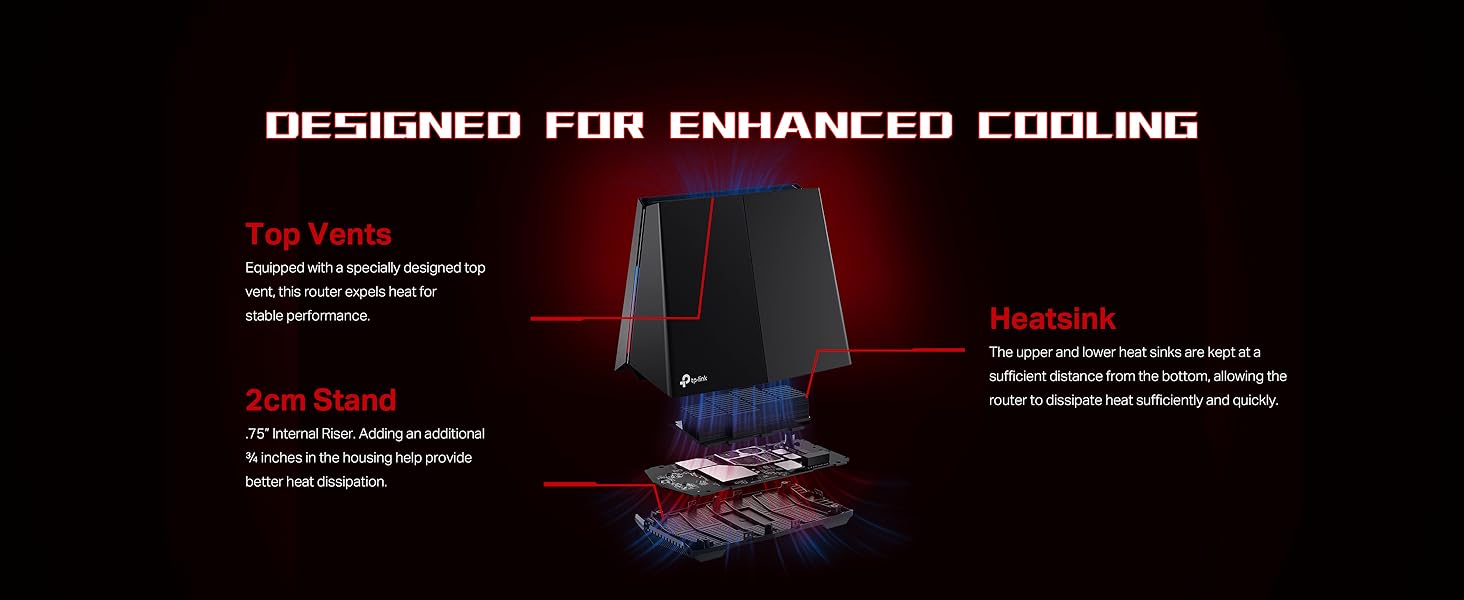
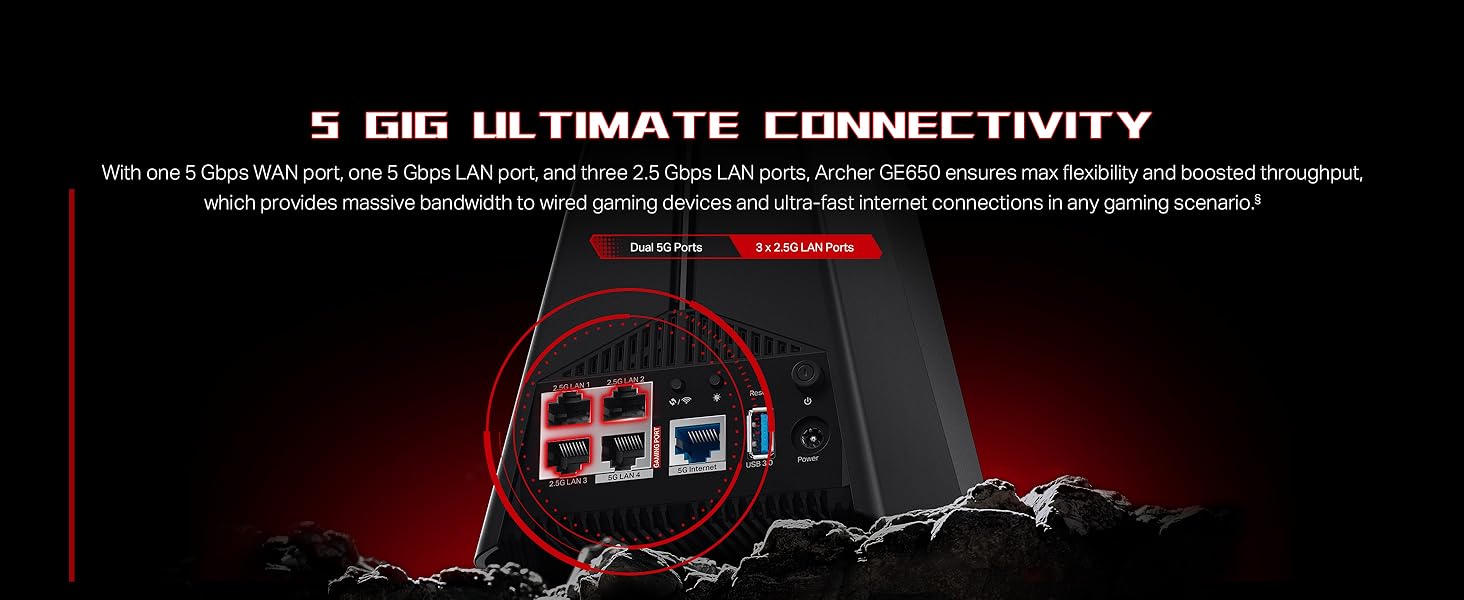
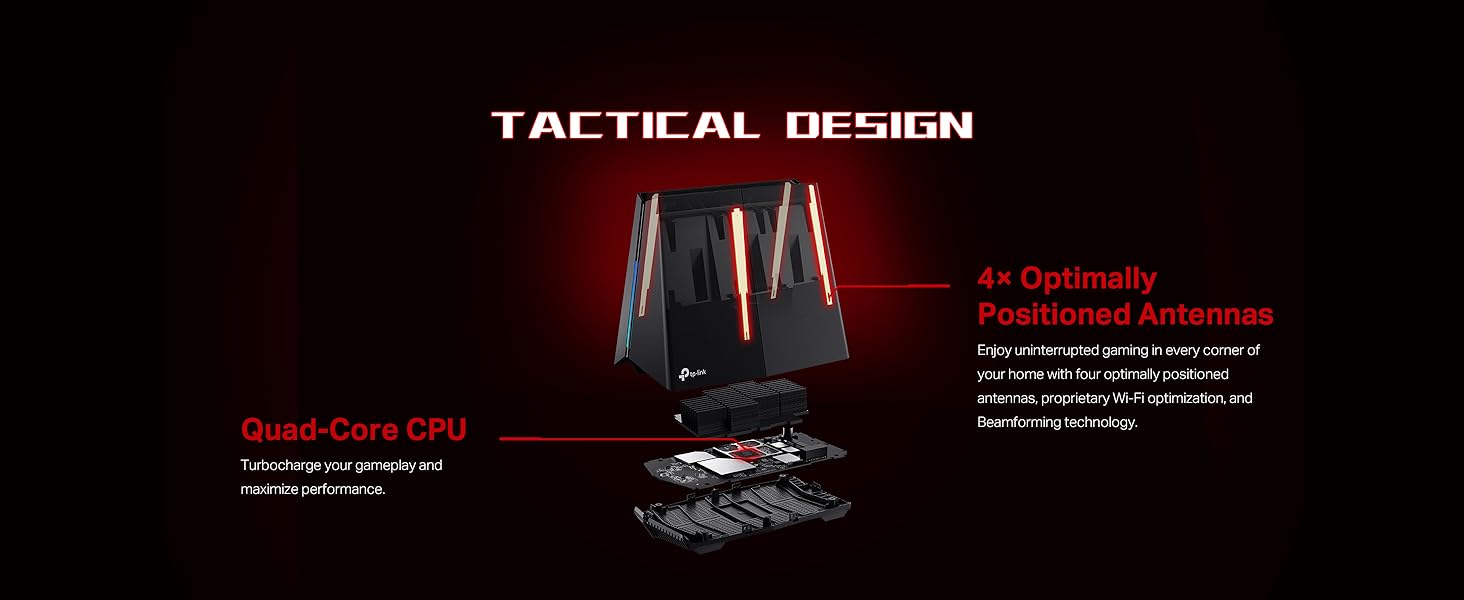
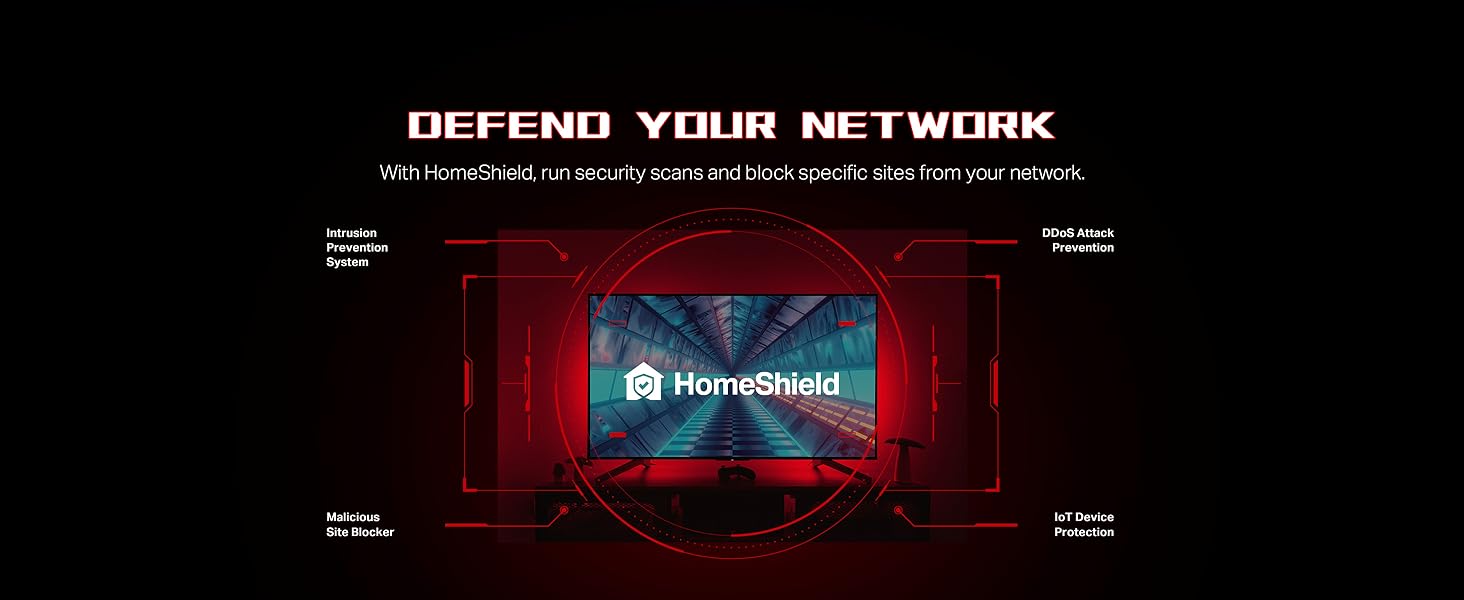
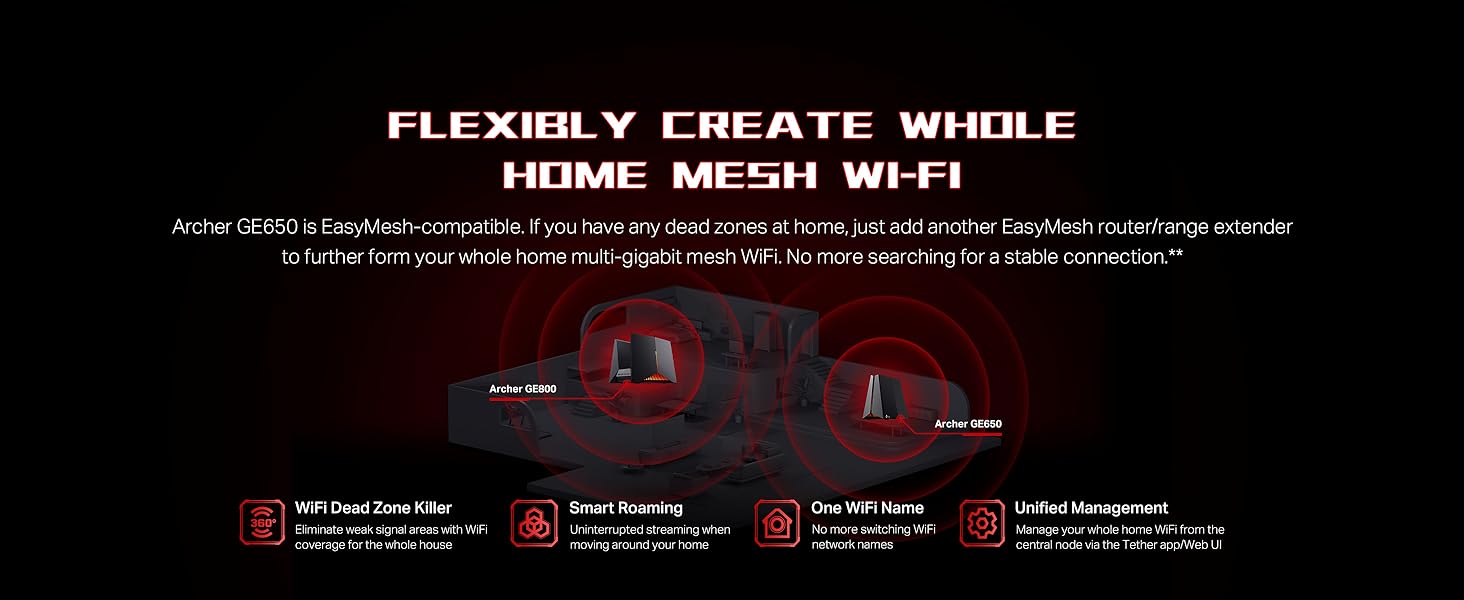
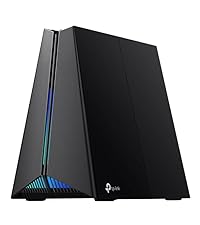
The TP-Link Archer GE650 is a cutting-edge Wi-Fi 7 tri-band gaming router delivering up to 11 Gbps combined wireless speeds, powered by a 1.5 GHz quad-core CPU. It features multi-gigabit 5G and 2.5G ports for ultra-fast wired connections, WTFast game acceleration, and a dedicated gaming dashboard with RGB lighting. Designed for professional gamers and smart homes alike, it supports up to 100 devices, offers robust security with HomeShield, and integrates seamlessly with mesh networks via EasyMesh. Its intuitive app and web interface make setup and management effortless, ensuring a lag-free, secure, and stylish network experience.









| ASIN | B0DVV9KJSN |
| Best Sellers Rank | #6,974 in Electronics ( See Top 100 in Electronics ) #55 in Computer Routers |
| Customer Reviews | 4.4 4.4 out of 5 stars (6,398) |
| Date First Available | February 26, 2025 |
| Item Weight | 2.45 pounds |
| Item model number | Archer GE650 |
| Manufacturer | TP-Link |
| Product Dimensions | 12.01 x 10.51 x 5.67 inches |
M**T
An Excellent Router; Highly Configurable
After two months of use, I have come to the conclusion that this is an excellent router. A couple of months ago, I placed the order to upgrade our home internet to AT&T gigabit fiber and knew that I wanted a solid, configurable WIFI router as the only device plugged into the AT&T equipment. This way, I could setup a Raspberry Pi as Pihole to block ads on my entire network and use MAC IDs to allow/deny access to any devices that tried to connect. There are videos on YouTube that review this router and give you a view into the the setup/config screens so, I won’t go into describing all of that. However, I will say that I feel the setup screens are intuitive and even if I did not have 20+ years’ experience in IT (programming, DBA, sys admin, etc.) I believe I could figure out how to make this router fit my needs. Whether you have that kind of background or not, the YouTube videos can be very helpful. Wired Connections The previous owner of my house had it wired with CAT6 cable (thank you!) and I added a couple of CAT8 cable runs so, I am currently using 6 of this routers’ 8 gigabit ports. Those cables give me wired connections to multiple gigabit switches throughout the house (bedroom, office, man cave, living room, etc.) where I have wired connections to multiple computers or smart TVs or gaming systems, etc. I could bore you with upload/download numbers but, instead, I will just say that everything runs faster or better now than it did before all my upgrades. My smart TV connects to YouTube (Pihole blocks the ads) and videos play smoothly. My PS4 used to take an hour to download free games and now takes a couple of minutes and my Xbox is the same. System patches take a minute to download. Online streaming services run smoothly and I have yet to see any “spinning wheels” as a video buffers in the middle of an action scene. WIFI Before AT&T fiber, I had an AT&T Airties 4921 WIFI booster that did a great job improving the signal to a “dead spot” in the back of the house. I tried and failed to get the 4921 to work on my new equipment then realized the AX6000 had already solved the dead spot problem. I have WIFI cameras pointing towards the woods behind my house or from the woods back to the house and am getting a strong signal to all devices. The router is capable of WIFI 6 but currently none of our iPhones, iPads, MacBooks or laptops can use it. Nevertheless, I have not noticed any connectivity issues with any of our wireless devices. I do have one wireless, multifunction HP printer that will go to “sleep” after several hours of inactivity and may not wake up when I send a document to it from my smart phone. All I do is punch a button on it, it wakes up, accepts the document and everything is fine. This is probably a setup issue within the printer, and certainly not a WIFI problem, but has not been a big enough hassle for me to worry about it. Network Monitoring One of the major things I wanted from this router is the ability to easily block devices on my network. I have a teenager who only needs occasional Internet access and I used both of the MAC IDs from their laptop (wired and wireless) to setup a weekly schedule for when it could/could not reach the Internet. I can see all wired/wireless devices on my network in the routers’ Basic or Advanced screens and this allows me to keep an eye on who is in my network. Overall, I have been very pleased with this router and highly recommend it.
M**A
Terrific performance at a very reasonable price
With the TP-Link AX6000 WiFi 6 Router(Archer) router I have finally found the “sweet spot” for my home needs. I generally have 50 active devices in my smart home and this router has horsepower to spare. I built a new home with a centrally located fiber access point, to which I have a Bitdefender box 2 installed, followed by this TP Link router (placed in access point operating mode). My home is not overly large (about 2000 square feet) and this router was my my third try for the desired security and signal strength needed to obtain high speeds throughout the house and yard. My first try, with a 3+ year old google WiFi setup was remarkably slow and insufficient. More surprisingly, my second try to obtain the levels of consistent quality WiFi needed failed while using the ( far more expensive) ASUS Zenwifi 6000AX. The ASUS setup utilized two nodes, the base and a secondary node. It was very fast if you were close to the primary unit, but performance fell off dramatically, even a room away. The secondary node seemed to be less effective than an old school WiFi extender/repeater. I was very disappointed. But Amazon graciously accepted my return of that unit. Trying this TP Link AX 6000, I was hopeful , but was also prepared to be again disappointed. Happily, this router far exceeds my performance and reliability expectations. As you can see from one of the photos I attached, I routinely get download speeds in excess of 500Mbps. Nearly the same on upload speed. I have done Speedtest from all locations in my home and garage and have never get less than 150Mbps speed: and this is in a distant corner while two teens are gaming with out of state friends. The teens love their new connection speed. The TP link phone app gives good information, but minimal control of advanced router features. The web interface control panel is much more extensive and meets all of my needs, but I will concede that the ASUS GUI web controls were more extensive, more than I need, but perhaps essential to other users. To conclude this overly long review I will sum up by summarizing: this TPLink AX 6000 router will meet and likely exceed the needs of 90%+ of users. I highly recommend.
M**N
Good feature set for the money
My last 2 home WiFi routers have been TP-Link and so far I'm very happy. Before this unit I had their tri-band model and was very happy with the performance and feature set in my apartment. I teach I.T. courses from home and have moved most of my network over to wired instead of wireless for security and that wired still offers the best overall performance. So when my last unit took a direct lightning strike (gotta love Florida even when you have UPS and surge protectors) I decided to look for something with more switch ports. Before I'd connected a couple of 5-port switches into a couple of the 4 ports on the old SOHO unit. But this is never as good as going direct to your main switch. I LOVE the 8 ports on this new unit. I was concerned that the antenna could only be pointed in one direction but that hasn't been a problem and the coverage is very good for my needs. I have the unit wall mounted since I was concerned about a cat trying to sleep on the warm top of the unit, which is covered with vent holes. It still runs nice and cool with about 10-12 devices connected via a mix of wired and wireless. The administrative setup is best done via a web browser (but they do offer a phone app) and I can do things like MAC reservations in DHCP, and a few features that most home users probably never think about. Its not a managed switch so I didn't expect high-end security and features, but it is perfect for my home setup.
J**.
Tenia muchas dudas de comprarlo por los comentarios pero lo hice. Mi router es version 1 (V1) y a 6 semanas de instalarlo, ha funcionado perfecto. Al configurarlo se instalo una actualizacion de firmwate que salio a finales de Febrero 2021. La velocidad no aumento, tenia antes con modem de Telmex 200mb (fibra optica, modem doble banda Huawei, muy estable y bueno) y con este router sigo teniendo 200mb. Compre este router para tener mas alcance, y me sorprendio. La velocidad casi no se pierde auque estes lejos del router, y ahora la señal llega a distancias que antes no. Por ejemplo, a 40 metros de distancia el router me da 50mb de velocidad conectado por wi-fi 6 (con modem telmex tenia menos de 20 metros de alcance). Antes en los lugares mas alejados con el modem telmex me llegaban 10mb, y ahora en ese mismo lugar 80mb. En resumen este router aumenta significativamente el alcance de la señal, y la velocidad contratada casi no disminuye aun cuando no estes cerca. Trae muchas opciones de personalizacion, control paretal, seguridad, antivirus sin pagar suscripcion, red de invitados, etc. Muy buena compra hasta el momento con zero problemas de desconexion o interrupciones.
M**O
Amazing that the 5G band can push as far and as strong as it does as it does! With an Intel AX200 enabled adapter (~65.00 CDN) and this router, I get consistently about 300 Mbps up / 300 Mbps down, where the client is over 40-50 feet through some serious cement, wood and metal. Took some adjusting to get the 5G radio dialed in (I had to lock in the channel and channel width respectively (channel 157/80 MHz ) so as to not limit compatibility and to avoid conflict with my neighbors. That said, this allows me to optimize my fiber optic to the home connection throughout the entire house. All my Wi-fi 6 devices (4 or 5) get excellent speeds - often 600 Mbps bi-directional when closer to the router. (Based on the limits of 80 MHz.) Also, as as of last week, the device fully supports WPA3 with the new 1.1.0 Build 20200427 firmware which is a nice improvement.
D**.
Performance as specified
D**.
Es bueno ejercer buena señal solo configuren en modo puente si no saben los datos del ipv6 del modem de la operadora y con eso funciona excelente
M**E
As a router is was amazing faultless in every way for my needs. The only reason for 3 stars is that I ordered 2 of these and both models were US spec so I temporarily had to use and adapter whilst I got in touch with tplink for a resolution. After waiting a week they said that they spoke to one of their engineers who said they could not simply replace it with a UK spec plug and I had to return it to Amazon. I didn't want to go through the whole process again just to end up with another US spec router so was forced to pick a different model.
Trustpilot
1 week ago
4 days ago