We remain fully operational. Our teams are working around the clock to ensure your deliveries continue safely.

DOWNLOAD THE APP


Customer Services
Copyright © 2025 Desertcart Holdings Limited
DOWNLOAD THE APP

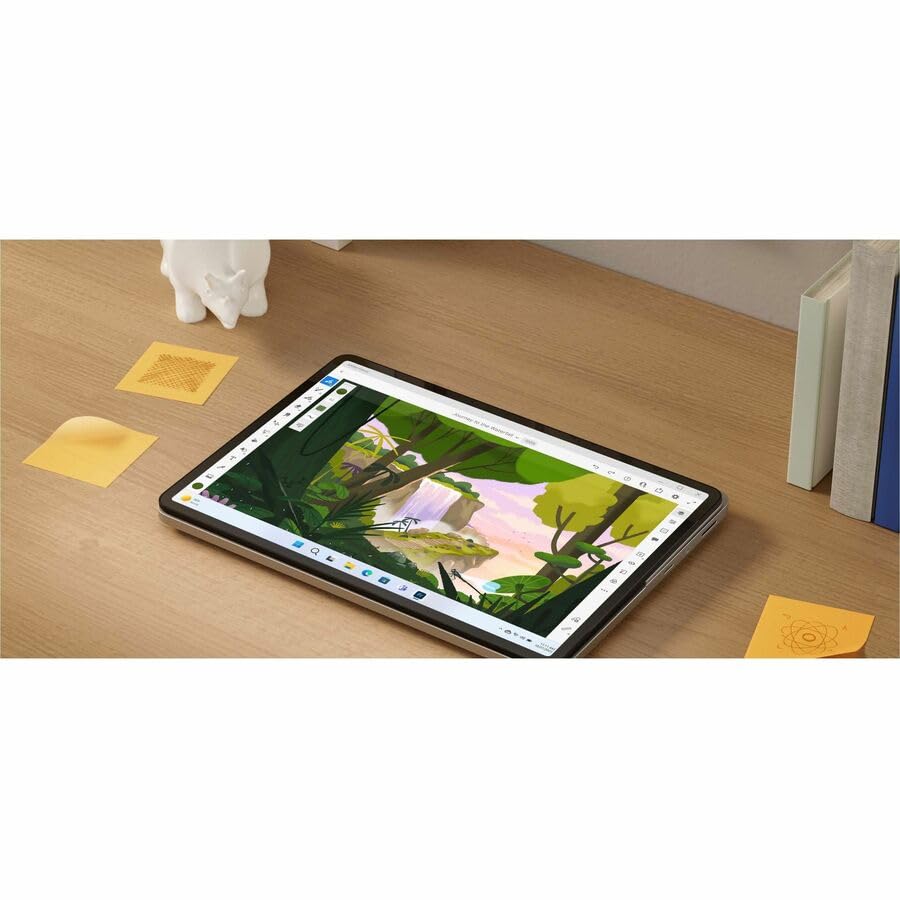


🚀 Elevate your productivity and creativity with the Surface Laptop Studio 2 — where power meets versatility.
The Microsoft Surface Laptop Studio 2 is a cutting-edge 2-in-1 convertible laptop featuring a 13th Gen Intel Core i7-13700H processor, 16GB LPDDR5X RAM, and a 14.4-inch 2400x1600 touchscreen with 120Hz refresh rate. Designed for professionals and creatives, it offers up to 19 hours of battery life, Gorilla Glass 5 durability, and advanced connectivity including Wi-Fi 6E and Thunderbolt 4. Its unique floating slider design enables seamless mode switching, making it a versatile powerhouse for work and play.
| ASIN | B0CMZKZ1KF |
| Bluetoothのサポートが必要な場合 | はい |
| CPU | i7-13700H |
| CPUモデル | Core i7 |
| CPUモデル世代 | 13。 |
| GPU製造会社 | Intel |
| HDD容量 | 512 GB |
| OS1 | Windows 11 |
| RAMメモリ採用技術 | LPDDR5X。 |
| Thunderboltポート総数 | 2 |
| UPC | 196388205127 |
| USBポート数 | 1 |
| VRAMタイプ | 共有 |
| Webカメラ機能付き | はい |
| Wi-Fi世代 | Wi-Fi6E |
| resolution | 2400 x 1600 |
| おすすめ度 | 5つ星のうち4.5 16 レビュー |
| オーディオ機能 | 内蔵ステレオスピーカー。 |
| カメラの説明 | フロント |
| カラー | プラチナム |
| カラースクリーン機能付き | はい |
| キーボードの説明 | ゲーミング |
| キーボードレイアウト | QWERTY |
| グラフィックの説明 | Iris Xe Graphics。 |
| グラフィックハードウェア | Intel Iris Xe Graphics |
| コンピュータCPUタイプ | Core i7 |
| コンピュータCPU製造会社 | Intel |
| コンピュータCPU速度 | 5 GHz |
| システムRAMタイプ | DDR5 RAM |
| スクリーン表面の仕上げ | ガラススクリーン表面。 |
| タッチスクリーン、声認識、他の有無 | タッチスクリーン |
| タッチパッドの特徴 | プレゼント。 |
| タッチ画面タイプ | 静電容量方式 |
| チップセットタイプ | Intel。 |
| ディスプレイの種類 | LCD |
| ディスプレイ方式 | 液晶 |
| ディスプレイ最大解像度 | 2400x1600 ピクセル |
| ドライバー 数 | 1 |
| ネイティブ解像度 | 2400 x 1600ピクセル |
| ノートパソコンのポインティングデバイスの説明 | タッチスクリーン。 |
| ハードウェアインターフェイス | USB, ブルートゥース |
| ハードディスクの説明 | SSD |
| ハードディスクインターフェイス | Solid State |
| ハードディスク容量 | 512 GB |
| バッテリーセルタイプ | リチウムポリマー |
| ビデオ出力 | Thunderbolt。 |
| フォームファクター | コンバーチブル |
| ブランド | マイクロソフト |
| ブランド名 | マイクロソフト |
| プロセッサ数 | 1 |
| ポートの数 | 1 |
| マイク波形率 | 内蔵マイク。 |
| メモリーのサイズ | 64 GB |
| メーカー名 | Microsoft Corporation |
| モデル名 | Surface Laptop Studio 2 |
| リチウム電池梱包形態 | 4000 ミリアンペア時 |
| リフレッシュレート | 120 Hz |
| ワイヤレス通信規格 | ブルートゥース |
| 互換デバイス | [一部] 互換性のあるデバイスには、外部ディスプレイ、マウス、キーボード、ストレージデバイス、プリンター、またはUSB、Bluetooth、Wi-Fi、Thunderboltインターフェイスをサポートするその他のアクセサリが含まれる場合があります。 |
| 付属ソフト | Adobe |
| 光学ストレージデバイス | 情報はありません |
| 内蔵メモリー容量 | 16 GB |
| 同梱商品 | Surface Laptop Studio 2 2 in 1ノートブック。, クイックスタートガイド。, 安全および保証書類, 電源 |
| 品目の寸法(長さ x 幅x 厚さ) | 23.1長さ x 32.3幅 x 2.2厚み cm |
| 商品の用途 | ビジネス, 学生 |
| 商品の追加説明1 | Corning Gorilla Glass 5 |
| 商品の重量 | 4.17 ポンド |
| 型番 | ZRG00001 |
| 携帯電話技術 | ワイヤレスLAN。 |
| 無線タイプ | Wi-Fi |
| 画面サイズ | 14.4 インチ |
| 画面サイズの単位 | 14.4 インチ |
| 発売年・モデルイヤー | 2024 |
| 管理方法 | タッチ |
| 色 | プラチナム |
| 通信・接続インターフェース | Bluetooth, USB, Wi-Fi |
| 電圧 | 240 ボルト |
| 電源装置 | ACアダプター。 |
| 音声出力の種類 | スピーカー |
A**E
good laptop
this is a good laptop. I bought in Sep 2024 with same specifications mentioned here but how come I got it 50% discounted price. It was new …
R**S
A+++
5 Stars. Perfect for my client. A+++
T**Y
First Impressions
I have owned several Surface Pro computers, with the most recent one lasting me for many years. As I do a significant amount of graphic art, the hardware on my old machine couldn't keep up with my needs, prompting my switch to the Studio model. Although I've only been using this new device for a few days and can’t provide a full review yet, there is one aspect I find inconvenient: the position of the capital key on the left side of the keyboard. It is smaller and sits lower than on other keyboards I’ve used, while the caps lock key is actually in the more conventional capital position. I’ve never encountered a keyboard quite like this one, and there are numerous possibilities for many of the keys. As I continue to work with the machine and familiarize myself with all the keyboard options, I will share more insights later, especially regarding the lower placement of the caps key.
B**N
Good product
Very nice
J**P
So Far an outstanding product and fast service.
fast service and shipping. product is great so far. :) happy
Trustpilot
1 month ago
5 days ago