We remain fully operational. Our teams are working around the clock to ensure your deliveries continue safely.

DOWNLOAD THE APP


Customer Services
Copyright © 2025 Desertcart Holdings Limited
DOWNLOAD THE APP

🎮 Level up your PS4 storage game—because your epic wins deserve epic space!
The Western Digital 2TB Gaming Drive is a portable external hard drive designed specifically for PS4 gamers seeking massive storage expansion. Featuring USB 3.0 connectivity for fast data transfer and easy plug-and-play setup, it offers a sleek, compact design that fits neatly with your console. With 2TB of capacity, it eliminates the need to delete games, while built-in self-repair technology protects your data from unexpected power interruptions. Backed by a 3-year warranty and highly rated by thousands of users, this drive is the ultimate upgrade for serious gamers.


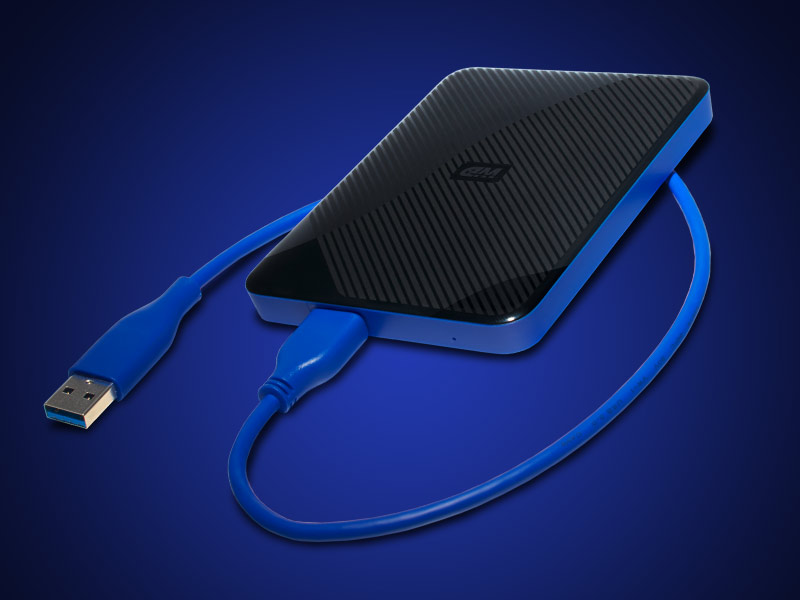

| ASIN | B07HKMXJLY |
| Additional Features | Portable |
| Best Sellers Rank | #45,318 in Video Games ( See Top 100 in Video Games ) #567 in External Hard Drives #2,402 in PlayStation 4 Accessories |
| Brand | WD |
| Built-In Media | Quick Start Guide, USB 3.0 cable, WD Gaming Drive |
| Cache Memory Installed Size | 2 |
| Color | Black |
| Compatible Devices | Gaming Console |
| Connectivity Technology | USB |
| Customer Reviews | 4.8 out of 5 stars 13,102 Reviews |
| Digital Storage Capacity | 2 TB |
| Enclosure Material | Plastic |
| Form Factor | Portable |
| Global Trade Identification Number | 00718037865416 |
| Hard Disk Description | Mechanical Hard Disk |
| Hard Disk Form Factor | 3.5 Inches |
| Hard-Drive Size | 2 TB |
| Hardware Connectivity | USB 3.0 |
| Installation Type | External Hard Drive |
| Item Dimensions L x W x Thickness | 4.33"L x 4.33"W x 0.5"Th |
| Item Type Name | Western Digital WDBDFF0020BBK-WESN Gaming Drive for Playstation 4 2TB Portable External Hard Drive |
| Item Weight | 0.29 Pounds |
| Manufacturer | Western Digital Technologies, Inc. |
| Model Number | WDBDFF0020BBK-WESN |
| Number of Items | 1 |
| Special Feature | Portable |
| Specific Uses For Product | personal, gaming |
| UPC | 718037865416 |
| Warranty Description | 3-year manufacturer's limited warranty |
C**C
A must have for ps4
Works great the extra storage is amazing I havnt had to delete a game since installing and have added plenty of games I wouldn't have before because I'd be worried about storage space. The device itself is easy to use and thin enough I keep it right intop of the Playstation. It also as somesorta storage protection as it will 'repair' itself when power goes out unexpected. Would recommend it's been amazing definitely worth the cost.
M**K
Good external hard drive for a ps4
Its a good drive for the price. 4 terabytes is quite a bit of space for games. I would think you should be fine unless you buy ALOT of games, like if you review games on a podcast or youtube or something. You just plug it into a USB port and then format the drive under "storage," in your menu and set it as the default location for games. This is all very easy to do, even if you're not PS4 or computer savvy. We haven't noticed any huge difference in load times between the USB drive and the internal drive. The only issue we ran into was our 5 year old accidentally bumped the USB cord with her foot during a game and it crashed the game. So the USB connection does seem to be very sensitive. As long as the PS4 is on a stable surface away from little toes, you'll be fine.
I**3
So far so good w/ heavy use!connected anyways since I only have 2 ports and I
Update: I have had it for a year and a half and it's still running strong, getting used constantly every day. I'm not too proud to admit that it's had a few falls as I have been trying some different mobile set ups. I need my music most all say every day and I have too much for my laptop, so I keep it on here and stream from my computer to my phone (UPNP media server - foobar app/desktop software, completely free). I noticed with several computers that it has problems connecting unless it runs through my Anker USB hub (pretty sure it's been that way from the start). I swear that hub is magic. I always have that hub connected anyways since I only have 2 ports and I love the extension it provides. Any time you have USB connection problems, try a different cable and/or a good hub. ---------------------------------------- I don't play around when it comes to my data, if a drive seems off in anyway, I will return it and dump the brand usually. I have experience with data loss. The 1st time it happened was with SanDisk and I really have never trusted them again. That was my 1st lesson in having backups for your backups. I will admit it, I am a digital hoarder and have way too much data, but it's a lifetime of buildup. I went to WD 4TB external back in like 2014? I think I had some issues, but not complete failure. I do however have a WD internal drive that I upgraded my 2009 MacBook a long time ago and it's still running strong. I gave Fantom drives a shot for my main backups that stay locked up, they seem to be ok too. I got this one for my daily use. I have a lot of intensive programs on my computer that take up a lot of space, but I also have a ton of music and educational videos that I use for school that just filled up my drive. Having a big bulky drive around everywhere was just not feasible. I gave this guy a shot, not for gaming, but for daily usage. Everything on this drive is backed up, but this one goes with me everywhere and gets used daily, travels a lot. I fully expect it to fail, b/c I'm paranoid, but it hasn't yet, and if/when it does I will update it here and let you know. Until then, this thing looks good, works well and does what I need. It's my traveling media drive that I constantly have plugged in to listen to my large music collection built up over the years. Over 2 months strong, I'm feeling good (knock on wood). I don't have a case for it, I try to baby it when I move it around, but it does travel in my backpack so it gets some jolts here and there, but she's doing well!
M**C
Great external storage for ps4 slim
Great 4 TB drive. I use on my ps4. Easy to setup and easy to use. I have a ps4 slim. Easy instructions when you plug usb in to ps4 for the first time. You can make the storage the primary if you want. One thing to note is before you shut off the ps4 you need to “stop” the hard drive first before you shut down the system. Just like disconnecting a usb on the computer. Go to sounds /devices and find “stop using storage “. Click on it and your done. Then shut down the ps4. Very happy with purchase. I recommend it for the extra game storage. It holds a lot and frees up space on your internal hard drive
N**N
Works great!
I did a lot of research before I bought this because I really needed one for my PS4. This one definitely stood out. I hooked it up and it couldn’t have been easier. It has to be formatted to the ps4 but that’s just a click of a button once you get to the setting. It was compatible and formatted in just mins. Have been using it for months with no issues. I moved all my games to the external drive and my ps4 seems to run smoother and load faster pulling from the drive. I wasn’t crazy about the price but after using it I’m definitely not disappointed.
Z**Z
Loading times are slow
This drive is great for being able to have all your games readily installed without having to uninstall. The only issue is that game load times are slower, it's not unbearably slow, but can be a bit annoying when switching between scenes multiple times, like fast travel & then entering a building in a game like Kingdoms of Amalur. However it's a small price to pay for not having to uninstall/reinstall games due to lack of space. UPDATE: Having had this for a while, I can say it's still going strong & I continue to add to my library (between free psplus games or purchases for my kids) and still have not filled the drive. The other option is to get a SSD (internal or external), which is pricier, & if you go internal, you also have to deal with backing up your current internal drive & then restoring to the new drive.
D**L
Works well
It works very well. There is a slight lag at first when you select the game but I'm talking MAYBE a second or two. And then everything plays flawlessly. When I hooked it up I had 4.01 TB available, but after formatting it was down to I believe 3.56 TB? not the fault of the hard drive but it is odd that it takes almost 500 GB to format?? But I went from 500GB of storage to 4 TB (including internal PlayStation storage) for about $100... Totally worth it!! I also like how easy it was to hook up, you just plug into the USB in the front and set the hard drive down next to or on top of the PlayStation and go to storage, format the external and then start transferring your storage. Also if anything goes wrong with this all of my game saves and everything stay on my PlayStation so it's not a big deal. I should have gotten this earlier but after RDR2 being so big (over 110GB) I felt like I had to get more storage for all my future games.
D**N
Good
Good
Trustpilot
2 weeks ago
2 weeks ago